The main differences: GMass is a Chrome extension that sends through a connected Gmail or Google Workspace account, works from Google Sheets, and stores recipient and reporting records on its servers, with paid plans billed monthly or yearly. Drip Send is a native Mac app that sends through any mailbox with SMTP (Gmail, Outlook, iCloud, Yahoo, Fastmail or your own domain), keeps contacts and campaigns on your Mac, stops follow-ups when someone replies, and is free to try with a one-time unlock. Choose GMass if you live in Gmail and want high-volume features; choose Drip Send for careful one-to-one outreach from any mailbox without a subscription.
GMass and Drip Send side by side
| GMass | Drip Send | |
|---|---|---|
| Where it runs | Chrome extension inside Gmail | Native Mac app (macOS 14 or later) |
| Mailboxes | Gmail and Google Workspace | Any mailbox with SMTP: Gmail, Google Workspace, Outlook / Microsoft 365, iCloud, Yahoo, Fastmail, your own domain |
| Contact list | Google Sheets or Gmail contacts | CSV, Excel (.xlsx), Google Sheets link, Apple Contacts, drag and drop |
| Follow-ups | Multi-stage, sent only if there is no reply (paid plans above the entry tier) | Multi-step sequences in every version; IMAP reply checking stops a contact's follow-ups when they reply |
| Where data lives | Recipient and reporting records stored on GMass servers; drafts and sent mail in Gmail | On your Mac; passwords in the Keychain; no Drip Send server |
| Free use | Free trial, capped at about 50 emails a day | Free version: 1 campaign, up to 25 contacts, every feature |
| Price | Subscription, monthly or yearly, per user | One-time Pro unlock, no subscription |
| Open and click tracking | Yes | No pixels; tracks replies, bounces and unsubscribes instead |
Competitor details were checked on their own websites in November 2026. Plans and prices change often, so confirm on their pricing pages before you decide.
When GMass is the better choice
GMass suits people whose whole working day happens in Gmail. You build the campaign in a Gmail compose window, pull rows from a Google Sheet, and get open and click tracking, inbox rotation and team plans. If you send to large lists every week, share campaigns with colleagues, or want reports in the browser, a cloud tool like GMass is built for that.
It is also the simpler choice if you never use a Mac, because Drip Send only runs on macOS.
When Drip Send is the better choice
Drip Send is for careful, personal outreach: a freelancer contacting fifty agencies, a founder writing to early customers, a recruiter following up with a shortlist. Three things make it different from GMass.
Any mailbox. Drip Send talks to your mail server directly, so it works with Outlook and Microsoft 365, iCloud Mail, Fastmail, Yahoo and custom-domain hosting as well as Gmail. It has presets for the common providers and plain-language help when a password or setting is wrong, including Gmail's App Password case.
Your data stays put. Contacts, templates, campaigns and logs live in a local file on your Mac. There is no account to create and no Drip Send server holding your recipient list.
No subscription. You can run a full small campaign in the free version and pay once if you need more contacts or campaigns.
Moving a GMass campaign to Drip Send
- In Google Sheets, open the sheet you used with GMass and choose File, Download, CSV (or share it as "Anyone with the link can view" and paste the link into Drip Send).
- In Drip Send, choose Import CSV or Excel, map the email, name and company columns, and review anything flagged.
- Paste your message. GMass merge fields like {FirstName} become Drip Send tokens such as {{name}} and {{company}}; the preview shows each person's version.
- Add your follow-up steps and their delays.
- Connect your mailbox and turn on reply checking, send yourself a test, then start in manual mode so you approve each message.
Contacts who already replied in GMass should be removed or suppressed first, so nobody gets a follow-up they should not.
How Drip Send fits
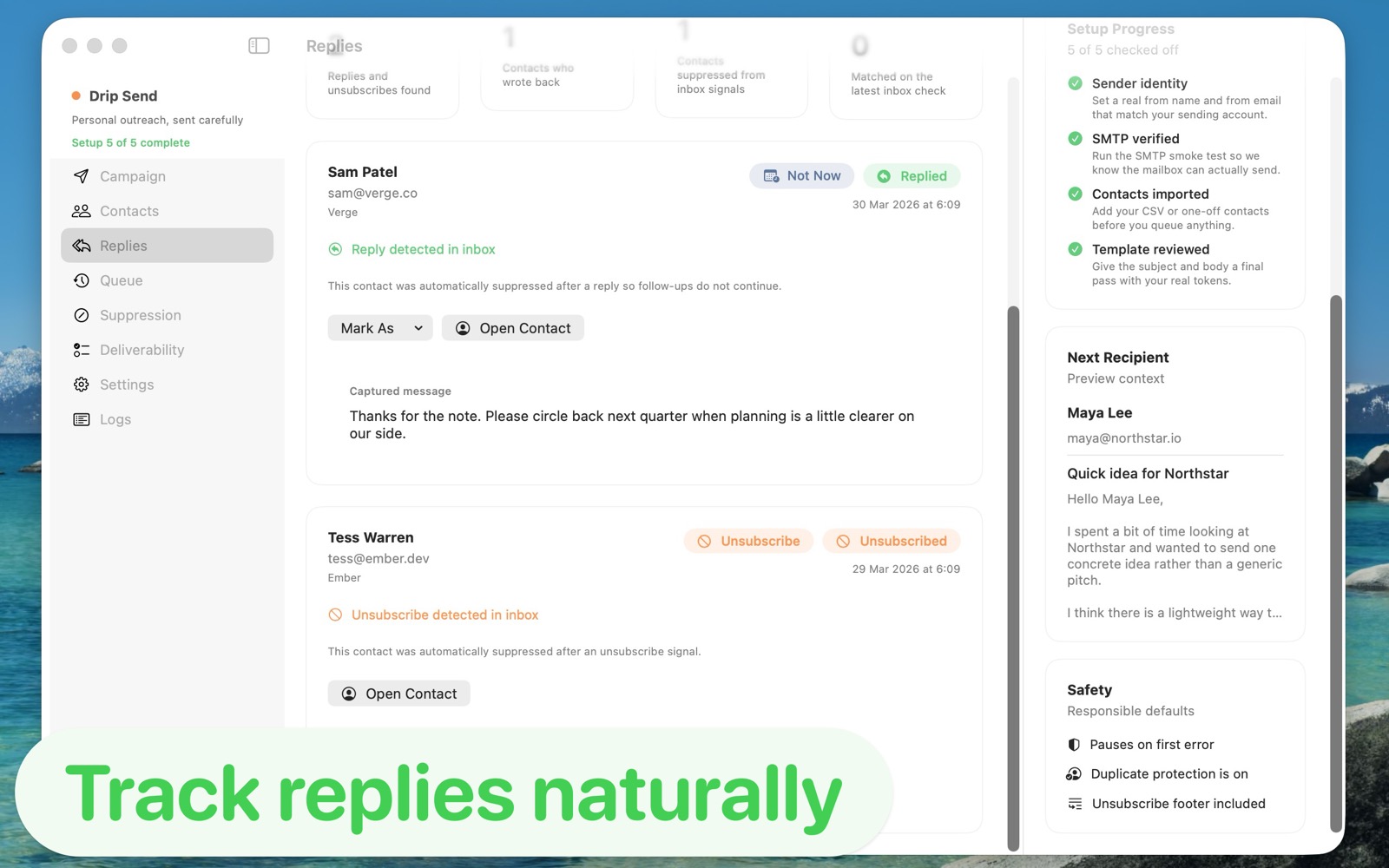
Drip Send is a Mac app for small, personal outreach. You import a CSV, an Excel file or a Google Sheets link, review the contacts, preview every personalised message, and send one email at a time from your own mailbox through SMTP, with daily and hourly limits. It checks your inbox over IMAP, and a reply stops that person's follow-ups. Contacts, campaigns and logs stay on your Mac, and passwords are kept in the macOS Keychain. Drip Send is free to download from the Mac App Store. The free version includes one campaign with up to 25 contacts and every feature, including follow-ups, reply checking, A/B subject tests and deliverability checks. A one-time Drip Send Pro unlock ($34.99 at the time of writing) removes both limits. There is no subscription.
What Drip Send does not do: it does not track opens with pixels, it is not a newsletter tool, and it is not for purchased lists or high-volume blasts. It sends while the app is open on your Mac (or running in the menu bar); if you quit it, the queue pauses until you resume it. Laws on unsolicited email differ by country, so check the rules that apply to you and always honour requests to stop.
Common questions
Does Drip Send work with Gmail?
Yes. Use a Google App Password with smtp.gmail.com for sending and imap.gmail.com for reply checking. Drip Send fills these in when you pick Gmail.
Does Drip Send need Chrome?
No. It is a native Mac app and does not run in a browser.
Can Drip Send send thousands of emails a day?
It is not designed to. It sends one message at a time with limits that keep a personal mailbox healthy.
Is there a monthly fee?
No. The free version is free to keep using, and Pro is a one-time unlock.
For one-to-one outreach from any mailbox: Get Drip Send.