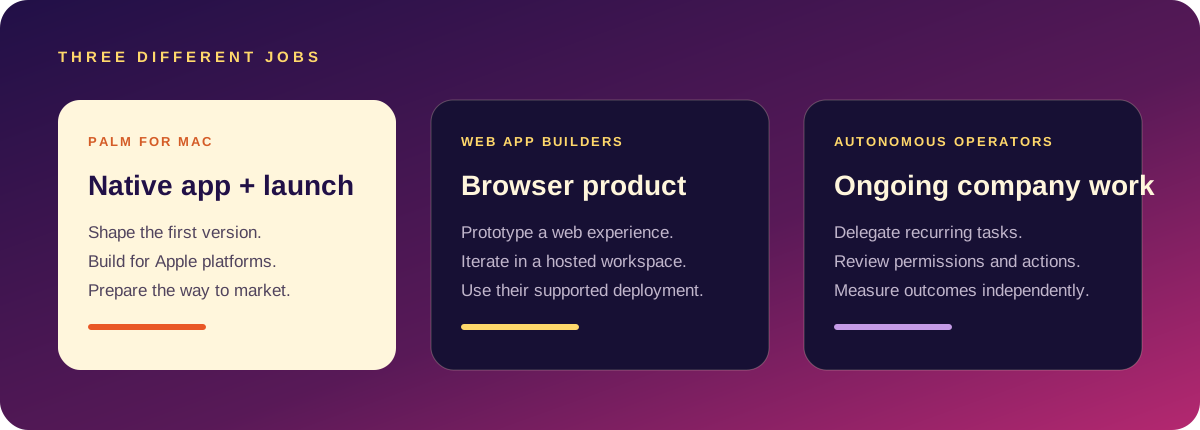
Turn an unformed idea into a product promise, first-version brief, visual language and launch plan.
Move quickly once you know the web experience you want to build and test.
You need a point of view, a smaller scope or a marketing story before you open the code editor.
Prototype the right question
The most expensive prototype is the one that answers a question nobody is asking. Palm keeps the audience, promise, proof and first distribution test beside the product direction so the prototype has a job to do.
From output to evidence
Once a direction is specific, use the builder that fits the implementation. Then put the result in front of real people. Palm is not a substitute for that evidence; it is a way to arrive at a better question.
When Bolt may be the better fit
Choose Bolt when you want to work in its browser environment, explore a web product, and use its supported integrations and deployment path. Its official documentation describes website, web-app, and mobile-app use cases; check the current target and deployment details for your exact project.
When Palm may be the better fit
Choose Palm when you are building for Apple platforms from a Mac and want product decisions, native project files, and launch tasks close together. Palm does not replace the hosting and web-deployment path Bolt is designed to provide.
A fair side-by-side test
Use the same brief in both tools. Ask for one clear core workflow, provide the same visual direction, and test the output on its intended device. Compare the time to a usable first flow, how easy it is to make a specific revision, what you need to configure, and whether the result is ready for your intended distribution channel.
Check Bolt’s official introduction for current capabilities. You may also want Palm vs Lovable if your target is a browser app.
Side by side
| Bolt | Palm | |
|---|---|---|
| Runs in | A browser | A Mac app |
| Builds | Web apps, running in an in-browser environment | Native SwiftUI iPhone apps |
| Project lives | In the cloud, exportable | Files on your Mac |
| AI runs | On hosted models | On your Mac |
| Pricing | Subscription with token limits | One-time purchase |
| Best at | Fast web prototypes you can share by link | A first native app plus launch material |
Checked against public information in October 2026. Confirm current details on Bolt's site.
What each costs you in practice
- Bolt: very little set-up; ongoing cost tied to usage; you depend on the service being available.
- Palm: set-up of Xcode and a recent macOS; one payment; you need an Apple Developer account to ship.
If you are undecided
Ask where your users are. If they will use it at a desk or by following a link, build for the web. If the idea depends on the phone itself, such as notifications, widgets, the camera, offline use or the App Store as a shop window, build native.
Palm is a Mac app that turns a sentence into a native SwiftUI iPhone app, an Xcode project and launch material, with the AI running on your Mac. Pro is $49 once. It needs macOS 26 and Xcode. More in the builder guide and the idea-to-launch plan.
Choose Bolt when
- You want a working web prototype in minutes, shareable by link.
- The product is a website, dashboard or internal tool.
- You do not have a Mac.
Choose Palm when
- The product needs to be an iPhone app.
- You want to own a standard Xcode project.
- You want pricing guidance, a paywall and launch drafts with the build.
- You prefer a single payment to usage-based billing.
Whichever you use, read what it generated before you ship. A prototype that runs is not the same as an app that handles a real user's mistakes.
Questions people ask
Can I use both?
Yes. Some people prototype the idea on the web first, then build the native app once the shape is clear.
Does Bolt produce Swift?
It is aimed at web technologies.