Palm / comparison
Palm vs Dyad
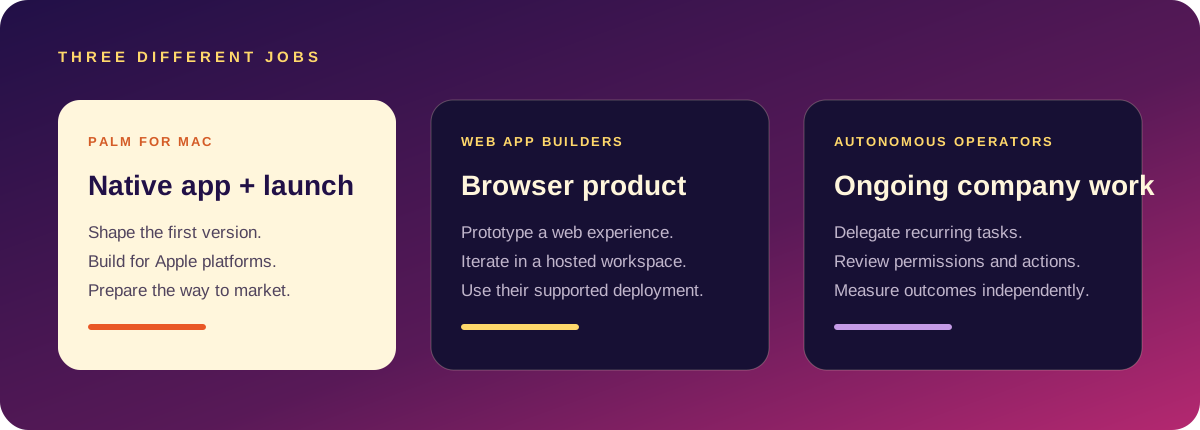
Both are built for people who want more ownership than a hosted no-code tool. They solve different moments: Dyad is a local AI app builder; Palm is a private product-and-launch studio for deciding what to build and how to take it to market.
At a glance
Palm
Starts with a plain-language brief. Shapes the audience, promise, first-version scope, product direction and distribution plan. Best for founders still making the product decision.
Dyad
Starts with a build brief. Generates and edits web-app code locally, with model choice and code ownership. Best when the product shape is already clear.
Which one should I use?
Use Palm first if you are still comparing ideas, need a launch plan, or want to see a considered first version before committing to code.
Use Dyad first if you have a defined web-app specification and want to generate a working local prototype immediately.
Use them together if Palm helps you decide what deserves to exist and Dyad helps you prototype the web implementation.
Questions people ask
Open Palm → · Read Palm guides →
Where the workflows differ
- Project target: Dyad’s current product pages focus on web apps; Palm’s Mac app builder targets native Apple-platform projects.
- Model choice: Dyad supports selectable providers, including local models; Palm can use a local model or a configured hosted provider. In either product, privacy depends on which provider is actually selected.
- Code and workflow: Dyad emphasizes open source and code ownership. Palm combines a Mac project with product planning and launch work.
Choose by the next job
If you want an open-source local desktop tool for a web-app project and are comfortable choosing a model provider, explore Dyad. If your goal is a native Apple app and you also want to prepare its product and launch direction, test Palm. You can use a planning tool first and move to an implementation tool later; the brief should remain portable.
Check Dyad’s official overview for current features. Compare another workflow in Palm vs Bolt.
Side by side
| Dyad | Palm | |
|---|---|---|
| Runs | Locally, as a desktop app for Mac and Windows | Locally, on Mac |
| Builds | Web apps | Native SwiftUI iPhone apps |
| Models | Your own API keys, or local models | AI on your Mac |
| Licence and price | Free and open source | Paid, one-time |
| Also gives you | Code you own, version history | Xcode project, paywall, review check and launch drafts |
Checked against public information in October 2026. Both are local-first, which is what sets them apart from hosted builders. The real difference is the target: web or native iPhone.
Palm is a Mac app that turns a sentence into a native SwiftUI iPhone app, an Xcode project and launch material, with the AI running on your Mac. Pro is $49 once. It needs macOS 26 and Xcode. More in the builder guide and the idea-to-launch plan.
Choose Dyad when
- You are building a web app and want an open-source tool you can inspect.
- You use Windows, or work across Mac and Windows.
- You already pay for model API access, or want to run local models.
- You are comfortable wiring up hosting and a database yourself.
Choose Palm when
- The goal is a native iPhone app in the App Store.
- You want a StoreKit paywall, a review-risk check and store listing copy produced with the app.
- You want launch material drafted from the same brief.
- You would rather not manage API keys and model bills.
They are not really rivals
Someone building a web dashboard and its companion iPhone app could sensibly use both: Dyad for the web side, Palm for the native one, with all of the code on their own machine.
Questions people ask
Is Dyad more private than Palm?
Both keep projects on your machine. With Dyad, prompts go to whichever model provider you configure unless you use a local model.
Which should a web developer pick?
Dyad, for web apps. Palm if the goal is the App Store.