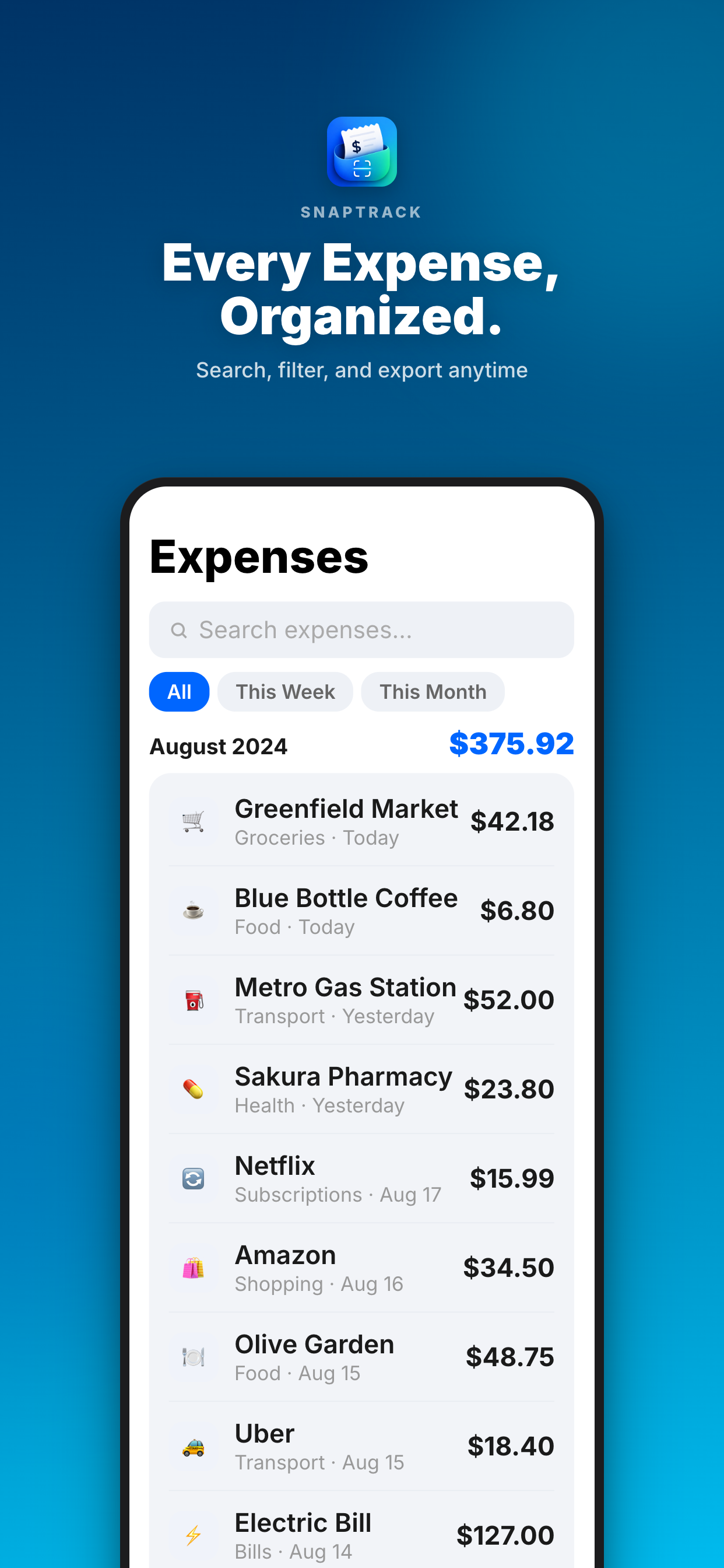
A freelancer needs four things from an expense tracker: a fast way to capture a receipt, a category for each expense, a searchable history, and an export for the accountant. SnapTrack does this on iPhone. It reads the merchant, total, date and category from a photo on the device, lets you correct them, tracks spending against budgets, and exports CSV or PDF.
Why receipts get lost
The usual system is a photo in the camera roll, a line on a bank statement and a plan to match them later. Later arrives eleven months on, when the photo is buried and the statement says only a card processor's name. The cost is real: unclaimed expenses mean paying tax on money you spent on the business.
A system that survives a busy month
- Scan at the point of purchase. Ten seconds, then the paper can go.
- Check three fields: total, date, category. Fix what the scan got wrong.
- Add a note if it is for a client. The client's name is enough to find it later.
- Once a month, compare against your bank statement and add anything missing by hand, such as subscriptions that never produce paper.
- Once a quarter, export and send to your accountant or file it.
Categories worth using
| Category | Typical items |
|---|---|
| Software and subscriptions | Design tools, hosting, cloud storage |
| Equipment | Computer, camera, phone, peripherals |
| Travel | Trains, flights, taxis, parking |
| Meals with clients | Rules vary widely by country |
| Office and supplies | Stationery, printing, postage, co-working |
| Professional services | Accountant, legal, insurance |
| Training | Courses, books, conferences |
Use your tax authority's or accountant's categories if they give you a list. It saves re-sorting at the end of the year. Whether an item is deductible, and how much of it, depends on your country and circumstances.
Budgets and a monthly look
SnapTrack shows spending by category and progress against budgets you set. For a freelancer that is less about restraint and more about noticing: software subscriptions that crept up, or travel for a client that was never billed back.
Client expenses
When you buy something for a client's project, note the client on the expense at the time. At invoicing, search for that name and add the items to the invoice. SnapTrack records and exports; it does not create invoices. If you want to bill those costs back to clients, with invoicing and expenses in one app on Mac and iPhone, see Settle’s billable expense tracker.
Importing from your bank
With Plus, you can import a CSV exported from Apple Card, Apple Cash or your bank's app, which fills the gaps for card payments that had no paper receipt. It is a file import you do yourself, not a live connection to your bank.
At tax time
Export the year as CSV for your accountant's spreadsheet or as a PDF report. Both list each expense with its date, merchant, category and amount, and foreign receipts show original and converted figures. The free trip summary builder helps with the travel portion.
What SnapTrack does not do
- Not an expense-approval system. There are no team accounts, approvers or company policies.
- No automatic bank feed. You can import a CSV exported from your bank or Wallet with Plus, but it does not connect to your bank.
- Exchange rates are yours to enter. SnapTrack keeps the original currency and converts with the rate you give it.
- iPhone only. In English and Japanese.
- Not tax advice. It keeps records. What you can claim is a question for your accountant.
Free and Plus
SnapTrack is free to download with a limited number of free logs, so you can test it on real receipts. SnapTrack Plus removes the limit and adds bank and Wallet CSV import, more detailed analytics and exports. The App Store shows the current price. Receipt scanning runs on the iPhone; receipts are not uploaded for processing.
Common questions
Is SnapTrack free?
It is free to download with a limited number of free logs. Plus removes the limit.
Is my data private?
Receipt scanning is processed on the device.
Can I enter expenses by hand?
Yes.
Does it work with my accountant's software?
It exports CSV and PDF. Ask your accountant which they prefer.
How is it different from Expensify?
Expensify is built for companies with approval flows and reimbursement. SnapTrack is a personal tracker for one person's receipts, with no team features.
SnapTrack keeps expense records. It does not give tax or accounting advice. Check what you can claim with an accountant or your tax authority.
Make the next receipt the easy one: Get SnapTrack.