 Palm
App Store screenshot sizes (and the one size you must upload)
Upload at least one set for iPhone with Dynamic Island (medium display): 1179x2556 or 1206x2622 portrait. If the app runs on iPad, add iPad 13-inch: 2064x2752 or 2048x2732. JPEG or PNG, no transparency, 1 to 10 per set. App Store Connect scales them down for smaller devices.
The details
| What | Value | Note | Source |
|---|---|---|---|
| Required iPhone class | iPhone with Dynamic Island (medium display) | At least one. Falls back to scaled Face ID (large) shots if not provided. Apple now names classes, not inches. | developer.apple.com |
| iPhone (Dynamic Island, medium) px | 1179x2556, 1206x2622 | Landscape: 2556x1179, 2622x1206. The required iPhone size. | developer.apple.com |
| iPhone (Dynamic Island, large) px | 1260x2736, 1290x2796, 1320x2868 | Optional; also accepted. | developer.apple.com |
| iPad 13-inch px | 2064x2752, 2048x2732 | Landscape: 2752x2064, 2732x2048. | developer.apple.com |
| Mac | one of 1280x800, 1440x900, 2560x1600, 2880x1800 (16:10) | Required for Mac apps. | developer.apple.com |
| Formats | .jpeg .jpg .png | No alpha channels or transparency. | developer.apple.com |
| How many | 1 to 10 per set | The first three show in search results. | developer.apple.com |
| Scaling | Upload the largest required size | If UI is the same across sizes, upload only the highest required resolution; ASC scales down for smaller sizes. | developer.apple.com |
What usually goes wrong
- PNGs with an alpha channel (exported from design tools with transparency): App Store Connect refuses them.
- Designing at the old 6.5-inch size (1242×2688 / 1284×2778) only, then wondering which slot is "required".
- Captions that read fine on a laptop and are unreadable at search-result size, where the first three screenshots are about 1/5 of their real width.
- Prices, "#1" or comparison claims in the images (guideline 2.3.14, Oct 2026).
Before and after, from Palm's tests
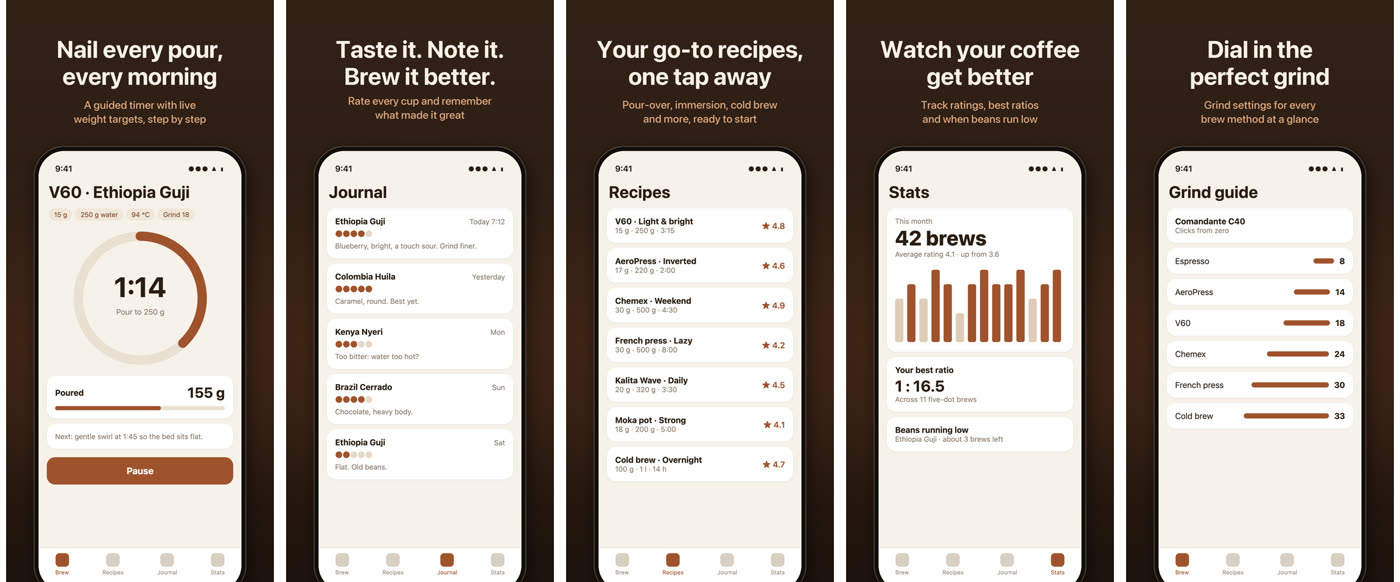
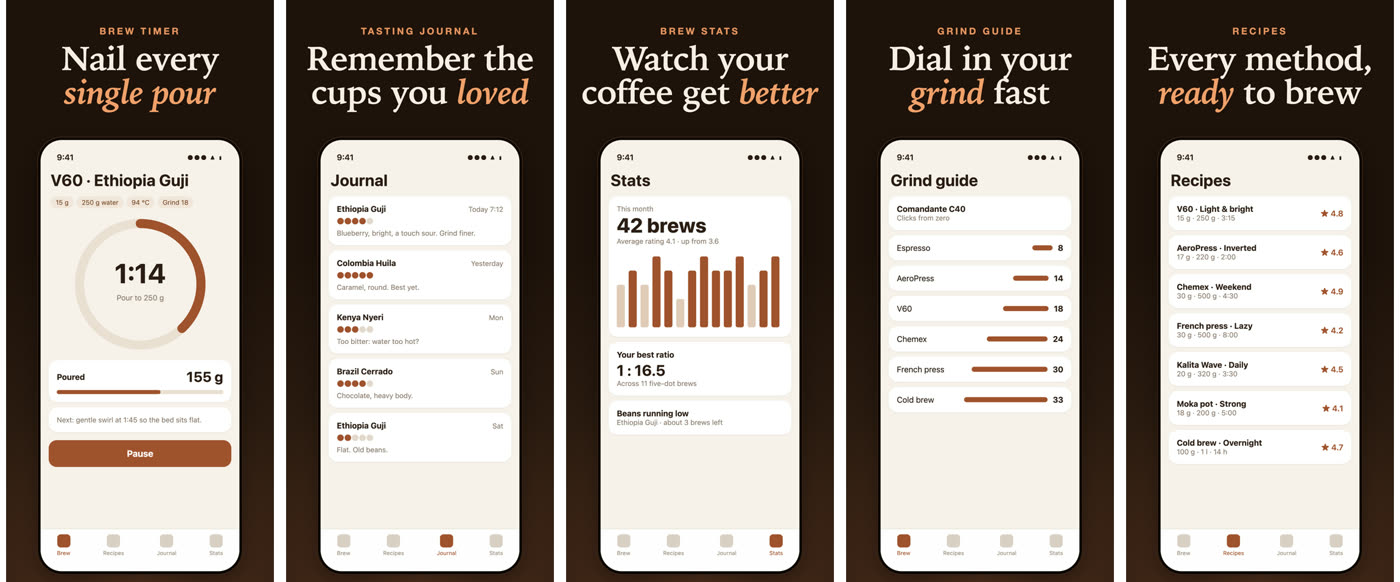
Blind judges (two models) picked the Palm set in 17 of 18 pairs. Both sides' files were accepted.
Same agent (Claude Code), same request, a fresh folder each run; judged blind by a separate session that never knew which side used Palm. All results.
What your agent can't do alone
Your agent already knows these sizes; in our tests both sides got the files accepted every time. What it can't do is see its screenshots the way shoppers do. Palm renders screenshots designed as HTML at the exact pixel size, shows the first three in a real-size App Store search result, checks every file the way App Store Connect will (size class, alpha, count), and builds the app preview video from screen recordings.
Questions
Do I need screenshots for every iPhone size?
No. Upload the required class (iPhone with Dynamic Island, medium display); App Store Connect scales it for smaller iPhones. Upload others only if your UI differs.
Why does App Store Connect reject my PNG?
Most often it has an alpha channel (transparency). Flatten it onto a solid background and export without alpha.
Can I use landscape screenshots?
Yes: the landscape sizes are the same numbers swapped (e.g. 2556×1179). Use one orientation per set.