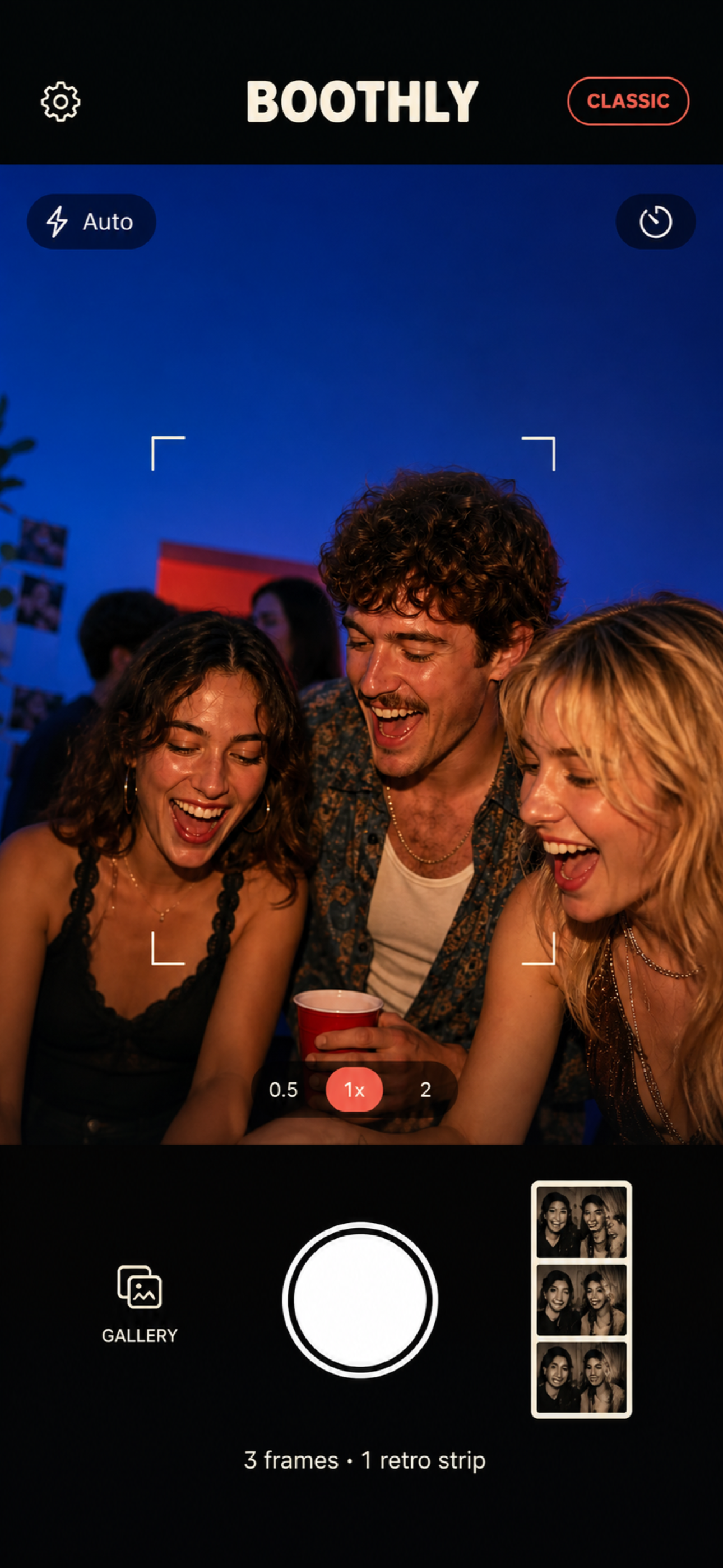
To make a photo booth without renting one, pick a well-lit spot with a plain background, add a few props, and use an iPhone app that produces photo strips. Boothly takes three frames and turns them into a retro strip with a Classic, Midnight or Rose look. Leave one iPhone or iPad on a stand in Event Mode, or let guests use their own iPhones by scanning a QR code.
Two ways to run it
| One device on a stand (Event Mode) | Everyone's own phone | |
|---|---|---|
| Set-up | A tripod or a stack of books, a charger nearby | A printed QR code |
| All strips in one place | Yes, in the Event Library on that device | No, guests send them to you |
| Feels like a booth | More | Less, but it happens everywhere |
| Best for | Parties at home, children's parties | Larger or spread-out gatherings |
For most small parties, one device on a stand is easier. Use an old iPhone or an iPad if you have one, so nobody's own phone is tied up all evening.
Event Mode turns one iPhone or iPad into a proper booth. You enter the event name, date, booth style, an optional message and initials, and choose 2, 3 or 4 photos per group. Guests tap to start, Boothly counts them through the photos, shows the strip and resets for the next group. Every strip and individual photo is kept together in an Event Library on that device.
The corner
- Light. Face people towards a window or a lamp. Light behind them turns faces dark.
- Background. A plain wall, a sheet, wrapping paper taped up, or a string of lights.
- Height. Camera at about eye level for the shortest person you expect, slightly further back than feels natural.
- Props. Hats, glasses, a picture frame to hold. Five good props beat thirty.
- Instructions. A small sign: tap, three photos, strike a new pose each time.
Ideas by occasion
| Occasion | What works |
|---|---|
| Birthday at home | A strip of each guest with the birthday person; send them with the thank-yous |
| Baby shower | Rose theme; guests hold a card with a wish or a name guess |
| Bridal shower | A strip per friendship group, printed for the couple later |
| Graduation | Cap on, cap off, cap thrown; one with each family member |
| Office or team party | Team by team; Midnight theme hides bad office lighting |
| Retirement | Colleagues recreate an old photo from the early days |
| Family reunion | One strip per branch of the family, oldest to youngest |
| School or club event | Check your organisation's rules on photographing children first |
| Dinner party | Pass one phone round the table between courses |
Strips as party favours
Printing, new in version 1.3. Boothly prints complete strips on 4×6-inch photo paper through AirPrint, or makes a print-ready PDF to send to a print shop. In Event Mode you can select strips to print together or print the whole event gallery, and the booth waits while a group prints, saves or shares before welcoming the next one. Boothly Pro adds two copies per sheet with a cutting guide, so one stays with the guest and one goes in the guestbook. You need an AirPrint printer on the same Wi-Fi network.
Without a printer at the party, print afterwards and post strips with a thank-you note, or send them the same evening. For children's parties, a strip in the party bag the following week is a favour that gets kept.
Instead of disposable cameras
Disposable cameras on tables are charming, but they cost money per camera and again to develop, and a fair share of frames come back dark. A photo-strip app gives the same sense of occasion with results you see at once. If the waiting is the charm for you, do both.
What to know before relying on it
- Nothing is uploaded. Boothly has no account and no cloud. Event Mode keeps an event's strips together on the booth device; strips shot on guests' own phones stay on those phones until they send them to you.
- Apple devices only. Boothly runs on iPhone and iPad, and App Clips are an iPhone feature. Guests with Android phones can join a group at the booth.
- Printing needs your own printer. From version 1.3 Boothly prints strips on 4×6-inch paper with AirPrint or exports a print-ready PDF. There is no built-in printer as in a rented booth, so bring an AirPrint photo printer and paper if you want prints on the night.
- The App Clip is the short version. It shoots a strip to save or share. The cork board archive and Event Mode are in the full app.
- Free to download, no subscription. From version 1.3, new users need the one-time Boothly Pro purchase to start an event; people who already had Event Mode keep it. Pro also unlocks two-per-sheet printing and extra looks.
Three free printables help with the set-up, with no sign-up: the photo booth setup checklist, 12 photo prompt cards and a photo-strip guestbook sign.
Common questions
How much does it cost?
Boothly is free to download with no subscription. Event Mode for new users is part of Boothly Pro, a one-time purchase. Otherwise your costs are props, a stand and paper.
Do I need a tripod?
No, but the phone should be still and at eye level. A shelf or a stack of books works.
Can guests use their own phones?
Yes. They scan a QR code and the App Clip opens without an App Store download.
Where are the photos stored?
On the device that took them. Everyday strips go to a private cork board, and Event Mode keeps each event in its own on-device library.
Can I post strips to Instagram?
Yes. Story export creates a 9:16 image with the strip centred, ready for Instagram or TikTok Stories.
Set up a corner and make the first strip: Get Boothly free.