Boothly has an App Clip, so an iPhone user can scan a QR code or tap an NFC tag and the photo booth opens straight away. They allow camera access, shoot three frames and get a retro photo strip to save or share. There is no account and nothing is uploaded. The full Boothly app adds a cork board archive of every strip and an Event Mode for running a booth on one device.
What an App Clip is
An App Clip is a lightweight part of an iPhone app that Apple lets you open without installing the whole thing. It is launched from a QR code, an NFC tag, a link in Safari or Messages. A card slides up from the bottom of the screen, you tap Open, and it runs. iOS removes unused App Clips by itself after a period of time.
For a photo booth this matters because the moment is short. If making a strip needs an App Store search, a password and a download, most guests will not bother.
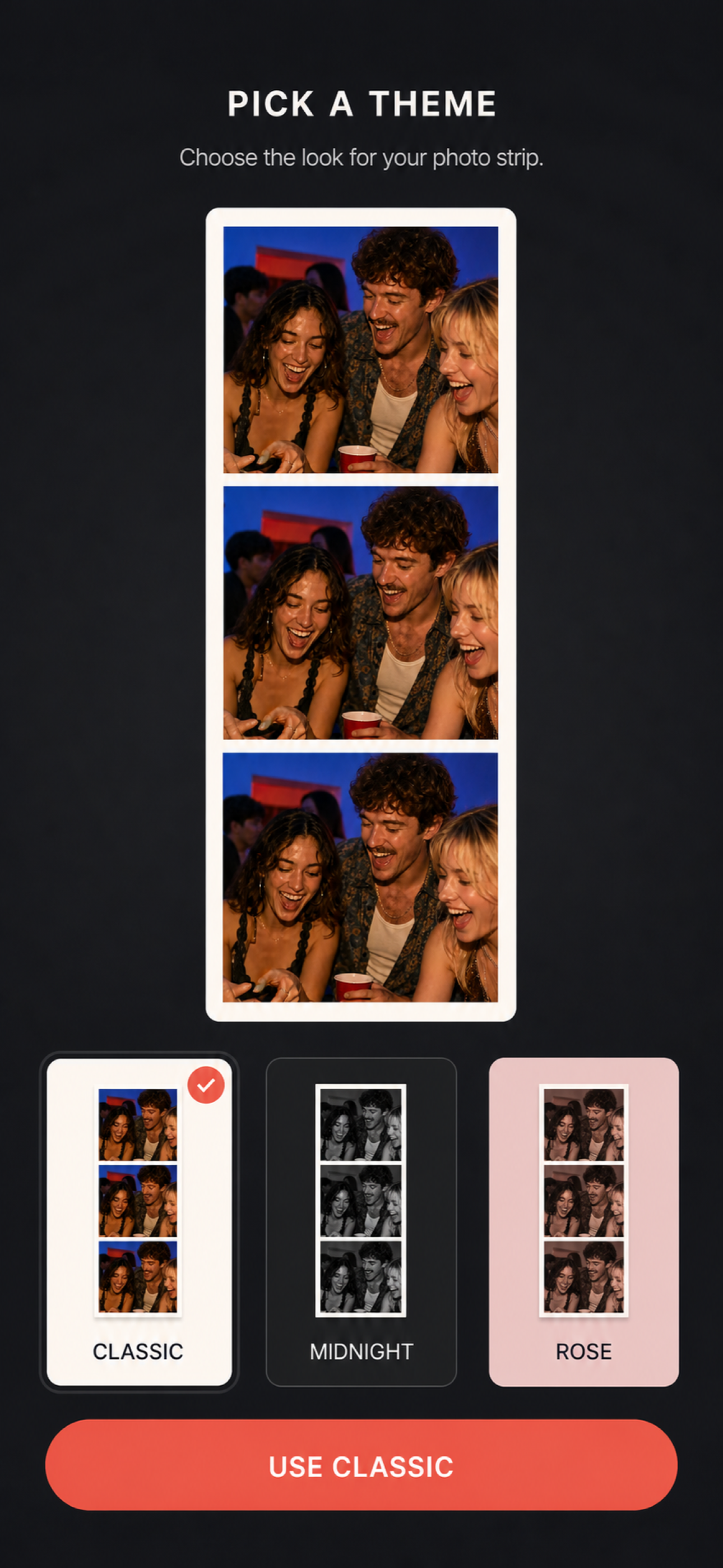
What a guest does
- Points the iPhone camera at the QR code, or taps the NFC sticker.
- Taps Open on the card that appears.
- Allows camera access.
- Shoots three frames.
- Saves the strip or shares it.
That is the whole flow. From there they can get the full app if they want more.
Setting up a QR code booth
- Get the code. The QR code on the Boothly page opens the App Clip. Print it large enough to scan from arm's length: 3 cm square at minimum on a table card, bigger on a wall sign.
- Say what it does. "Scan for the photo booth. No download." People do not scan unexplained codes.
- Place it where photos happen. By the backdrop, on each table, at the bar.
- Test it at the venue. The first launch needs a data connection. If signal is poor, share the venue Wi-Fi on the same sign.
- Tell people where to send strips. Boothly does not collect them for you.
NFC stickers
An NFC tag can be programmed to open the same App Clip, so a guest only has to tap their phone on a sticker. It feels a little like magic and suits a bar top or a sign at the entrance. Keep a QR code beside it, since some people will not know to tap.
App Clip or full app?
| App Clip | Full Boothly app | |
|---|---|---|
| Install | None | Free from the App Store |
| Three-frame strip | Yes | Yes |
| Save and share | Yes | Yes |
| Strips kept afterwards | Only if saved to Photos | On a private cork board |
| Event Mode booth | No | Yes |
| Event Library | No | Yes |
| Printing (version 1.3) | Save, then print from Photos | AirPrint on 4×6-inch paper, or print-ready PDF |
Hosts should install the full app. Guests can stay with the App Clip.
Privacy
Boothly runs on the phone. There is no sign-in and strips are not uploaded to a Boothly server. That is good for privacy and it is also why there is no online event gallery: what a guest shoots on their phone is theirs until they send it to someone.
Limits to plan around
- Nothing is uploaded. Boothly has no account and no cloud. Event Mode keeps an event's strips together on the booth device; strips shot on guests' own phones stay on those phones until they send them to you.
- Apple devices only. Boothly runs on iPhone and iPad, and App Clips are an iPhone feature. Guests with Android phones can join a group at the booth.
- Printing needs your own printer. From version 1.3 Boothly prints strips on 4×6-inch paper with AirPrint or exports a print-ready PDF. There is no built-in printer as in a rented booth, so bring an AirPrint photo printer and paper if you want prints on the night.
- The App Clip is the short version. It shoots a strip to save or share. The cork board archive and Event Mode are in the full app.
- Free to download, no subscription. From version 1.3, new users need the one-time Boothly Pro purchase to start an event; people who already had Event Mode keep it. Pro also unlocks two-per-sheet printing and extra looks.
Common questions
Does it work on Android?
No. App Clips are an iPhone feature, and Boothly runs on iPhone and iPad.
Does the App Clip cost anything?
No. It is free, and so is the full app download.
Do guests need an account?
No. There is no account in Boothly at all.
Does it need internet?
The App Clip needs a connection the first time it loads. The full app works on the phone without uploading anything.
Can I use it for a business event?
Yes. It suits small corporate events and pop-ups. If you need branded prints or a managed gallery, a rental company is the better fit.
Try the strip yourself before you print the sign: Get Boothly free.