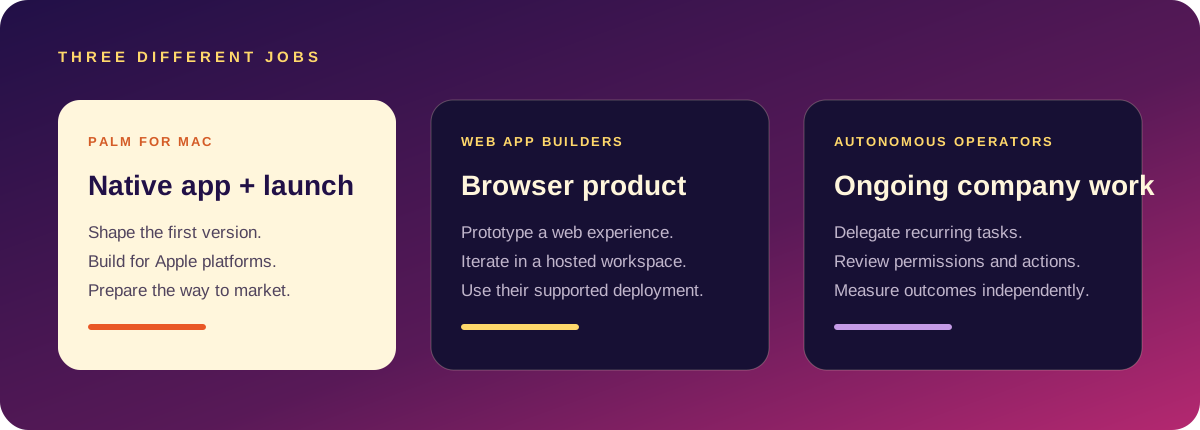
Audience, promise, first-version scope, visual direction, content and the path to first users — privately on Mac.
A fast route from a clearer prompt to a functioning browser-based product and codebase.
Use Palm to decide what deserves to exist, then choose a coding tool when the first build is specific enough to test.
The decision to make first
If you cannot explain who the product helps and what the first useful moment is, another generated screen will not solve the problem. Palm helps make that decision visible before development expands.
Local-first is the distinction
Palm is for makers who want their rough ideas, references and product decisions close to their Mac. It is a quieter workflow for the part of the process that benefits from privacy and deliberate editing.
Compare the work, not just the prompt box
- Starting point: Palm is oriented around a Mac project and a product-to-launch workflow; Lovable is an AI app and website builder.
- Output to evaluate: confirm the target platform before you start. A browser-based product and a native iOS app have different distribution, interface, and testing needs.
- Best fit: choose Palm when you want a Mac-centred native build and connected launch materials; choose Lovable when its current hosted workflow and supported app target match your project.
Questions to ask before choosing
Where should the app run? Do you need native iPhone behavior or a web URL? Where will the code and project context live? Which model provider will process prompts? How will you test, export, and maintain the result? Answering these matters more than comparing a one-line demo prompt.
Product capabilities change, so verify current details in Lovable’s official product overview. For another local-first option, read Palm vs Dyad. Palm is not a replacement for every web builder; it is a different fit for Mac-based product creation.
Side by side
| Lovable | Palm | |
|---|---|---|
| Runs in | A browser | A Mac app |
| Builds | Web apps | Native SwiftUI iPhone apps |
| Project lives | In Lovable's cloud, exportable | Files on your Mac, an Xcode project |
| AI runs | On hosted models | On your Mac |
| Account | Required | Not required |
| Pricing | Subscription with usage limits | One-time purchase |
| Hosting and deploy | Built in for web | You submit to the App Store yourself |
| Launch material | Not its focus | Listing copy, landing page, press and outreach drafts |
Checked against public information in October 2026. Lovable changes quickly, so confirm details on its site.
Choose Lovable when
- You want a web app, live at a URL today.
- You do not have a Mac or do not want Xcode.
- You are collaborating with people in a browser.
- Hosting and a database set up for you matter more than owning native code.
Choose Palm when
- The product is an iPhone app for the App Store.
- You want the code as a normal Xcode project.
- You would rather early ideas stayed on your machine.
- You want the launch plan drafted alongside the build.
- You prefer paying once.
A fair test
Give both the same sentence and judge the results by the same three questions: can a stranger use it, can you change it, and can you ship it where your users are?
Palm is a Mac app that turns a sentence into a native SwiftUI iPhone app, an Xcode project and launch material, with the AI running on your Mac. Pro is $49 once. It needs macOS 26 and Xcode. More in the builder guide and the idea-to-launch plan.
Privacy, plainly
With a hosted builder, your prompts and project are processed and stored on the provider's servers under its terms. That is fine for most projects and worth knowing for sensitive ones. With Palm, projects are files on your Mac. Neither choice is wrong; they suit different levels of caution.
Questions people ask
Can Lovable make an iPhone app?
It builds web apps, which can run in a phone browser. A native App Store app is a different thing.
Can Palm make a web app?
No. It builds iPhone and Apple Watch apps.
Which is faster to a first result?
Lovable, for a web page. Palm needs Xcode installed, then builds a native app.