See the sequence
Review the roll as a set rather than judging one photo at a time.
Roll Lab / YUZOOL APP GUIDE
Roll Lab makes a contact sheet from an iPhone photo roll, bringing a film photography workflow to digital memories and everyday snapshots.
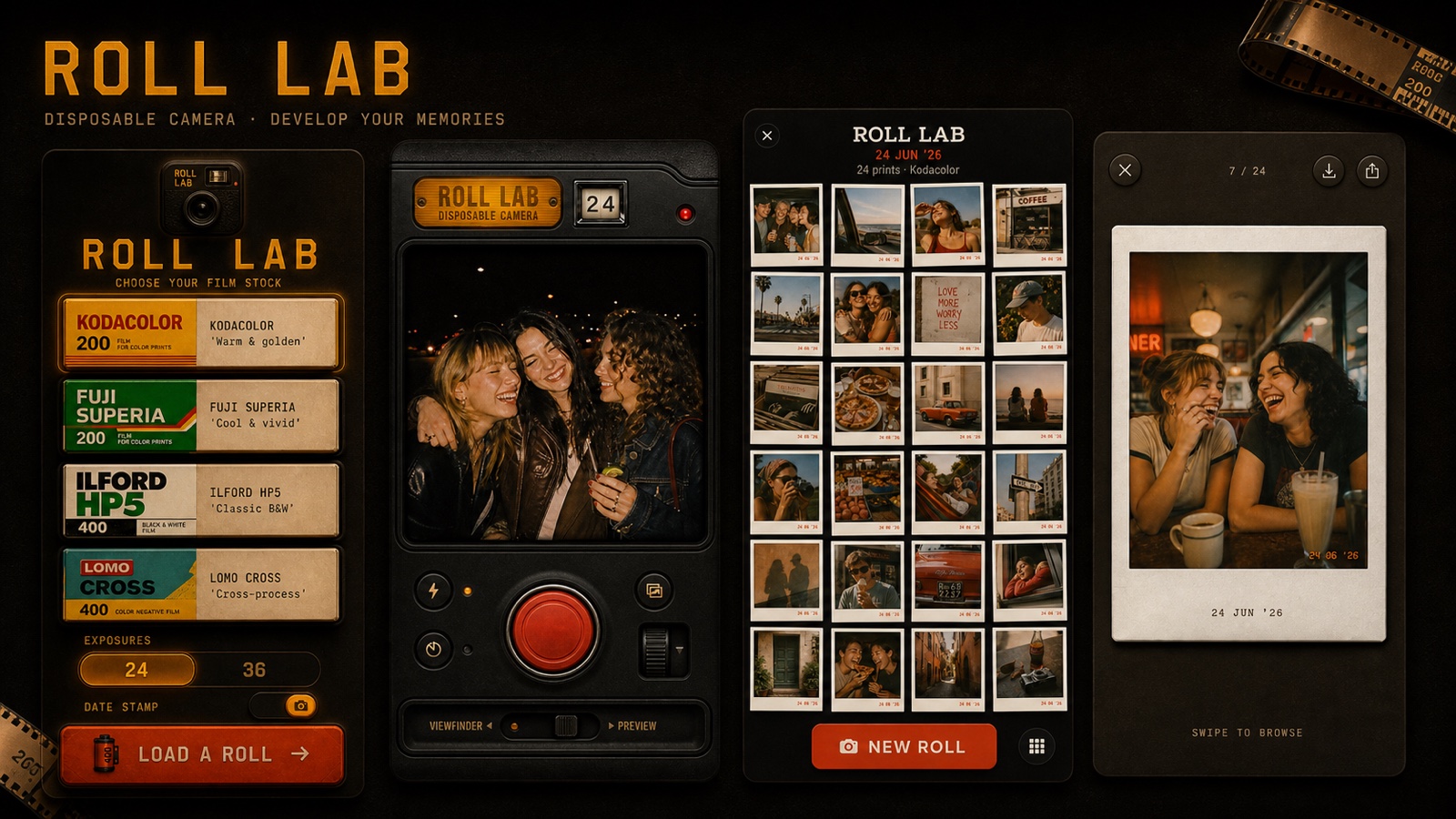
Review the roll as a set rather than judging one photo at a time.
Everyday details can matter as much as the main landmark.
The delayed reveal gives a group of photos a shared moment.
Load a stock before shooting to set a mood for the roll.
Use iPhone; no physical film or lab visit is needed.
Spend more attention on the moment in front of the lens.
A contact sheet is a compact overview of a roll: many frames seen together before choosing which images deserve closer attention. Roll Lab brings that idea to iPhone by asking you to complete a finite digital roll, then develop and review the set as a whole.
One image can tell you what happened at a particular moment. A contact sheet can show the texture around it: the walk to dinner, a table before the guests arrived, a landscape in changing weather, a sequence of expressions. Seeing the frames side by side makes the ordinary transitions visible and gives the roll a sense of place.
Start by choosing one of the app’s film stocks, then take a limited roll with the iPhone camera. Roll Lab delays the reveal until the roll is finished; the finished contact sheet becomes the payoff. The constraints are intentional: fewer frames, less instant reviewing and a reason to return after the outing.
This is a film-inspired digital camera experience, not a scanner for physical negatives and not a replacement for a professional contact-sheet workflow. You do not need to buy film or send anything to a lab. The point is to make everyday iPhone photos feel a little more considered.
Get Roll Lab on the App Store ↗
Learn about the disposable-camera approach or try a film-style camera for travel memories. Read the full Roll Lab app page →