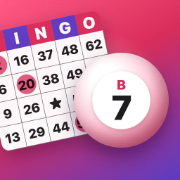
A caller and a checker
Open the caller on a laptop, a tablet or a TV. Each tap, or each few seconds, draws the next number and reads it aloud, B 12 or plain 42. The board shows every number called so far.
Every card carries its number and the game code. When a player shouts Bingo, type their card number into the caller: it shows the card with every called square marked and says whether it has won.
75-ball or 90-ball
Choose 1 to 75 for five by five cards with a free centre, or 1 to 90 for the nine by three tickets. Both print from the same page.
How to use it
- Choose 1–75 or 1–90 at the top, and the winning pattern.
- Under Print, choose how many cards, how many to a page and the paper, then Make the PDF.
- Open Call the game on a laptop or a big screen. Tap Next call, or let it call by itself.
- When someone calls Bingo, type their card number into Check.
Free: print up to 30 different cards at a time, call with a voice, and play on up to 10 phones. Bingo Pro ($1.99, once) prints up to 500 and adds the party sets. It is a game for classes, families and parties: no stakes, no money and no prizes in the app.
Questions
Does the caller speak the numbers?
Yes, in a recorded voice. Turn it off with the speaker button.
Can it call by itself?
Yes: every 6, 10 or 15 seconds, with a pause button. You can also call by hand with the Space key.
More bingo
Everything runs in your browser: your words and cards are never sent anywhere. Make any bingo game.
More printables on Yuzool: Worksheets (maths, spelling and handwriting sheets with answer keys), Crossword maker (your own words and clues), Word Search maker (a printable word search from your list), Free classroom tools (for your class page and the board).