Free for schools
Free classroom tools for teachers
A random name picker, a classroom timer, a countdown to any date, a world clock, a unit converter, a 3D Solar System, tonight's sky and daily maths and word warm-ups, all free. Open them on the board, or put them on your class website or Google Site with a line of code. There's nothing to sign up for, no ads, and no pupil data leaves the device.
On the board
Open these on the classroom screen, or put them on your class page so pupils have them at home too.
-
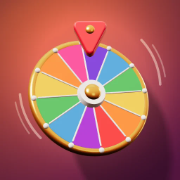
Random name picker
Your class list on a wheel with a ticking pointer. Turn on Remove the winner so everyone gets a turn before anyone goes twice.
-

Classroom timer
A countdown big enough to read from the back row, with a gentle chime. Quick buttons for 1 to 15 minutes, and full screen.
-
Countdown to a date
Days until the school trip, sports day, exams or the holidays. Set it once and it counts down by itself every day.
-

World clock
What time it is right now in the places you are learning about, with day and night. Good for geography and for pen pals.
-

Unit converter
Length, weight, temperature, volume and more, worked out exactly. Handy in maths, science and cooking.
Science and geography
Real data, drawn in 3D: every planet where it really is today, the sky over your school tonight, and the countries of the world.
-
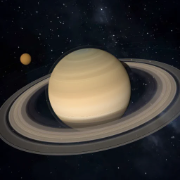
The Solar System in 3D
Every planet in its real place today, with real photo maps. Tap a world to fly there and read its facts, or play the narrated tour. Choose the planet it opens at, so a lesson on Mars starts at Mars.
-

Tonight's sky
The Moon's phase, which planets are out tonight and when, and a star map pupils can drag around, for your area or a town you pick.
-

Flags and capitals quiz
Ten geography questions a day, the same for the whole class, on a 3D globe that flies to each answer.
-
Planet quiz
Ten Solar System questions a day: which world is this, which has rings, which is biggest.
-

Bridge building
Draw a bridge across today's gap within a budget, then test it with real physics. A good design and technology starter.
Daily warm-ups
A new one every day, the same for everyone, so pupils can compare how they did without giving the answer away.
-

Daily maths facts
Ten maths facts a day for the child's school year: number bonds, adding and taking away, and times tables.
-

Daily word puzzle
Guess the five-letter word in six tries. Spelling and vocabulary practice that pupils ask to play.
-
Brain game of the day
A one-minute game for memory, attention, maths or logic, with a short demo of how to play.
-

Picture logic puzzle
Use the numbers to work out which squares to fill, and a picture appears. Calm, logical and wordless.
Questions
Are these tools really free?
Yes. Every tool on this page is free to use in class and free to put on a school website, with no sign-up. A few apps have an optional upgrade with extra features, but nothing here needs it.
Do pupils need accounts, or do you collect their data?
No accounts, ever. The tools work in the browser and keep anything pupils do on their own device. Nothing is uploaded, and the embeds set no cookies.
Are there ads?
No. There are no ads in the tools or the embeds. A small Yuzool link sits in the corner of an embed.
Will they work on our interactive whiteboard, Chromebooks and iPads?
Yes. They run in any modern browser: whiteboards, Chromebooks, iPads, Windows and Mac. The timer and the countdown go full screen, and everything is sized to read from the back of the room.
How do I put one on Google Sites, Canvas or our school website?
Click Embed it on your site, copy the code and paste it into your site's HTML or embed box: Google Sites (Insert, Embed, Embed code), Canvas and Moodle (the HTML editor), WordPress (a Custom HTML block). Google Classroom can't show embeds, so post the Open it link as material instead.
Can I show a different planet, date or time zone?
Yes. On the embed page, the Solar System opens at the planet you choose, the countdown takes your own name, date and colours, the world clock takes the places you pick, and the converter starts on the units you need. The settings go into the code, so your page keeps them.