 Palm
How to launch an app: the 7-day plan, and the pieces to make before day one
Before day one, finish five pieces that tell one idea: the landing page (product on the first phone screen, one action, a 1200×630 share image), the launch email (one reason to read, one button, readable in dark mode), three social images at their exact sizes, and a Product Hunt kit (1270×760 gallery, tagline ≤ 60 characters, the maker's first comment). Then spend the week telling people personally, one channel a day, watching one number each day.
The details
| When | What | The one number to watch |
|---|---|---|
| Before day 1 | Landing page + link card, email, 3 social images, Product Hunt kit, all checked on a phone | Each piece makes sense on its own |
| Day 1 | Email the people who signed up; tell friends and past customers personally | Replies and clicks |
| Day 2 | Product Hunt at 12:01 a.m. Pacific; reply to every comment | Upvotes from real users, comments |
| Day 3 | Communities where the audience already is (one post each, written for that place) | Visits from each |
| Day 4 | Social posts, one image per network at its exact size | Saves and shares |
| Day 5 | Writers, newsletters and podcasts in your niche, each a short personal note | Replies |
| Day 6 | Follow up with everyone who replied; fix what people stumbled on | Sign-ups after the fix |
| Day 7 | Write down what worked; plan the next small push | Week total vs. day 1 |
What usually goes wrong
- A different message in every place: people who see two pieces don't connect them.
- An empty or broken link card: the launch post's link is the first thing most people see.
- A launch email that breaks in dark mode or Gmail.
- Product Hunt gallery images that are logos, not the product working.
- Posting everything on day one, then nothing.
Before and after, from Palm's tests
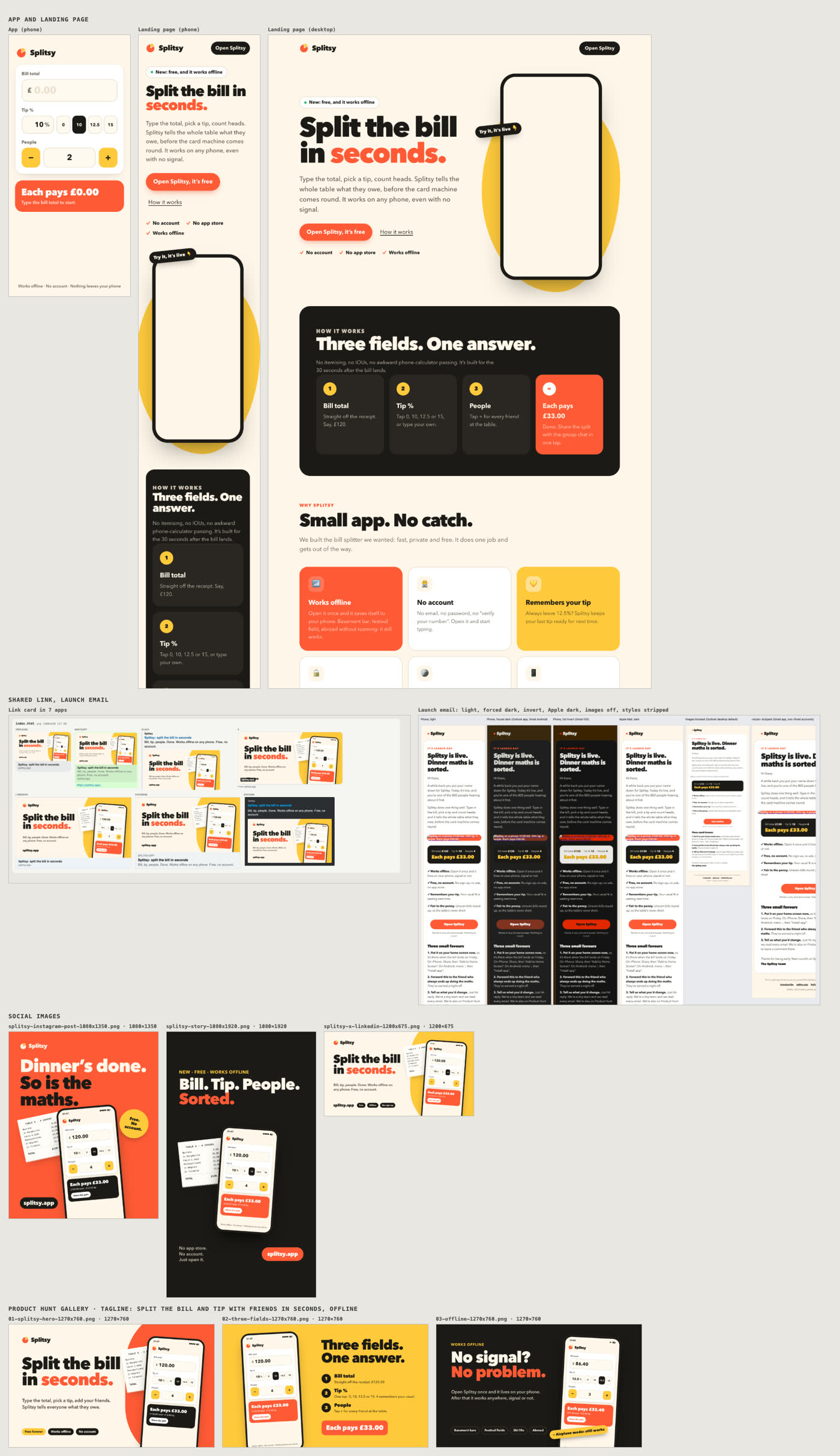
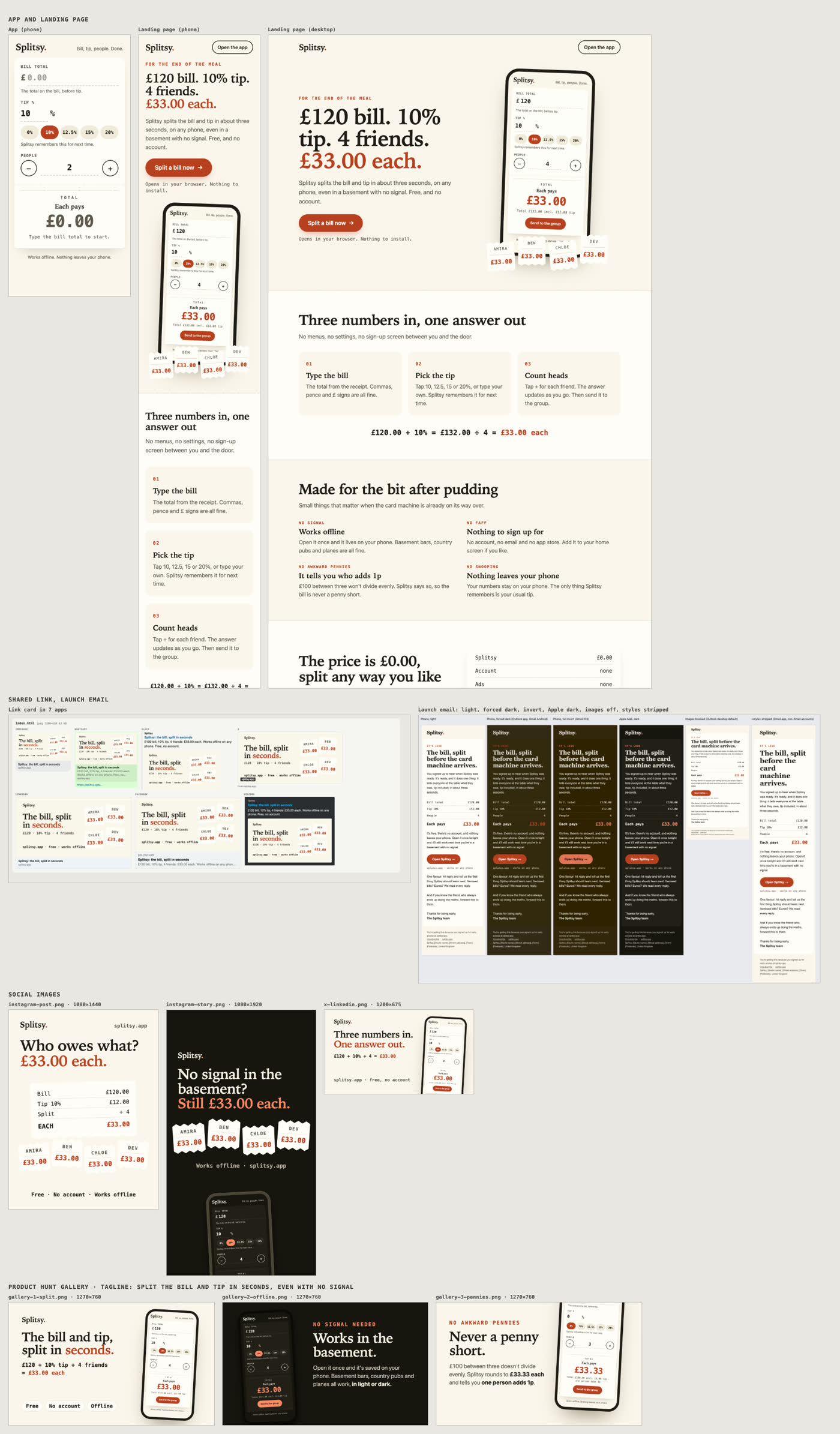
Blind judges (two models) picked the Palm kit in 16 of 18 pairs. Measured: every Palm kit passed every check (3 of 3); none without Palm did (0 of 3).
| Measured | Without Palm | With Palm |
|---|---|---|
| Landing page check (of 100) | 2–76 | 100 |
| Launch email check (of 100) | 16–44 | 88–94 |
| Kits passing every check | 0 of 3 | 3 of 3 |
One sentence in ("build and launch Splitsy"), same agent, three runs each side; the app worked on both sides (15 of 15 hidden steps).
Same agent (Claude Code), same request, a fresh folder each run; judged blind by a separate session that never knew which side used Palm. All results.
What your agent can't do alone
Palm's launch-kit sheet (Pro) takes an agent from one paragraph to the app, its landing page and link, the email, social images, a Product Hunt kit and this week plan, and has it look at every piece the way people will: on a phone, in seven chat apps, in six inbox views. Palm for Mac runs the same kit through your own Claude Code.
Questions
What time should I launch on Product Hunt?
12:01 a.m. Pacific, when the day's list resets, so you get the full 24 hours.
How long should a launch take?
Plan a week: one main channel a day, with the pieces finished before day one.