 Palm
Mac App Store screenshot sizes (and why your window captures get refused)
Upload 1 to 10 screenshots at one of 1280×800, 1440×900, 2560×1600 or 2880×1800 (16:10, landscape only), as PNG or JPEG with no transparency. A Mac window capture (⌘⇧4, Space) has a transparent shadow margin and an odd size, and a full-screen capture is your Mac's own resolution (3024×1964 on a 14-inch MacBook Pro): neither uploads as it is. Design at 2880×1800 and put the capture inside. An optional app preview is 1920×1080, 15–30 seconds, and always plays before the screenshots.
The details
| What | Value | Note | Source |
|---|---|---|---|
| Screenshot sizes | one of 1280x800, 1440x900, 2560x1600, 2880x1800 (16:10) | Required for Mac apps. | developer.apple.com |
| File rules | 1-10 per size; .jpeg, .jpg or .png; no alpha or transparency; 16:10 landscape only | Read 2026-11-23. A window capture (⌘⇧4, Space) has a transparent shadow margin and an odd size, and a full-screen capture is the Mac's own resolution (3024×1964 on a 14-inch MacBook Pro, not 16:10): neither uploads as is. | developer.apple.com |
| App preview size | 1920x1080 | Mac and tvOS previews are landscape only. | developer.apple.com |
| Preview length | 15 to 30 seconds | Optional. Default poster frame at 5 s. | developer.apple.com |
| Where previews show | Before the screenshots | App previews always appear before screenshots on Mac; a preview whose aspect ratio differs from the screenshots appears in 'A Closer Look' instead. | developer.apple.com |
What usually goes wrong
- Uploading a window capture as it is: the transparent shadow margin is an alpha channel, and the size isn't one of the four.
- Uploading a full-screen capture from a MacBook (3024×1964 or 3456×2234): not 16:10, so it's refused.
- Shrinking the whole app window into the frame: on the product page each screenshot is drawn about 600 pt wide (Palm's estimate), so the interface can't be read.
- Putting the best screenshot second: a Mac App Store search result shows only the first (Palm's estimate of the layout; Apple doesn't publish it).
Before and after, from Palm's tests
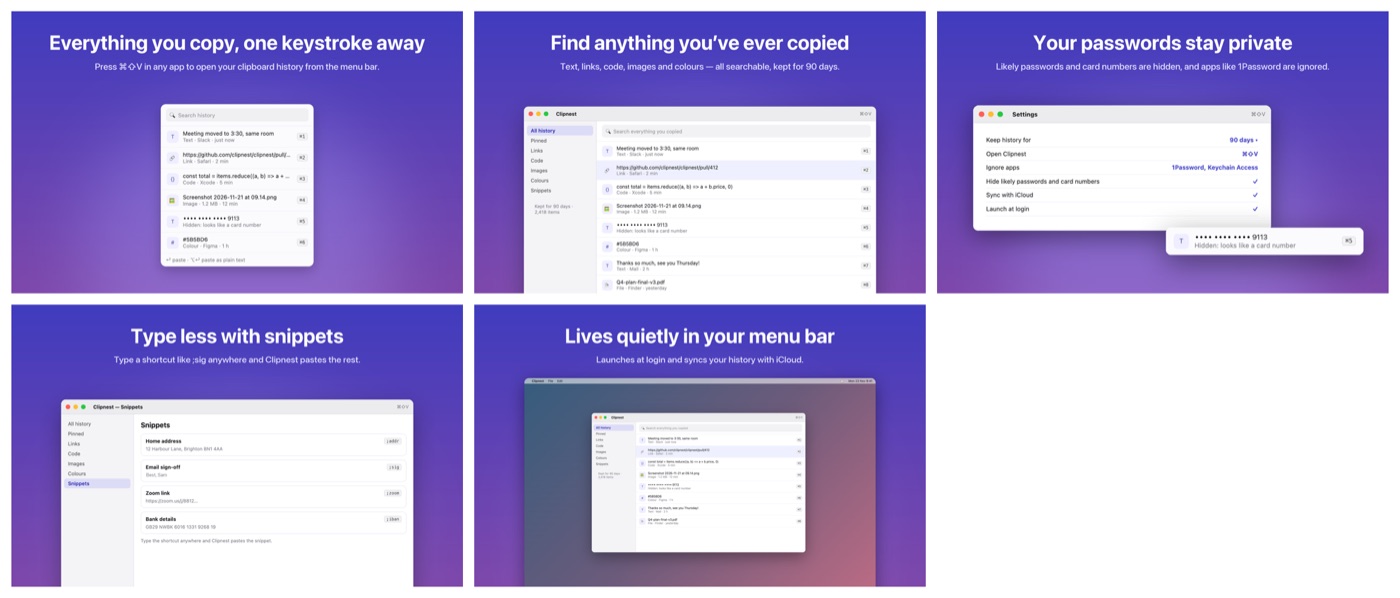
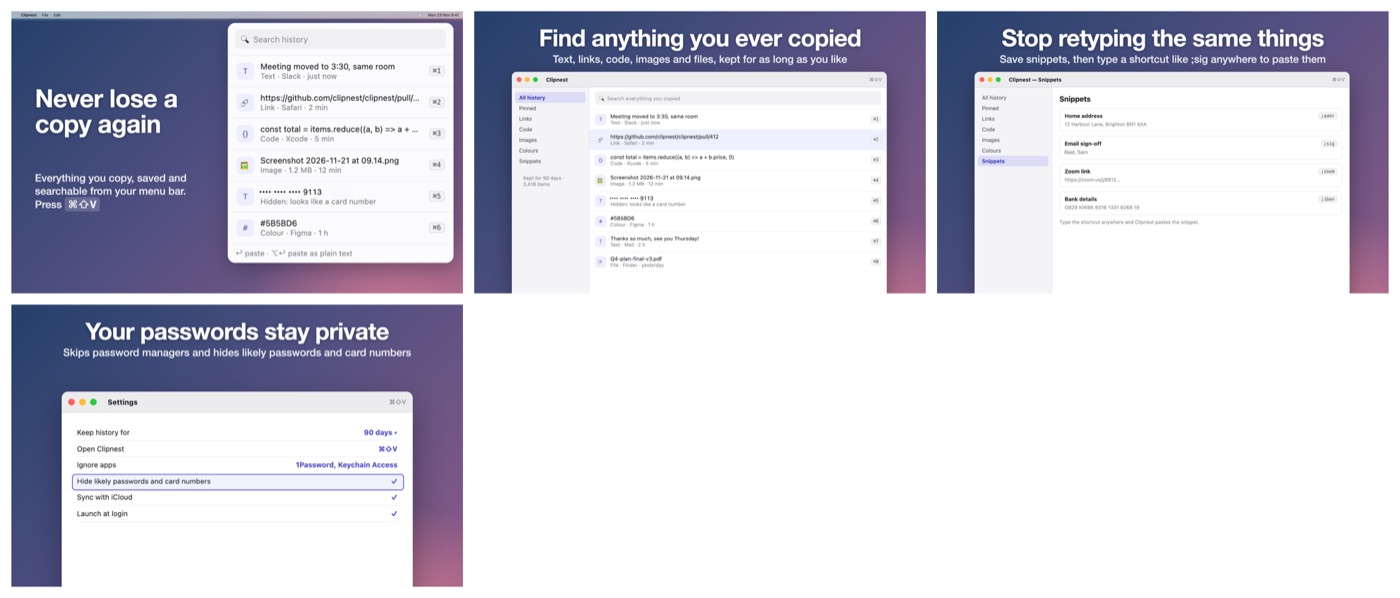
Blind judges (two models) picked the Palm set in 14 of 18 pairs. Both sides' files were accepted.
Same agent (Claude Code), same request, a fresh folder each run; judged blind by a separate session that never knew which side used Palm. All results.
What your agent can't do alone
Your agent can resize to 2880×1800 on its own; in our tests both sides' files were accepted every time. What it can't do is see the set where people meet it. Palm's store-shots renders screenshots designed as HTML at the exact size with no alpha, then draws them in a Mac App Store search result (only the first shows) and on the product page, in light and dark, and flags captions too small to read there. In blind tests judges picked the Palm sets 14 of 18 times (7–2 with both judge models): the app shown big enough to read, against windows shrunk into empty space. Display sizes are Palm's estimate; Apple publishes none.
Questions
What size are Mac App Store screenshots?
One of 1280×800, 1440×900, 2560×1600 or 2880×1800 pixels, 16:10 landscape, PNG or JPEG with no transparency, 1 to 10 of them.
Why does App Store Connect refuse my Mac screenshot?
Usually it has an alpha channel (window captures do) or isn't one of the four 16:10 sizes (full-screen MacBook captures aren't). Put the capture inside a 2880×1800 design and export without alpha.
What size is a Mac app preview?
1920×1080, landscape, 15 to 30 seconds, up to 30 fps, with a stereo audio track.