Free Quick Design template
Lost cat poster template
Open the template, drop your cat’s photo into the frame, write their name and what they look like, and put your phone number in the black bar. Then download and print. It works for a lost dog too: change the heading.
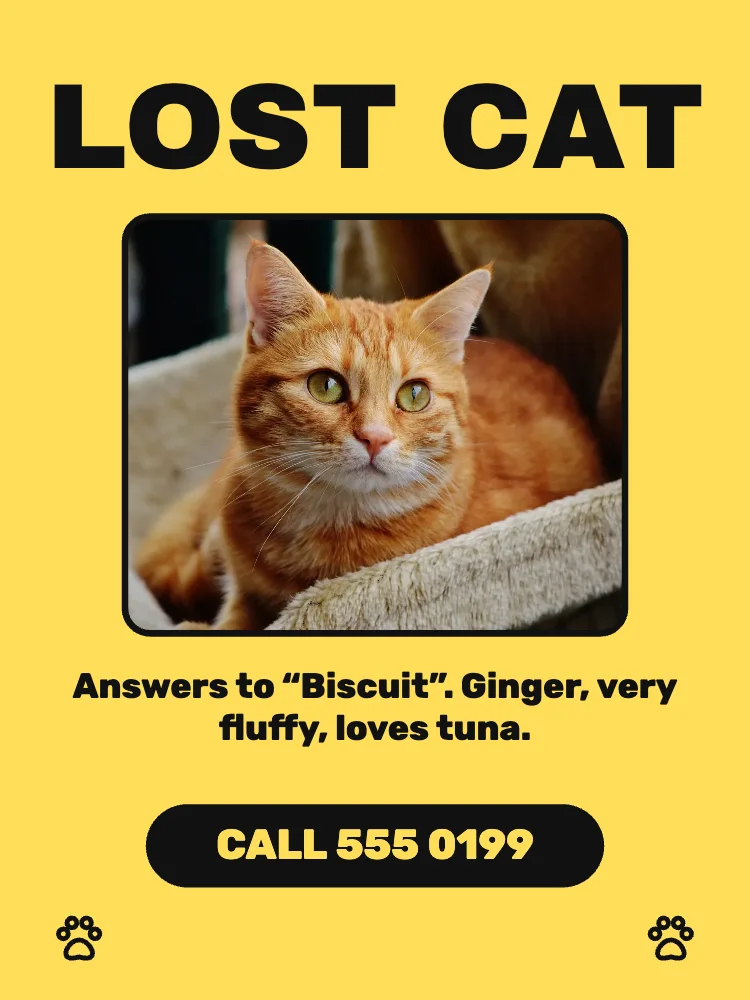
What’s in it
- Size: 1800 × 2400 pixels (3:4). Downloaded at 3× it is 5400 × 7200, sharp printed at 18 × 24 inches; at 1× it prints well at 6 × 8 inches.
- Fonts: Archivo Black, Rubik.
- Photo: CC0, yours to keep or swap.
- Animated in an MP4 or GIF.
How to make it
- Use this template.
- Tap the photo to put in your own cat’s picture, then type their name, colour and anything people would notice, and your phone number.
- Download a PNG at 3× and print.
Tips
- Use a clear, recent photo where the face and markings show; a cropped close-up beats a pretty picture from far away.
- Keep the words short and the number huge: people read posters while walking past.
- Print bright yellow copies: they stand out on a lamp post among white notices. Post the same picture on local lost pet groups.
Questions
Can I make a lost dog poster from it?
Yes. Change LOST CAT to LOST DOG (or FOUND CAT), swap the photo and the description. Everything on the poster can be edited.
Is my photo uploaded anywhere?
No. Quick Design runs in your browser and your photo stays on your device. Nothing is uploaded and you don’t need an account.