Free Quick Design template
Name badge template for events
Change the event name and colours, then use Make many: paste your list of names, roles and companies and Quick Design makes a badge for each person. Download and print them for badge holders.
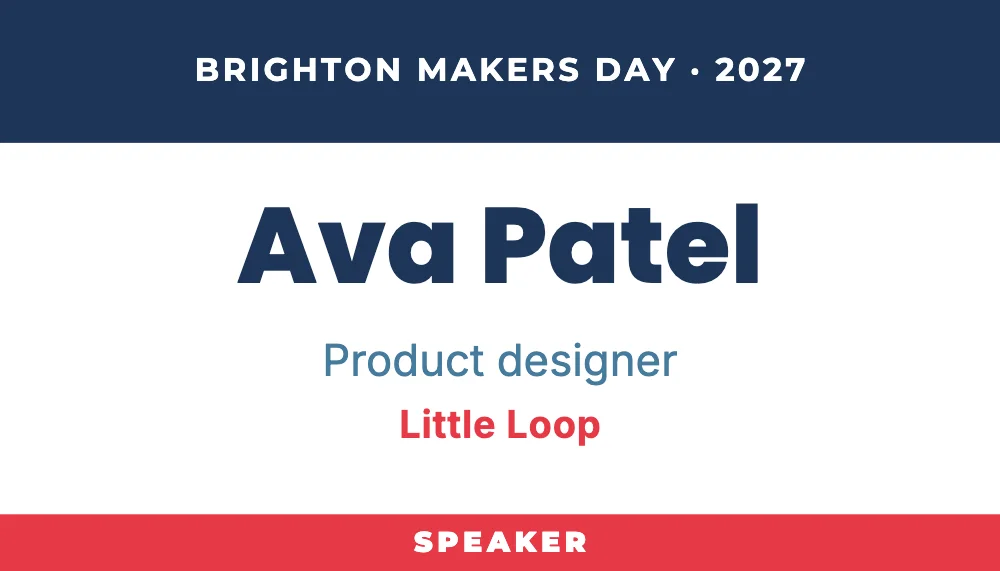
What’s in it
- Size: 1050 × 600 pixels, a business card (3.5 × 2 inches) at 300 dpi.
- Fonts: Montserrat, Poppins, Inter.
- Animated in an MP4 or GIF.
How to make it
- Use this template.
- Change the event’s name and year at the top, then fill the badges from your attendee list with Make many.
- Download a PNG at 3× and print.
Tips
- Make the first name the biggest word: people read badges from a metre away.
- Keep the SPEAKER label for speakers only, or change it to STAFF, VOLUNTEER or VIP.
- Make many reads a spreadsheet you paste, so you can export the list from your sign-up form.
Questions
What size are the badges?
They’re 3.5 × 2 inches, the size of a business card, which fits standard badge holders. Change the size with Resize if your holders are bigger.
How do I make 200 badges at once?
Paste the list into Make many. It makes one badge for each row and downloads them together.