Where Simple Booth is strong
Simple Booth's iPad app, Simple Booth HALO, is built for events and businesses. Its App Store listing and website describe a Layout Designer with themes, custom start and thank-you screens, DSLR and mirrorless camera support, AI effects and backgrounds, and guest delivery by QR code, text, email, AirDrop or WhatsApp. Higher plans add custom branding, analytics, survey and data-capture forms, API access and moderation tools. Simple Booth also sells HALO hardware kits with ring lighting.
That is a real business toolkit. If a client is paying you to run a booth at a corporate party, you want branded overlays, an online gallery, guest emails you can export and a camera that looks better than a tablet's. Simple Booth has spent years on exactly that, and Boothly does not try to compete with it.
The trade-off is cost and setup. As of November 2026, the HALO listing on the US App Store shows subscriptions from $14.99 a week for the Lite plan up to $149.99 a month for Pro, and the Simple Booth website lists Select and custom Enterprise plans above that. Each device that runs at the same time needs its own licence, and the app runs on iPad only. There is a seven-day free trial on the website.
Where Boothly is different
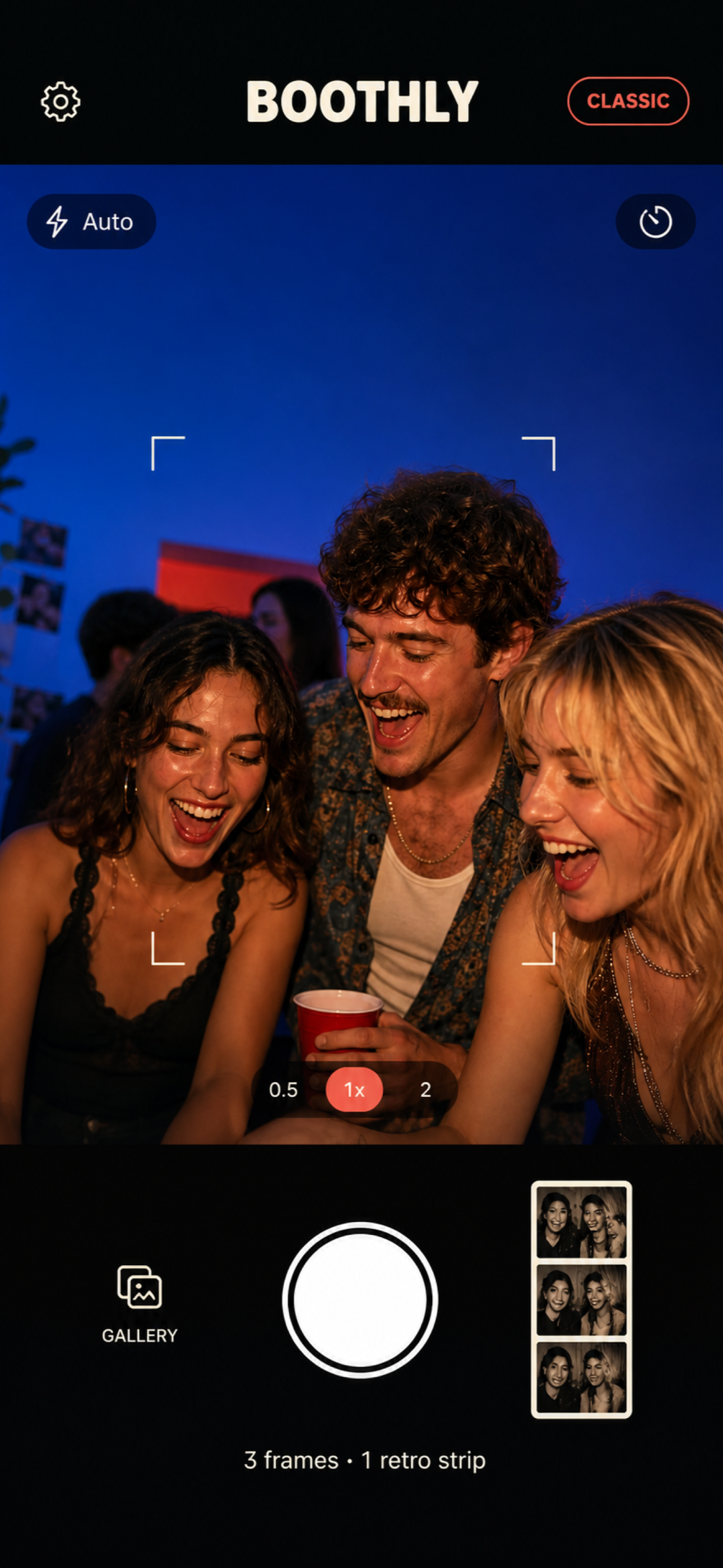
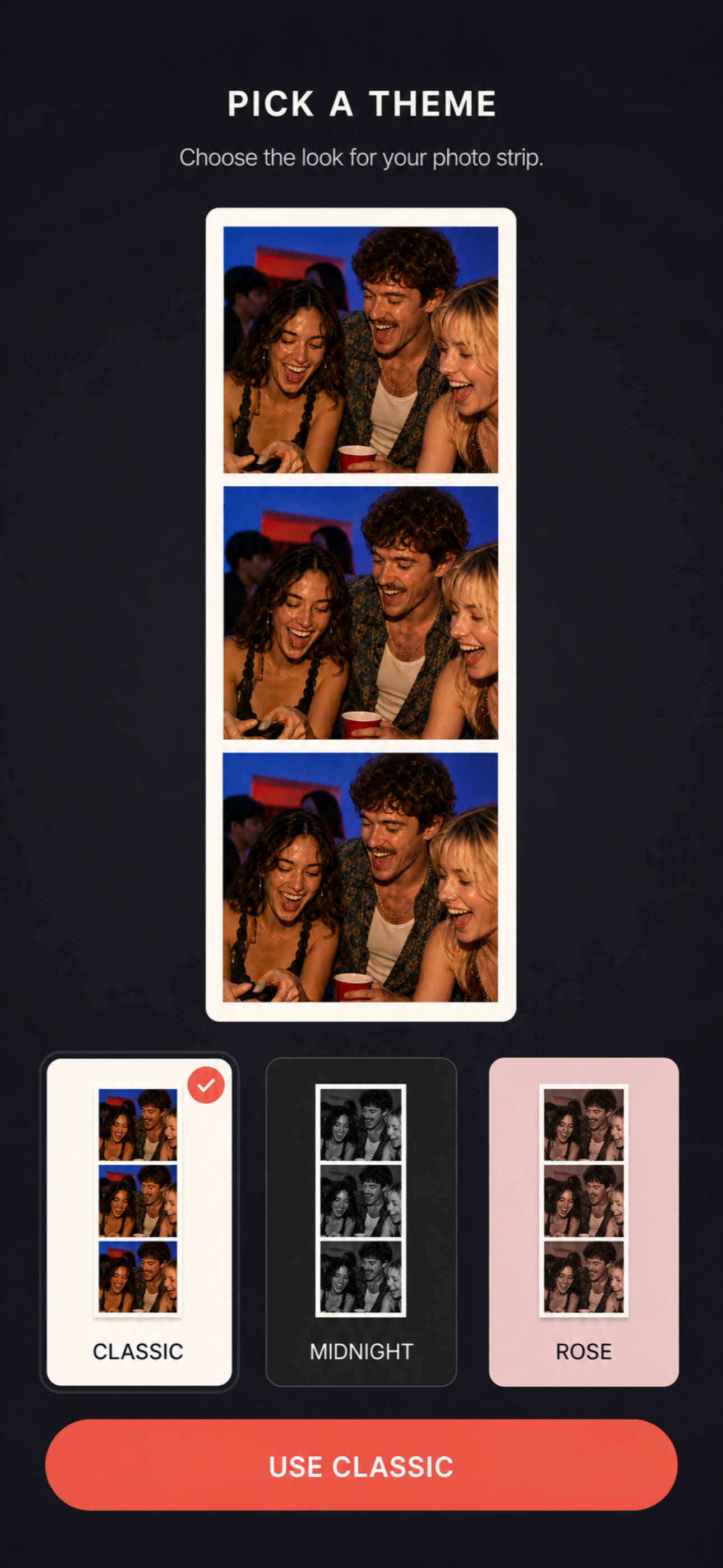
Boothly is a photo strip camera first. You open it, shoot three frames with a countdown, and watch a virtual printer reveal a finished strip in one of three film looks: Classic (warm sepia grain), Midnight (high-contrast black and white) or Rose (a warm pink shift). Strips are pinned to a private cork board on the device, and you can add stickers, text, date stamps and doodles, including with Apple Pencil on iPad.
For hosting, Boothly has Event Mode on iPhone and iPad. You set an event name, date, style and message, guests tap to start, the app walks each group through 2, 3 or 4 photos, and then it resets for the next group. Every strip stays in an on-device Event Library. New users need Boothly Pro to start events.
Feature comparison
Devices
Simple Booth HALO runs on iPad. Boothly runs on iPhone and iPad, and version 1.5.5 can use an Apple Watch as a remote shutter.
Output
Simple Booth offers stills, GIFs, looped videos and strips. Boothly makes photo strips, a 9:16 Story export, and animated strip videos with Pro.
Printing
Boothly prints strips on 4×6-inch paper with AirPrint or as a print-ready PDF; Pro adds two strips per sheet with a cutting guide. Simple Booth supports prints and digital delivery on every plan.
Pricing
Boothly is free; Pro is $2.99 once. Simple Booth HALO is a free download with weekly, monthly or yearly plans.
How I would decide
Ask who the booth is for. If someone is paying you for it, or you need the photos to carry a sponsor's logo and collect email addresses, Boothly is the wrong tool and Simple Booth is a sensible one. Its features exist because event companies asked for them.
If the booth is for your own guests, the maths changes. A week of Simple Booth's cheapest App Store plan costs more than Boothly Pro, and you would be paying for branding and lead-capture tools a birthday party does not need. Boothly gives you strips, printing and a tap-to-start Event Mode on a device you already have.
Also think about the camera. A DSLR on a stand with good lighting will take better pictures than a phone propped on a shelf. If photo quality is the priority and you are willing to set that up, Simple Booth supports it. Boothly uses the built-in camera and leans into the retro look instead.
When to choose Boothly
Choose Boothly for weddings with a small guest list, birthdays, graduations, office parties and family gatherings where you want a little keepsake rather than a production. It suits hosts who prefer no sign-in, no cloud storage and no recurring bill.
It is also handy for guests who do not want to install anything: Boothly's App Clip opens from a QR code or NFC tap, so someone can try a session without downloading the full app.
When to choose Simple Booth
Choose Simple Booth if you run a photo booth business, a venue or a brand activation, or if you need survey forms, analytics, custom SMS and email messages, moderation or an online gallery for guests. Those are things Boothly does not do.
It is also the better choice if you want a polished hardware setup. Simple Booth sells kits designed around its app, and it supports external cameras, which matters when the photos are the product.
Verdict: Simple Booth is professional booth software with a subscription to match. Boothly is the low-cost, no-account choice for hosts who just want photo strips at their own party.
At a glance (as of November 2026)
| Boothly | Simple Booth HALO | |
|---|---|---|
| Made for | Hosts and guests at personal events | Event businesses, venues and brands |
| Devices | iPhone and iPad | iPad |
| Price | Free; Pro $2.99 one-time | Free download; plans from $14.99 a week on the App Store |
| Account | None | Simple Booth account and licence for paid plans |
| External camera | No | DSLR and mirrorless support |
| Guest data capture | No | Yes, on higher plans |
| Where photos live | On your device | Device plus online gallery options |
Simple Booth is the better pick if
- You are paid to run booths and need branding on every photo.
- You need email or phone capture, surveys or analytics for a client.
- You want a DSLR, studio lighting and a purpose-built enclosure.
Trying Boothly before your event
- Install Boothly on the iPhone or iPad you plan to use.
- Shoot a few strips in the room where the booth will stand, at the time of day of the party.
- Print one strip on 4×6 paper if you plan to print.
- If you want guests to run it themselves, try Event Mode with a friend before the day.
The free photo booth setup checklist covers power, light and a test run.
Questions people ask
Is Boothly a replacement for Simple Booth?
Not for a business. It is a party photo strip app, not booth-business software, and it has no branding, guest data capture or external camera support.
Does Boothly need Wi-Fi at the venue?
Strips are made and stored on the device, and there is no account to sign in to. You only need a connection to share strips online.
Can I print strips with Boothly?
Yes. Strips print on 4×6-inch photo paper with AirPrint, or you can share a print-ready PDF.