What a rented booth is good at
A rented photo booth is an experience someone else manages. In most cases the hire includes the booth itself, an attendant, and setup and breakdown. You do not think about lighting, batteries or whether the printer has paper. Guests walk up, get a strip in their hand, and someone keeps the queue moving.
Booths also look the part. A proper enclosure, a backdrop and a box of props draw people in, and the photos are usually taken with a better camera and flash than a phone on a stand. At a large wedding, a booth can be one of the things guests talk about afterwards.
That service has a price. WeddingWire's cost guide, checked in November 2026, puts the average wedding photo booth rental at about $650, with most couples spending between $425 and $1,000. Extras such as custom backdrops, unlimited prints, props, a digital copy of every image and social sharing can add to that. Prices vary a lot by city, booth type and hours, so get local quotes before deciding.
What an iPhone or iPad booth is good at
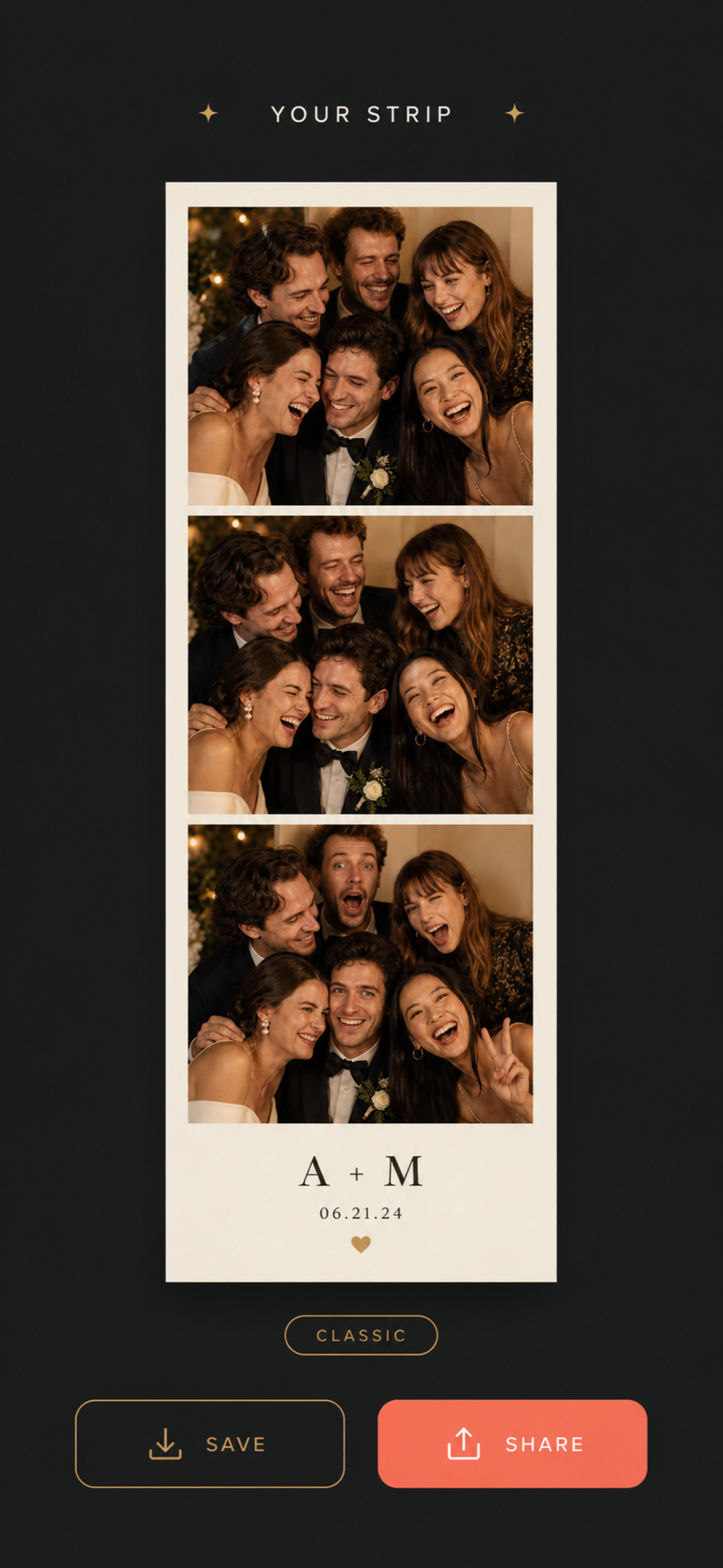
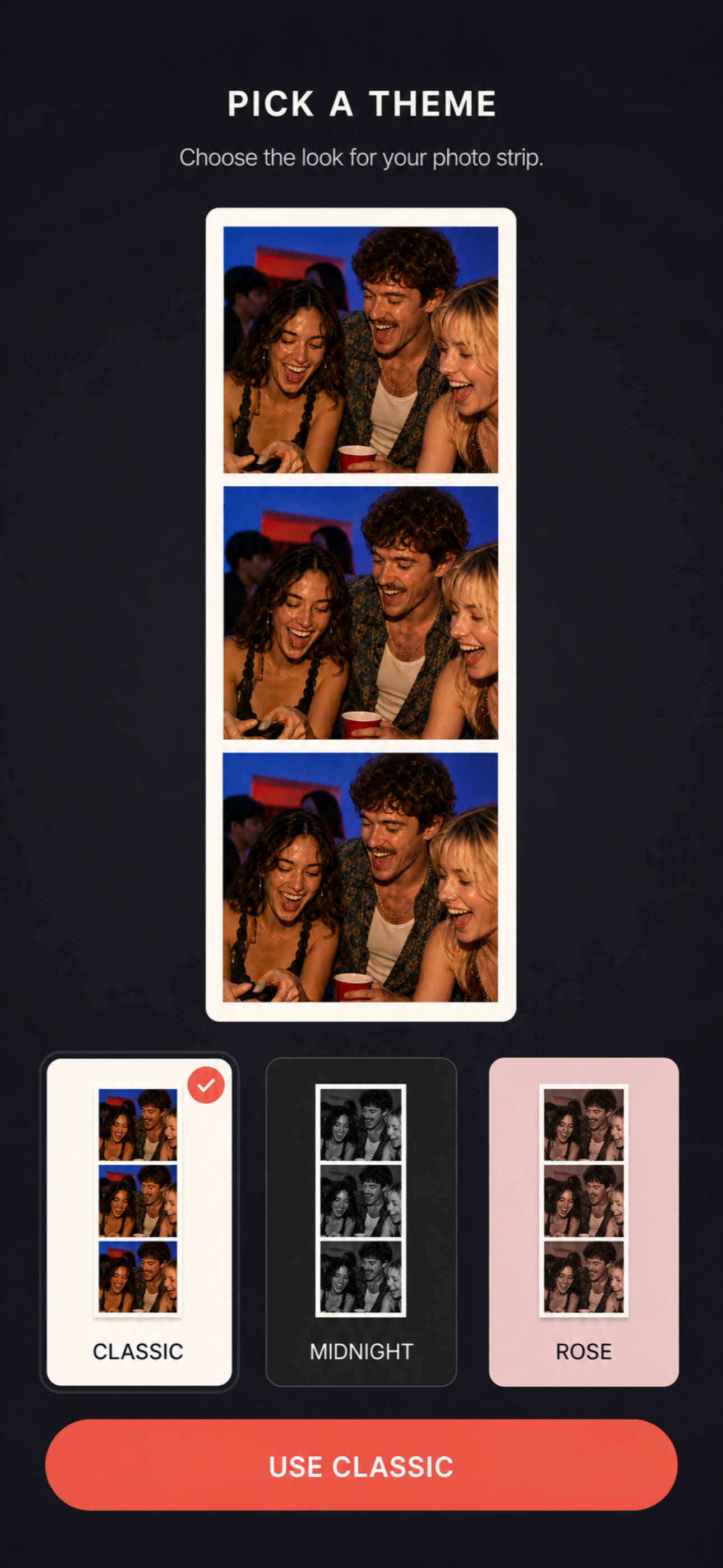
Boothly turns the device you already own into a photo strip booth. It counts down, takes three frames, and reveals a strip in one of three film looks: Classic, Midnight or Rose. Strips save to a private cork board on the device, and you can share them straight away or print them.
For a party, Event Mode is the useful part. You set an event name, date, style and message, put the iPhone or iPad on a stand, and guests tap to start. Each group is guided through 2, 3 or 4 photos and the app resets for the next one. Every strip stays in an on-device Event Library. New users need Boothly Pro to start events, and Pro is a one-time purchase, not a subscription.
Side by side
Cost
A hired booth is typically hundreds of dollars for a few hours. Boothly is free; Pro is $2.99 once. You may also spend on a stand, a ring light or photo paper.
Effort
A rental company sets up, runs and packs away. With Boothly, you or a friend set up the device, charge it and check the light.
Prints
Most booths print on the spot. Boothly prints 4×6-inch strips through AirPrint or a print-ready PDF; Pro adds two strips per sheet with a cutting guide.
Photos afterwards
Rentals often include a gallery or digital copies. Boothly keeps every event strip on your device, with no account or cloud upload.
How I would decide
Start with the guest count and the room. At a 150-guest reception, a booth with an attendant keeps things moving and makes printed strips for everyone. A single iPhone on a shelf will feel small there. At a 20-person birthday dinner or a garden party, a rented booth can feel like a lot of kit for a short evening.
Then look at the budget line. If a rental would come out of the same money as food or music, an app booth frees that up. If entertainment is already budgeted and you want something that runs itself, the rental is worth paying for.
Finally, be honest about who will look after it. A device needs charging, a stable stand and decent light. If nobody wants that job on the night, a staffed rental removes it.
When to choose Boothly
Choose Boothly for small weddings, birthdays, graduations, baby showers, office parties and family get-togethers where the point is a laugh and a keepsake rather than a centrepiece. It suits hosts who are happy to prop an iPad or iPhone on a stand, put out a few props and let guests get on with it.
It is also good when you want guests to keep the photos themselves. Strips share through the normal iOS share sheet, and a 9:16 Story export is built in.
When renting is worth it
Rent a booth when the event is big, the venue is formal, or you want a physical booth with professional lighting and on-the-spot prints for every guest without asking anyone to help. It is also the right call if you want a specific look, such as a 360 video booth or a vintage cabinet, that an app cannot copy.
There is nothing wrong with paying for that. A good booth company takes a job off your list on a day when you already have plenty to do.
Verdict: a rented booth is the hands-off, full-service option and is priced like one. Boothly is the do-it-yourself option for smaller events, costing nothing to try and $2.99 once for Pro.
At a glance
| Rented booth | Boothly | |
|---|---|---|
| Typical cost | Hundreds of dollars; WeddingWire reports most couples spend $425 to $1,000 (November 2026) | Free; Pro $2.99 one-time |
| Staffing | Attendant usually included | Guests run it with Event Mode |
| Setup | Done by the rental company | You set up a device and stand |
| Prints | Usually printed on the spot | 4×6 AirPrint or print-ready PDF |
| Camera and light | Usually pro camera and lighting | Your iPhone or iPad camera |
| Booking | Book ahead; popular dates fill up | Install whenever you like |
A simple DIY setup
- An iPhone or iPad on a tripod or stand at face height.
- Soft light from the front, such as a lamp or ring light, not a window behind guests.
- A plain wall, curtain or backdrop.
- A small box of props and a few prompt cards.
- A charger within reach, and Boothly in Event Mode.
Boothly's free setup checklist, photo prompt cards and guestbook sign are ready to print.
Questions people ask
Can I do both?
Yes. Some hosts rent a booth for the reception and run Boothly at the rehearsal dinner or the after-party.
Do guests need to download anything?
No. In Event Mode guests use your device. Boothly's App Clip also lets someone try a session from a QR code without installing the full app.
Will an app look as good as a hired booth?
Usually not in raw photo quality, because a rental tends to use a better camera and flash. Boothly's film-style looks are designed to make phone shots feel like a keepsake instead.