Where Snappic is strong
Snappic's App Store listing, Snappic Booth from Algoritmo Software Inc., describes a photo and video booth app for event operators. It covers several booth types, including iPad, 360, mirror, robot arm and roaming setups, with AI photo and video effects, customisable templates, guest sharing by text, email and social media, branding, real-time analytics and surveys.
Snappic's pricing page lists more for higher tiers: still, GIF and burst capture, DSLR and GoPro integration, green screen with AI background removal, brandable galleries, payments, white-label URLs and emails, webhooks and remote control. For someone selling booth experiences to brands and venues, that range is the point. You can offer the same client a GIF booth this week and a 360 video booth next week from one platform.
It is priced for that kind of business. As of November 2026, Snappic's pricing page lists monthly plans of $69 (Starter), $189 (Business), $279 (Premium) and $399 (Scale), with per-event and annual billing also offered. Starter, Business and Premium include a 14-day free trial, and the page says no credit card is needed to start. The app itself is a free download.
Where Boothly is different
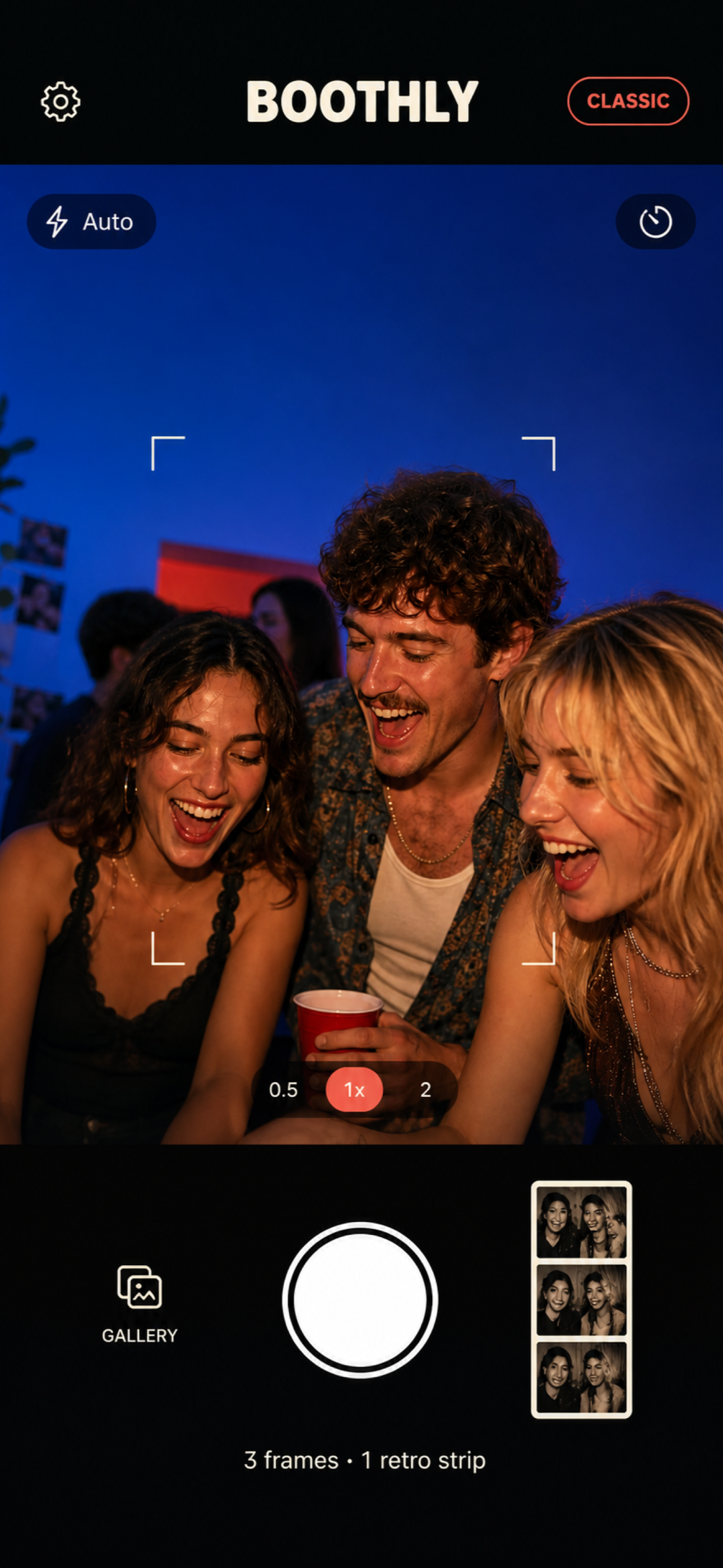
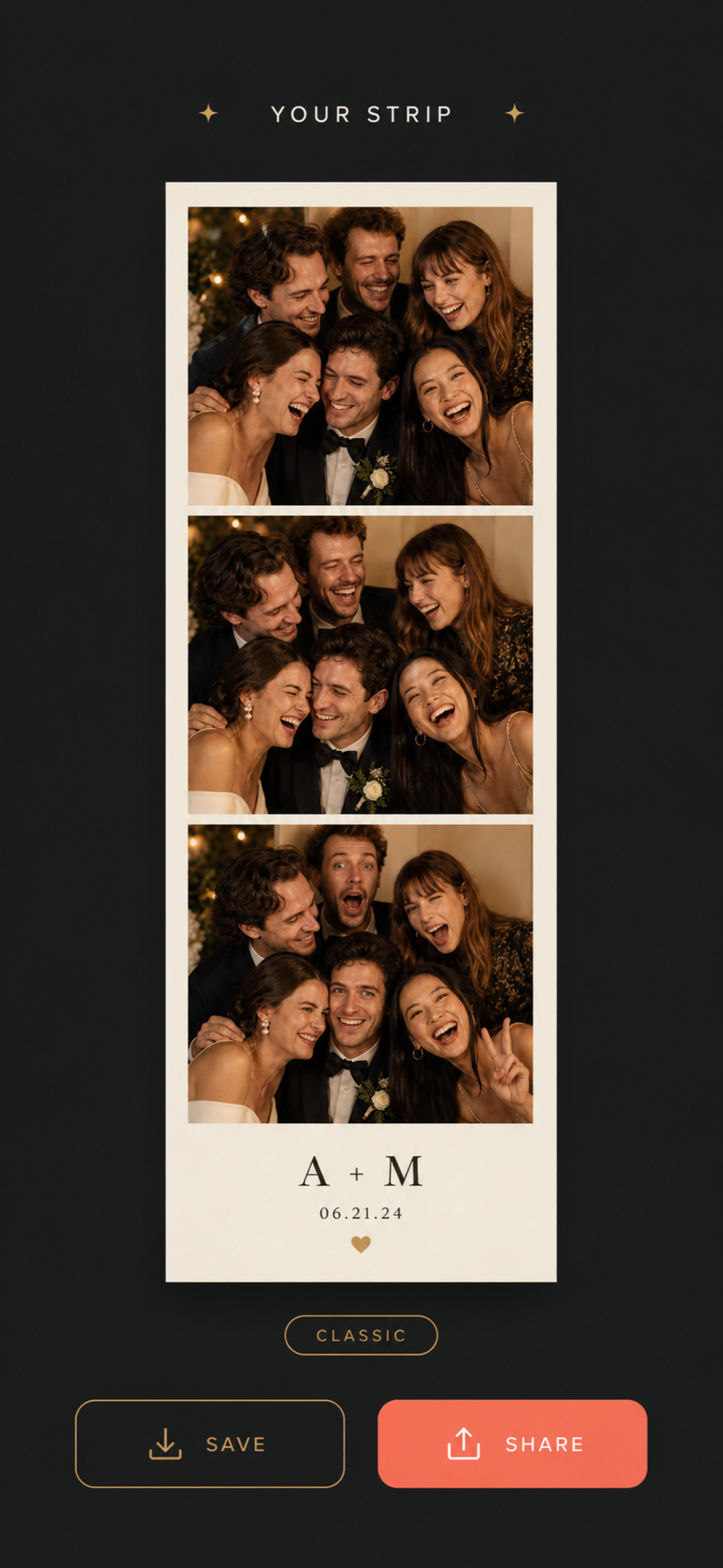
Boothly does far less, on purpose. It counts down, takes three frames, and a virtual printer reveals the strip in Classic, Midnight or Rose. You can decorate strips with stickers, text, date stamps and doodles, save them to a cork board on the device, share them, export a 9:16 Story, or print them on 4×6-inch paper with AirPrint.
When you are hosting, Event Mode lets guests tap to start on an iPhone or iPad. You set the event name, date, style and message; each group takes 2, 3 or 4 photos; then it resets. Strips stay in an on-device Event Library. New users need Boothly Pro to start events. There is no account and nothing is uploaded to a Yuzool server.
Feature comparison
Capture
Snappic offers stills, GIFs, bursts, video and 360. Boothly makes photo strips, with animated strip videos in Pro.
Effects
Snappic has AI photo and video effects and green screen. Boothly has three film looks, plus five themed packs in Pro.
Guest sharing
Snappic sends by text, email, QR and social. Boothly shares through the iOS share sheet and prints via AirPrint.
Pricing
Snappic plans start at $69 a month. Boothly is free with a one-time $2.99 Pro.
How I would decide
The first question is whether the booth is a product you sell. If it is, Snappic's monthly fee buys features that win and keep clients: branded galleries, analytics you can report back, surveys and a choice of booth types. Boothly cannot do those jobs and is not trying to.
If the booth is for your own event, most of that list goes unused. You do not need a client dashboard for your sister's birthday. A month of Snappic's entry plan costs more than twenty times Boothly Pro, and Boothly's Event Mode, printing and strip looks cover what most hosts want.
The second question is the kind of photo. If you want GIFs, boomerangs, video or AI backgrounds, Snappic does them and Boothly does not. If you want the classic strip of three frames, Boothly is built around exactly that.
When to choose Boothly
Choose Boothly for personal events: small weddings, birthdays, graduations, dinners and office parties. It suits hosts who want no sign-up, no monthly bill and strips that stay on their own device.
It also works well when guests are not keen on installing anything. Boothly's App Clip opens from a QR code or NFC tap, so people can try a session without downloading the full app.
If you want something to take home, Boothly prints complete strips on 4×6-inch photo paper with AirPrint or as a print-ready PDF, and you can print selected event strips together or the whole gallery after the party. Pro adds two strips per sheet with a cutting guide, which halves the paper you use.
When to choose Snappic
Choose Snappic if you run a photo booth business or an events agency, or you need video, 360, mirror or roaming booths. It is also the better fit when a client expects branded output, payments, data capture or a white-label gallery.
Use the free trial to run a demo event before you commit, and check the plan that includes the features you actually need, since several are tied to the higher tiers.
Verdict: Snappic is a broad, professional booth platform with a monthly price to match. Boothly is the simple, private photo strip app for people throwing their own party.
At a glance (as of November 2026)
| Boothly | Snappic | |
|---|---|---|
| Made for | Hosts at personal events | Event operators and agencies |
| Devices | iPhone and iPad | iPhone and iPad app, plus other booth types |
| Price | Free; Pro $2.99 one-time | Free app; plans from $69 a month |
| Free trial | Free tier, no time limit | 14 days on most plans |
| Output | Photo strips, Story export, strip videos (Pro) | Photos, GIFs, bursts, video, 360 |
| Account | None | Snappic account |
| Branding and analytics | No | Yes, on Business and above |
Snappic is the better pick if
- Clients pay you for booth experiences.
- You need GIFs, video, 360 or AI backgrounds.
- You need analytics, surveys or a white-label gallery.
Trying Boothly before the day
- Install Boothly on the device you will use.
- Take a few strips in the actual room and light.
- Print one test strip if you plan to print.
- Run Event Mode with a friend to see the guest flow.
The free photo prompt cards help shy groups get started.
Questions people ask
Can Boothly make GIFs or 360 videos?
No. Boothly makes photo strips. Pro adds animated strip videos, but it is not a GIF, video or 360 booth.
Do I need an account for Boothly?
No. There is no sign-in, and strips are stored on your device.
Is Boothly Pro a subscription?
No. Pro is a one-time purchase, listed at $2.99 on the US App Store in November 2026.