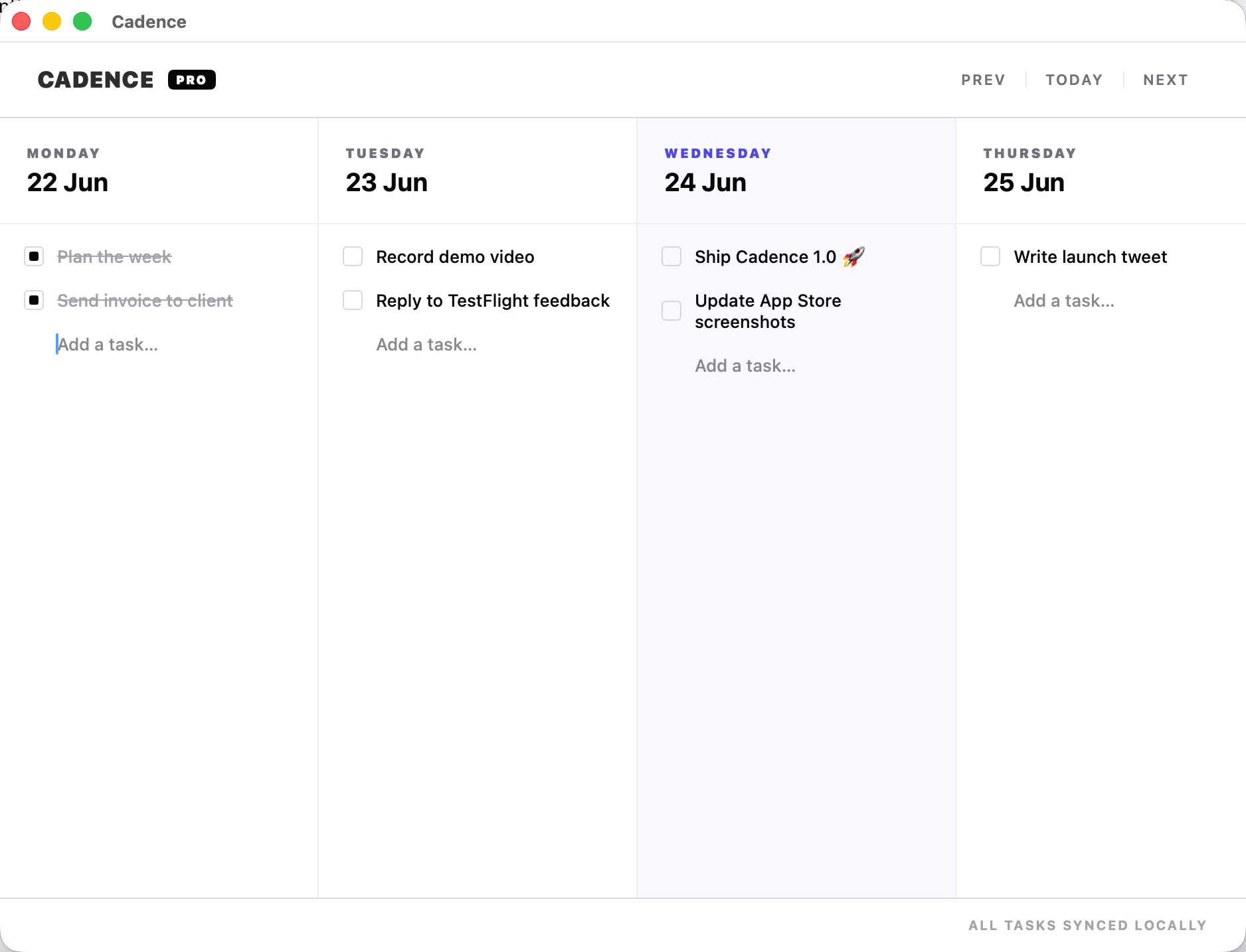
To plan a freelance week, list every deadline and commitment, estimate your real working hours after meetings and admin, place tasks on specific days with a buffer, and review at the end of the week. Cadence is a weekly planner for Mac and iPhone built for this: a board with one column per day, where rescheduling a task means dragging it to another day.
Start with capacity, not tasks
Most overloaded weeks were overloaded on Monday. Before adding tasks, work out what you have:
| Item | Example week |
|---|---|
| Working hours | 40 |
| Calls and meetings | − 6 |
| Email, invoicing, admin | − 6 |
| Buffer for the unexpected (20%) | − 6 |
| Hours for client work | 22 |
Twenty-two hours, not forty. Plan to that number and the week holds. To check whether a week is realistic before you fill it, use the free weekly capacity planner. It estimates the room left after meetings, admin and a buffer.
Place deadlines, then work backwards
- Put each deadline on its day.
- Put the last piece of work for it the day before, not the same day.
- Work backwards, giving each step a day.
- Leave Friday afternoon light. It will fill itself.
With two or three clients, colour-coding matters less than seeing that Wednesday has four things from three people on it.
When a deadline moves
A client brings a deadline forward or sends late feedback. In a list-based app, that means editing due dates one by one. On a week board you drag the affected tasks and immediately see what they collide with. Then you make the real decision: what moves out, and who needs to be told.
Dragging an unfinished task to tomorrow is not failure. It is the plan being kept honest. The warning sign is the same task dragged four days running.
Protect a block for deep work
Client work that needs concentration, such as design, writing or code, does not survive a day of scattered calls. Pick two mornings a week, put one substantial task on each, and move calls elsewhere. Keep small tasks grouped on another day.
The weekly review
- What shipped this week?
- What was dragged more than twice, and why?
- What is due next week, for whom?
- Any invoices to send or chase?
- Is next week within capacity?
Ten minutes on Friday. It is the difference between starting Monday with a plan and starting it with your inbox.
Why a simple board suits freelance work
Project tools ask you to maintain a structure: projects, sections, labels, priorities. A solo freelancer rarely needs that and often stops maintaining it. Cadence has no projects, tags or set-up. You write the client name in the task if you want it. On the Mac, menu bar quick-add captures a task mid-call; on the iPhone the same week is in your pocket.
What Cadence does not do
- No projects, tags or filters. That is deliberate. If you need a task database, use a full task manager.
- No team features. It is a personal planner.
- Not a calendar. Appointments belong in your calendar; Cadence holds the movable work.
- Apple only. Mac and iPhone, synced through iCloud.
It also does not track time or send invoices. For that side of freelance work, see Settle.
Price
Cadence for Mac is a one-time purchase of $19, from the Mac App Store or direct, with no subscription and no Cadence account. The iPhone version is on the App Store. Tasks sync between your devices through your own iCloud. See the feature list or try the live board on the Cadence page before buying.
Common questions
Can I separate clients?
There are no projects or tags. Most people put the client name at the start of the task.
Does it show deadlines on a calendar?
No. It is a week board. Keep fixed appointments in your calendar and movable work in Cadence.
Does it sync between Mac and iPhone?
Yes, through your own iCloud, with no Cadence account.
Is it a subscription?
No. $19 once for the Mac app.
Does it carry unfinished tasks forward?
You drag them to another day yourself, which takes one motion and keeps the decision yours.
Lay out next week's client work: Get Cadence for Mac.