The actual app. Not a mockup.
Native SwiftUI, menu bar quick-add, keyboard shortcuts — running right now on Apple Silicon.
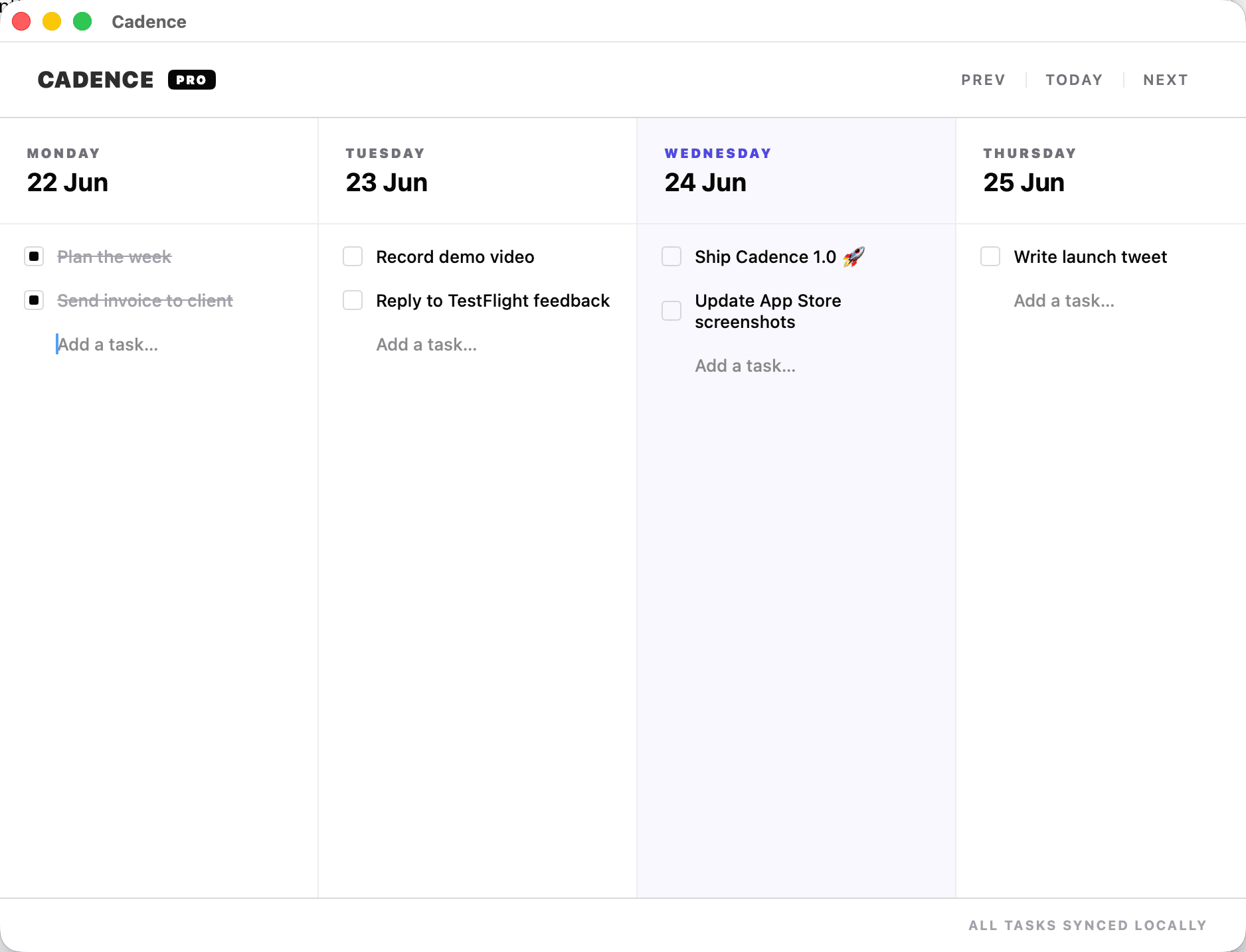
Cadence is a weekly planner for Mac and iPhone, made for freelancers and focused makers. Plan a realistic week, move unfinished tasks without guilt, and let iCloud keep both devices in sync — no Cadence account or subscription.
Available for Mac and iPhone · iCloud sync · No subscription
This is the real board. Check things off, drag a task to another day, add your own.
This is a browser preview. The real thing is a native Mac app — see below.
Native SwiftUI, menu bar quick-add, keyboard shortcuts — running right now on Apple Silicon.
Add a task on your Mac and pick it up on your iPhone. Cadence syncs through iCloud across your devices, with no separate account to create. Sync timing depends on iCloud and your network connection.

No projects. No tags. No setup. Just your week, staring back at you.
Didn't get to it? Drag it to tomorrow in one motion. No re-typing, no re-deciding.
Five-day focus by default. Flip on Saturday and Sunday when you actually want to plan them — they show up in red.
A real Mac app — menu bar quick-add, keyboard shortcuts, undo/redo, and iCloud sync with your iPhone.
Buy it once. Own it forever. No accounts, no subscriptions, no nonsense — just a calmer week.
Choose the storefront that matches your device.
Cadence is independent Mac and iPhone software for people who want a calmer weekly planning rhythm, sold directly with clear support and no subscription.
$19 direct for Mac, or use Apple's App Stores.
Questions and product help by email.
No separate Cadence account.
Yuzool customer access.
Privacy, purchases and refunds.
The $99 bundle includes Cadence, Rank, Suzume Mail, Dispatch, Relay, Drip Send, Cloak, future Yuzool Mac apps and included updates while the early bundle offer is available.
Use the free capacity check, learn how fixed calendar commitments and flexible tasks work together, then see whether Cadence fits your week.
Estimate the room left after meetings, admin and a little buffer.
Try the free weekly capacity planner →Keep appointments on your calendar and movable work in your task list.
Read the calendar + task guide →Turn vague reminders into a clear first step, without building a big system.
Read the clear next-actions guide →