Cadence is a weekly planner for Mac and iPhone. It shows the week as a board with a column for each day. You add tasks, drag them between days when plans change, and tick them off. There are no projects, tags or set-up. It has menu bar quick-add and keyboard shortcuts on Mac, syncs through iCloud, and costs $19 once for Mac with no subscription.
Why plan by the week
A day is too short to plan well: one overrunning meeting and the plan is gone. A month is too long to feel real. A week is the unit most work is actually promised in: "I'll have it to you by Friday". Planning by the week lets you see commitments against the days you have, and notice on Monday, not Thursday, that it does not fit.
A weekly planner is different from a to-do list in one way that matters: every task has a day. A list of forty items tells you nothing about Wednesday. A board with nine things on Wednesday tells you Wednesday is in trouble.
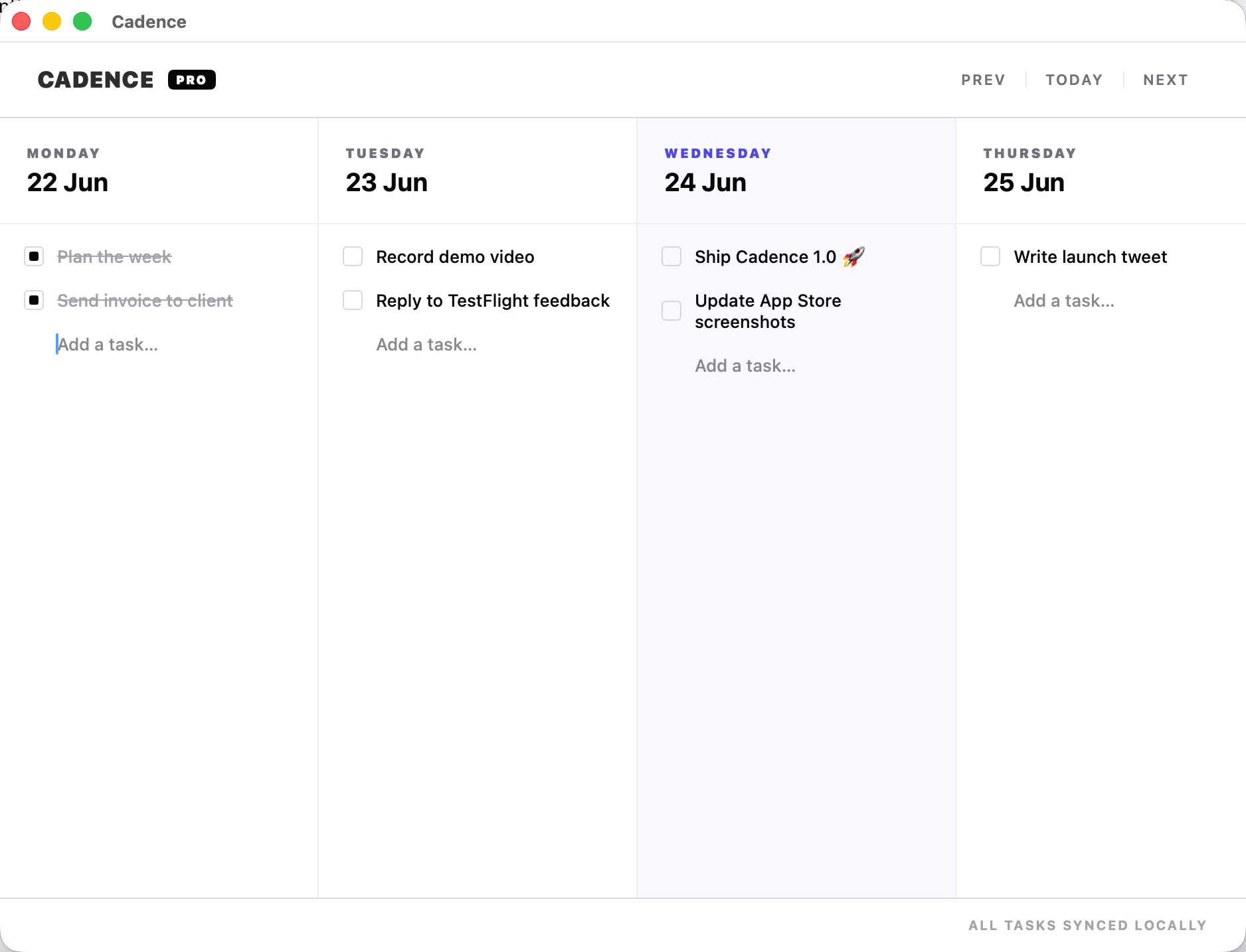
How Cadence works
- One board, one week. Five day columns by default. Turn on Saturday and Sunday when you want to plan them.
- Add a task to a day. Type it in the column, or use quick-add from the menu bar without switching apps.
- Drag to reschedule. Did not get to it? Drag it to tomorrow. No retyping, no date picker.
- Tick it off. On iPhone, swipe to complete or delete.
- Undo and redo, and keyboard shortcuts throughout on Mac.
- iCloud sync. Add a task on the Mac, see it on the iPhone. Timing depends on iCloud and your connection.
A weekly routine that takes fifteen minutes
- Friday afternoon or Monday morning: open next week's board.
- Put fixed things first. Deadlines and anything with a date goes on its day.
- Add the flexible work, spread across the days, three to five meaningful tasks a day at most.
- Look at the shape. If one day is stacked, move things now.
- Each morning, read today's column. Each evening, drag what is left.
- At the end of the week, notice what kept getting dragged. It is either not important or too big; delete it or break it down.
To check whether a week is realistic before you fill it, use the free weekly capacity planner. It estimates the room left after meetings, admin and a buffer.
Weekly planning and time blocking
| Weekly planning | Time blocking | |
|---|---|---|
| Unit | A day | An hour |
| Where it lives | A week board | Your calendar |
| When plans change | Drag a task to another day | Rebuild the afternoon |
| Best for | Variable days, client work, interruptions | Predictable days, deep work you must protect |
They combine well: block calendar time for the one or two things that need protecting, and keep everything else as day-level tasks.
Native on the Mac
Cadence is a native Mac app built for Apple silicon, not a web page in a window. It opens quickly, works offline, and the menu bar quick-add means a task that occurs to you mid-email is captured in a couple of seconds.
What Cadence does not do
- No projects, tags or filters. That is deliberate. If you need a task database, use a full task manager.
- No team features. It is a personal planner.
- Not a calendar. Appointments belong in your calendar; Cadence holds the movable work.
- Apple only. Mac and iPhone, synced through iCloud.
Price
Cadence for Mac is a one-time purchase of $19, from the Mac App Store or direct, with no subscription and no Cadence account. The iPhone version is on the App Store. Tasks sync between your devices through your own iCloud. See the feature list or try the live board on the Cadence page before buying.
Common questions
Is there a subscription?
No. Cadence for Mac is $19 once.
Do I need an account?
No. Sync uses your own iCloud.
Does it work on iPhone?
Yes. There is an iPhone version on the App Store with the same week view.
Can I plan weekends?
Yes. The board shows five days by default and you can turn on Saturday and Sunday.
Does it have projects or tags?
No. It is one week board by design.
Plan next week in fifteen minutes: Get Cadence for Mac.