Yuzool Store · Relay
Screenshot Organizer for Mac | Relay
Organize Mac screenshots automatically with Relay. Route images, rename files and create a calmer desktop workflow without sorting every file by hand.
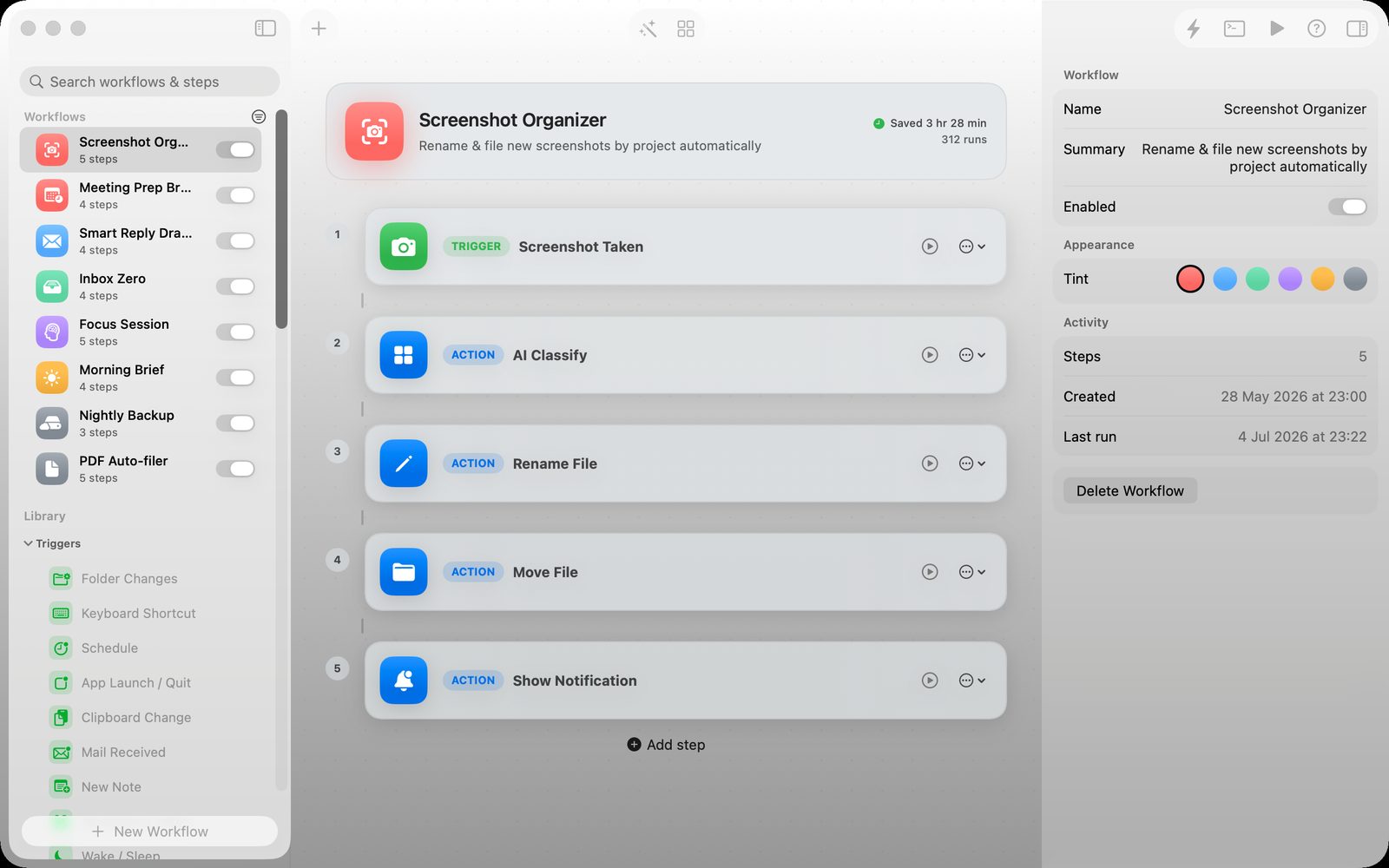
Give screenshots somewhere to go
Screenshots are useful at the moment you take them, then quickly become desktop clutter. A small automation can move them into a predictable place.
Use rules you can understand
File automation should not feel like a mystery. Relay makes the path visible so you can see what happens when a screenshot arrives.
Make capture frictionless
The best organizer works in the background. Keep taking screenshots, then let the workflow handle the boring part afterward.
Common questions
Who is this for?
Relay is for people who want a focused workflow for this job.
Where can I learn more?
Visit the Relay app page for features, screenshots and current details.
What is the useful first step?
Start with one repeatable task or record, then let the system grow.
A useful next step
Start with the Relay overview and see whether its focused approach fits your workflow.