Triggers
- Folder changes
- Global hotkey
- Schedule (1 min – 24 hr)
- Screenshot taken
- Clipboard change
- System wake / sleep
- App launch / quit
- App became frontmost
- External display changed
- Mail received (via rules)
Build workflows by chat or drag-and-drop. Folders, hotkeys, schedules, mail, AI — all on-device. Buy once, never subscribe.
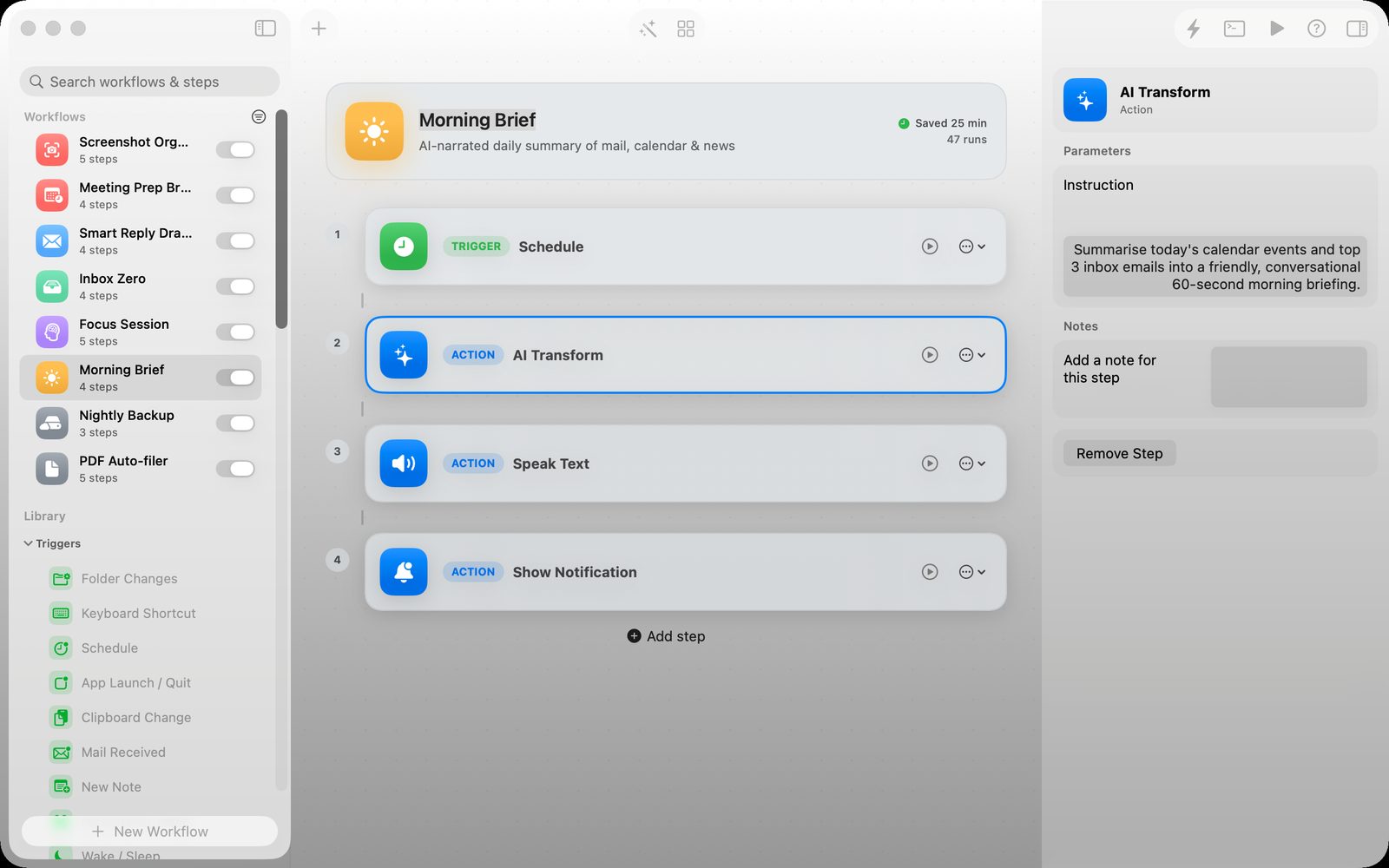
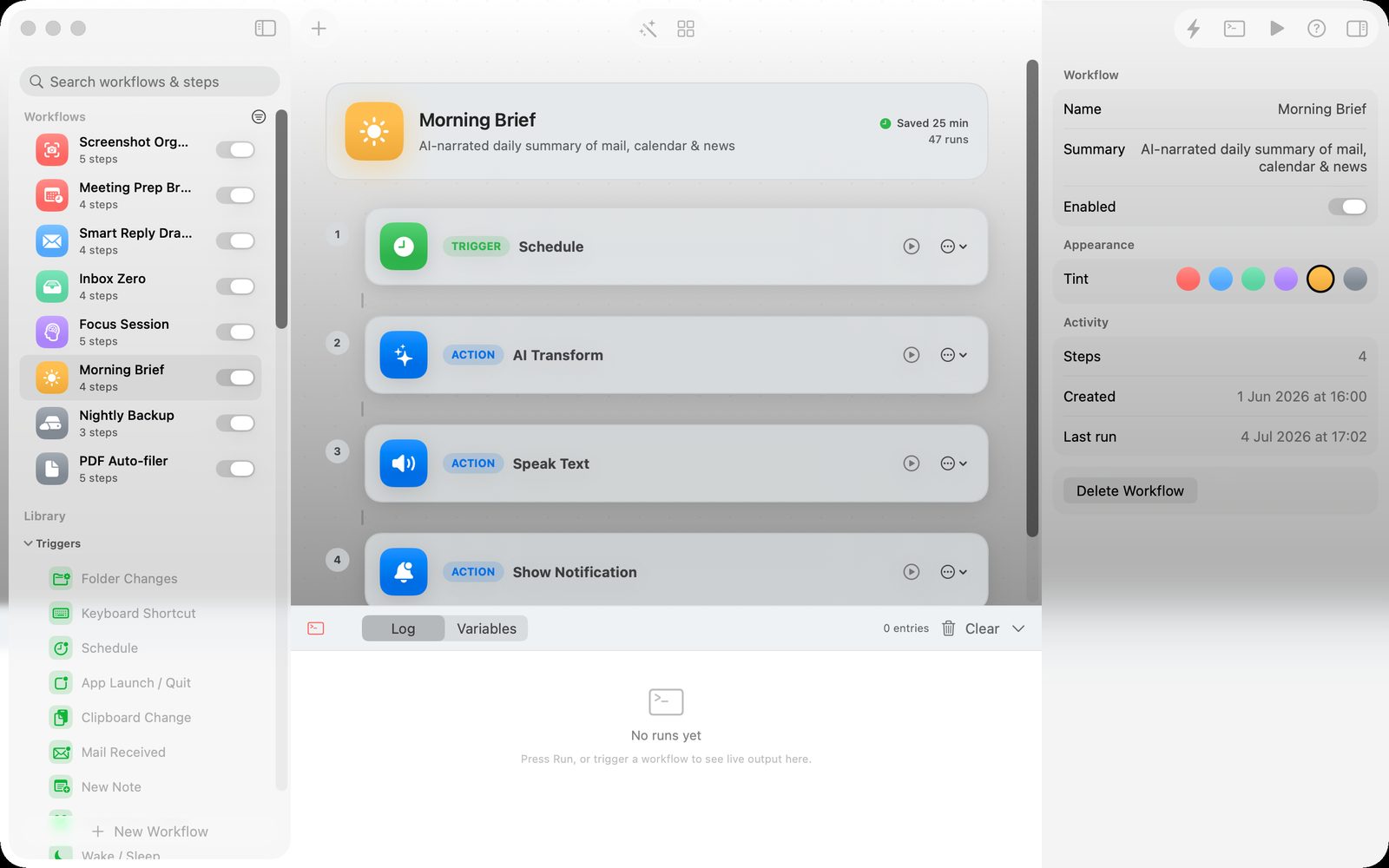
A real Relay workflow: schedule a morning brief, transform the text with on-device AI, speak it aloud and show a notification.
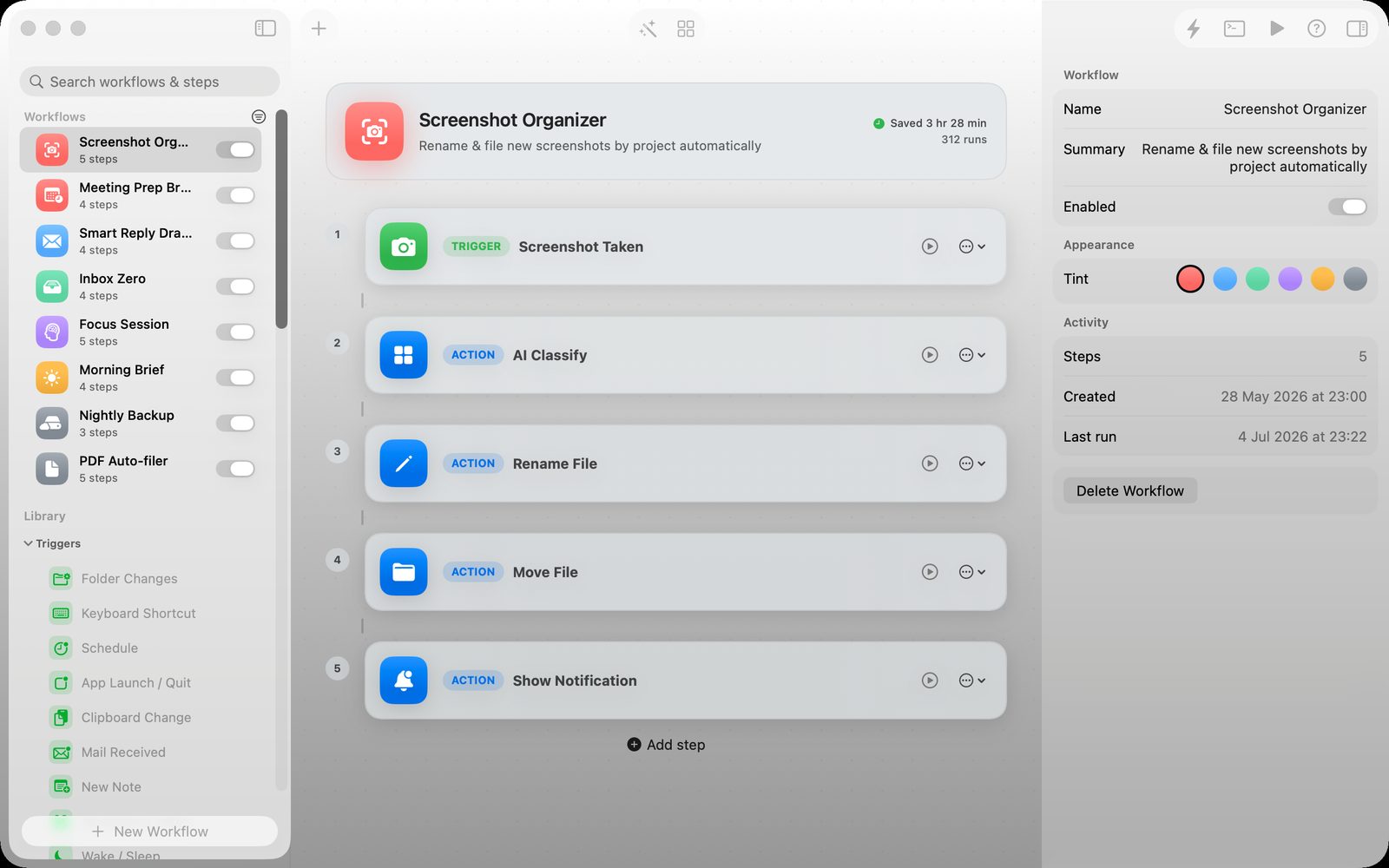
{date}-{name}~/Pictures/Screenshots/{date}/{filename}"Relay turns the things you do every day on your Mac — filing screenshots, triaging mail, capturing notes, prepping for meetings — into one-tap workflows you build by talking to an AI or dragging onto a canvas.
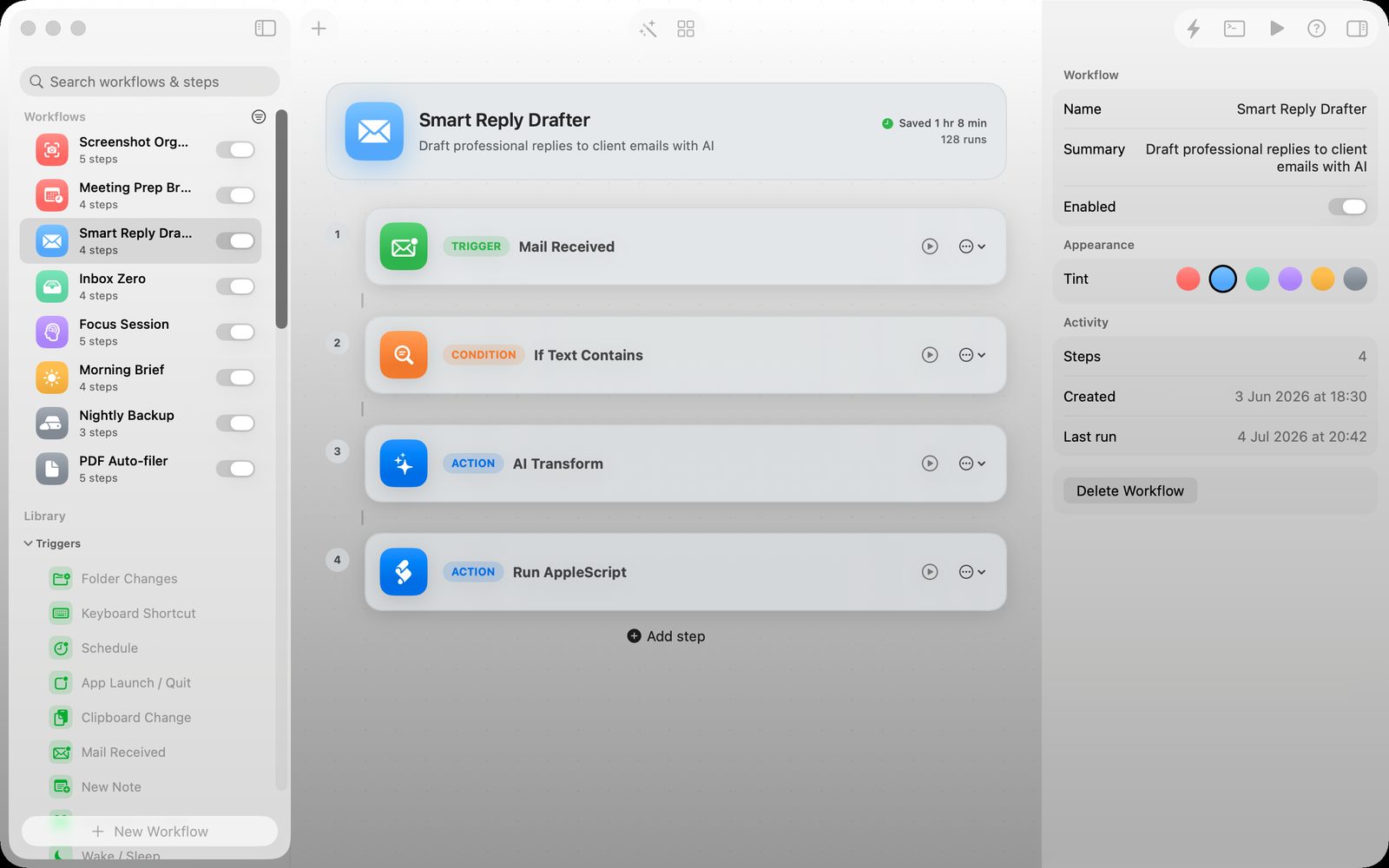
Relay keeps automations readable: the trigger, every step, the inspector and the current state all stay in one Mac window.
Describe what you want in plain English. The chat-based AI Builder uses Apple's on-device intelligence to pick the right triggers and actions, fill in parameters, and refine across turns.
Workflows live in a JSON file on your Mac. No account, no cloud, no telemetry. AI runs on-device.
Press ⌃⌥⌘ Space to summon a Spotlight-style launcher. Fuzzy-search any workflow, ⏎ runs it. Stays out of your way.
Drag any file onto Relay's dock icon — a floating picker shows you the workflows that operate on files. Click one. The file becomes context. Pure Mac magic.
Building blocks that connect every app and event on your Mac. Mix and match.
The AI Builder is a real conversation. Describe a workflow, watch it appear on the right, then keep talking to tune it. Add steps. Change conditions. Make it weekday-only. Everything runs on Apple's on-device Foundation Models — no cloud, no API key, no quota.
"Make this only run on weekdays" → the workflow updates in place.
When a step fails, click the wand. Relay reads the error, proposes a parameter fix, and offers one-click apply.
All AI prompts and responses run on-device. We can't see them. Apple can't see them.
{date}-{name}. Anything else?
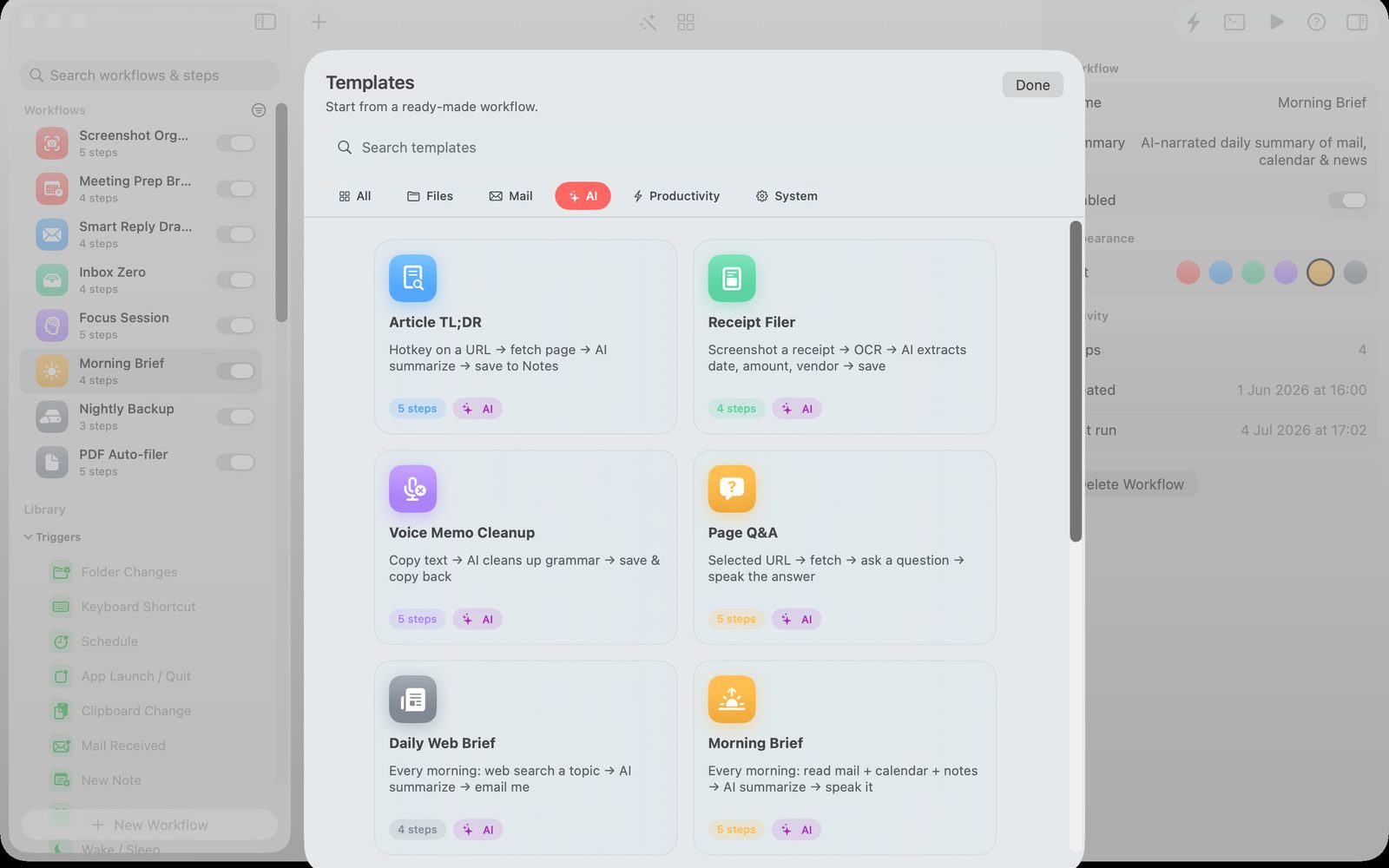
Ready-made workflows you can adopt instantly and tweak to taste.
+ 29 more in the gallery, plus your own templates from the AI Builder.
All the strengths of the classics — plus what they lack.
| Relay | Hazel | Shortcuts | Keyboard Maestro | |
|---|---|---|---|---|
| Visual workflow canvas | ✓ | — | ✓ | ✓ |
| Chat-based AI builder | ✓ | — | — | — |
| On-device AI transforms | ✓ | — | partial | — |
| Folder watcher | ✓ | ✓ | — | limited |
| Global hotkeys | ✓ | — | ✓ | ✓ |
| Schedules | ✓ | limited | limited | ✓ |
| Read mail / notes / calendar | ✓ | — | partial | — |
| Quick Run launcher | ✓ | — | — | — |
| Drag-to-dock to run | ✓ | — | — | — |
| Subscription | No | No | Free | No |
Relay has no servers, no telemetry, no third-party SDKs. Workflows live in a JSON file you own. AI runs on your Mac via Apple Intelligence. Network only fires when you add a step that explicitly says so.
If you keep dragging files into folders, archiving the same emails, or rewriting the same notes — Relay is built for you.
Triage mail, capture daily briefs, file receipts. Buy the focus back.
Organize screenshots, exports, references. One hotkey, ten less drags.
Run AppleScript, hit HTTP endpoints, watch folders — without writing a service.
Clip URLs, summarize PDFs, save to Notes with one keystroke.
Outgrown Hazel? Bored of Shortcuts? You'll feel at home immediately.
Lawyers, accountants, journalists — automate without sending anything to a SaaS.
No. Relay runs entirely on your Mac. AI steps use Apple's on-device Foundation Models. Web actions (Web Search, Fetch URL, HTTP Request, Send Mail) only connect to URLs you put in the workflow.
Shortcuts is great for chained actions inside Apple's ecosystem but has no visual canvas, no folder watcher, and limited AI. Relay gives you a drag-and-drop canvas with 13 triggers and 33 actions, a chat-based AI builder, a Quick Run launcher, and templates that work the moment you open the app.
Hazel watches folders and runs rules on files. Relay does that plus hotkeys, schedules, mail, screenshots, app launch, system events, and on-device AI — all in one visual canvas with a templates gallery and a chat-based builder.
Through macOS Mail.app. The Read Recent Mail action asks Mail for messages from whatever account is configured there. If Gmail is set up in Mail's preferences, Relay can read it — no Google API key, no OAuth.
No. Relay is a one-time purchase. Every feature unlocked. No account, no tracking, no monthly fees.
Yes. The AI Builder, AI Transform, AI Extract, AI Classify, AI Ask, and AI Fix actions all run on Apple's on-device Foundation Models. Nothing is sent to a cloud LLM.
Click the wand icon next to the error. AI Fix reads the error message, proposes a parameter change, and lets you apply it with one click.
Yes — right-click any workflow in the sidebar and choose Export JSON. Workflows are plain files you can email, share, or back up.
Get Relay for Mac. One-time purchase. Every feature unlocked. Apple Intelligence built in.
Buy RelaymacOS 26 Tahoe or later · Universal binary
Relay is independent Mac software from Yuzool. It is designed as a focused one-time purchase, with direct email support, clear policies and a public updates portal.
One payment for the core Mac app.
Questions go directly to Yuzool support.
Workflows run on your Mac, with on-device AI where available.
Use the portal for purchase and update access.
Privacy and purchase terms are written clearly.
The main buyer page for local Mac workflow automation.
Triggers, actions, templates, quick runs and on-device AI.
When a dedicated visual Mac workflow canvas makes sense.
For folder workflows that need more than file rules.