Where App Store Connect is strong
App Store Connect is Apple's own portal for developers, and it is the source of truth for anything sold on the App Store. On the web it holds Sales and Trends, payments and financial reports, App Analytics, pricing, in-app purchases, App Review and TestFlight. Your accountant will want its reports, not a screenshot from another app.
Apple also makes a free App Store Connect app for iPhone and iPad. As of November 2026 its App Store listing says it lets you check app status and manage submissions, view key sales and trends, read and reply to ratings and reviews, manage TestFlight testers and builds, get notifications about status changes and new reviews, and generate marketing assets. It requires iOS 17 or later.
If you only sell on the App Store, that is a lot already, and it comes with your developer account. Nothing else is official in the same way.
Where Revenue Bear is different
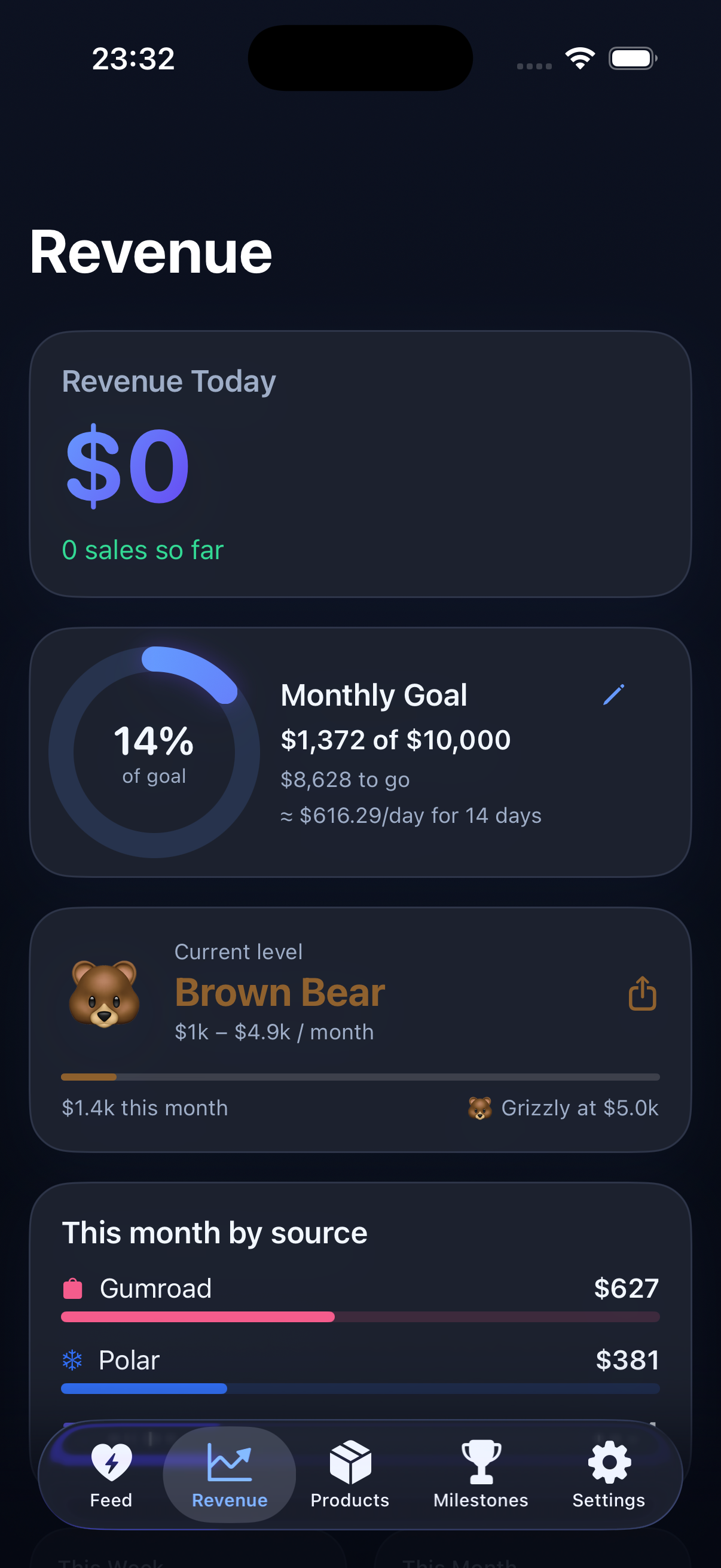
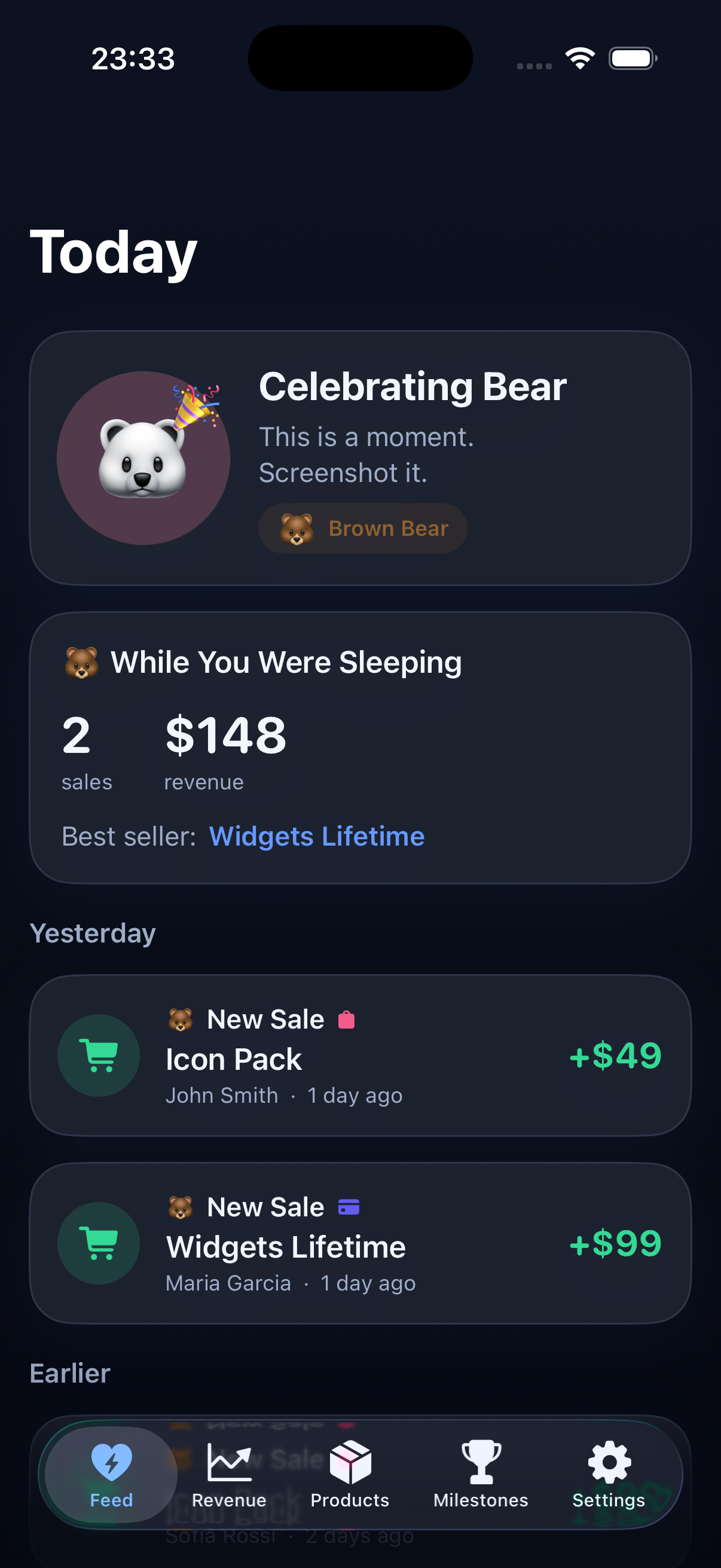
Revenue Bear is not a replacement for any of that. It is an iPhone app that answers one question quickly: did I make money today? It pulls sales from App Store Connect and, if you sell elsewhere, from Stripe, Paddle, Dodo Payments, Gumroad, Lemon Squeezy and Polar, then shows them in one chronological feed with a source badge on each sale.
Around that feed it adds the things that make checking revenue feel lighter: revenue for today, the week, the month, the year and all time, a monthly goal ring, milestones, streaks, a "While You Were Sleeping" recap in the morning, Home Screen, Lock Screen and StandBy widgets, and an Apple Watch complication. Its App Store listing also describes a weekly "what changed" view by app and currency, and an estimate of when Apple pays you next.
Revenue Bear has no backend and no account. Your keys are stored in the iPhone Keychain and data is cached on the device. It is free to download, with a demo and one connected source; Revenue Bear Pro is a $5.99 one-time purchase that unlocks more sources and App Store extras such as reviews in one list, App Review status, trial conversions and ratings by country.
Feature comparison
Sources
App Store Connect covers Apple's stores. Revenue Bear combines the App Store with Stripe, Paddle, Dodo Payments, Gumroad, Lemon Squeezy and Polar.
Running your apps
App Store Connect handles builds, TestFlight, review and pricing. Revenue Bear is read-only and changes nothing.
Daily habit
Revenue Bear has a sales feed, goal ring, streaks and widgets. App Store Connect focuses on reports and status.
Price
App Store Connect comes with your Apple developer account. Revenue Bear is free, with a $5.99 one-time Pro.
How I would decide
Ask where your money comes from. If every sale is on the App Store, the free App Store Connect app may be all you need for a daily glance, and the website covers everything else. Revenue Bear can still be useful for the widgets, goals and morning recap, but it is a nice-to-have.
If you sell on the App Store and somewhere else, say a Mac app through Paddle or a template on Gumroad, the picture changes. App Store Connect cannot show those sales, and checking several dashboards each morning is exactly the habit Revenue Bear is built to replace.
One thing applies to both: Apple's sales reports arrive with a delay. Revenue Bear reads the same reports, so App Store figures in Revenue Bear can also take one to two days to appear. Stripe and similar sources tend to show up much sooner.
When to choose Revenue Bear
Choose Revenue Bear if you sell in more than one place, want today's total on your Lock Screen, or like the small push of goals, streaks and milestones. It is also a good fit if you want the numbers to stay on your phone, since there is no Revenue Bear server or account.
Try the demo first. It shows every screen with sample data before you connect anything.
When App Store Connect is enough
App Store Connect is enough if you only sell on the App Store and check sales now and then. You will keep using it regardless for submissions, TestFlight, reviews, tax and banking, and payments.
Revenue Bear is not accounting software. For reconciling payouts, fees and tax, use Apple's financial reports and your other providers' own exports.
Verdict: App Store Connect is essential and official. Revenue Bear sits on top of it as a quick, combined daily view, most useful when the App Store is not your only source of income.
At a glance
| Revenue Bear | App Store Connect | |
|---|---|---|
| Price (as of November 2026) | Free download with demo and one source; Revenue Bear Pro $5.99 one-time | Included with your Apple developer account; the iPhone app is free |
| Sales sources | App Store, Stripe, Paddle, Dodo Payments, Gumroad, Lemon Squeezy, Polar | Apple's stores only |
| Official reports and payments | No, read-only summaries | Yes |
| Builds, TestFlight, App Review | App Review status in Pro | Yes, full control |
| Widgets, goals, streaks | Yes | Not described in its listing |
| Data delay for App Store sales | Same as Apple's reports | Reports can lag by a day or more |
A simple way to use both
- Keep App Store Connect for submissions, TestFlight, reviews and monthly financial reports.
- Use Revenue Bear's widget or feed for the daily glance across all your stores.
- Once a week, run a short weekly revenue review using both.
Questions people ask
Does Revenue Bear need my Apple ID password?
Revenue Bear connects with an access key for each source, following the setup instructions in the app, and keeps that key in your iPhone Keychain.
Why are my App Store sales not there yet?
Apple publishes sales reports with a delay, often one to two days. Revenue Bear can only show them once Apple does.
Can Revenue Bear reply to reviews?
Revenue Bear Pro gathers App Store reviews in one list. For managing replies, App Store Connect remains Apple's official tool.