Where RevenueCat Charts is strong
RevenueCat calls itself a subscription backend: it handles in-app purchases and receipt validation across StoreKit, Google Play, smart TVs and the web. Because every purchase passes through it, its Charts can be very detailed. RevenueCat's documentation lists charts such as MRR, ARR, revenue, MRR movement, active subscriptions and trials, churn, refunds and refund rate, trial conversion, conversion to paying, a cohort explorer, realised lifetime value, paywall charts and more.
That is real analytics. If you are trying to understand why trials are not converting, or whether a price change reduced churn, Charts is built for exactly that kind of question.
As of November 2026, RevenueCat's pricing page says there are no charges until you reach $2.5K in monthly tracked revenue, after which the Pro plan charges 1%. Charts are part of the dashboard rather than a separate product.
Where Revenue Bear is different
The key difference is where the data comes from. RevenueCat's documentation says purchases must go through its SDK or API to be counted in Charts. That is great if you already use RevenueCat, but it is a real integration if you do not, and it only covers purchases made through it.
Revenue Bear needs no changes to your apps. It reads sales directly from the stores and payment providers you already use: App Store Connect, Stripe, Paddle, Dodo Payments, Gumroad, Lemon Squeezy and Polar. That makes it useful for founders who sell a mix of things, such as an iPhone app, a Mac app through Paddle and an ebook on Gumroad.
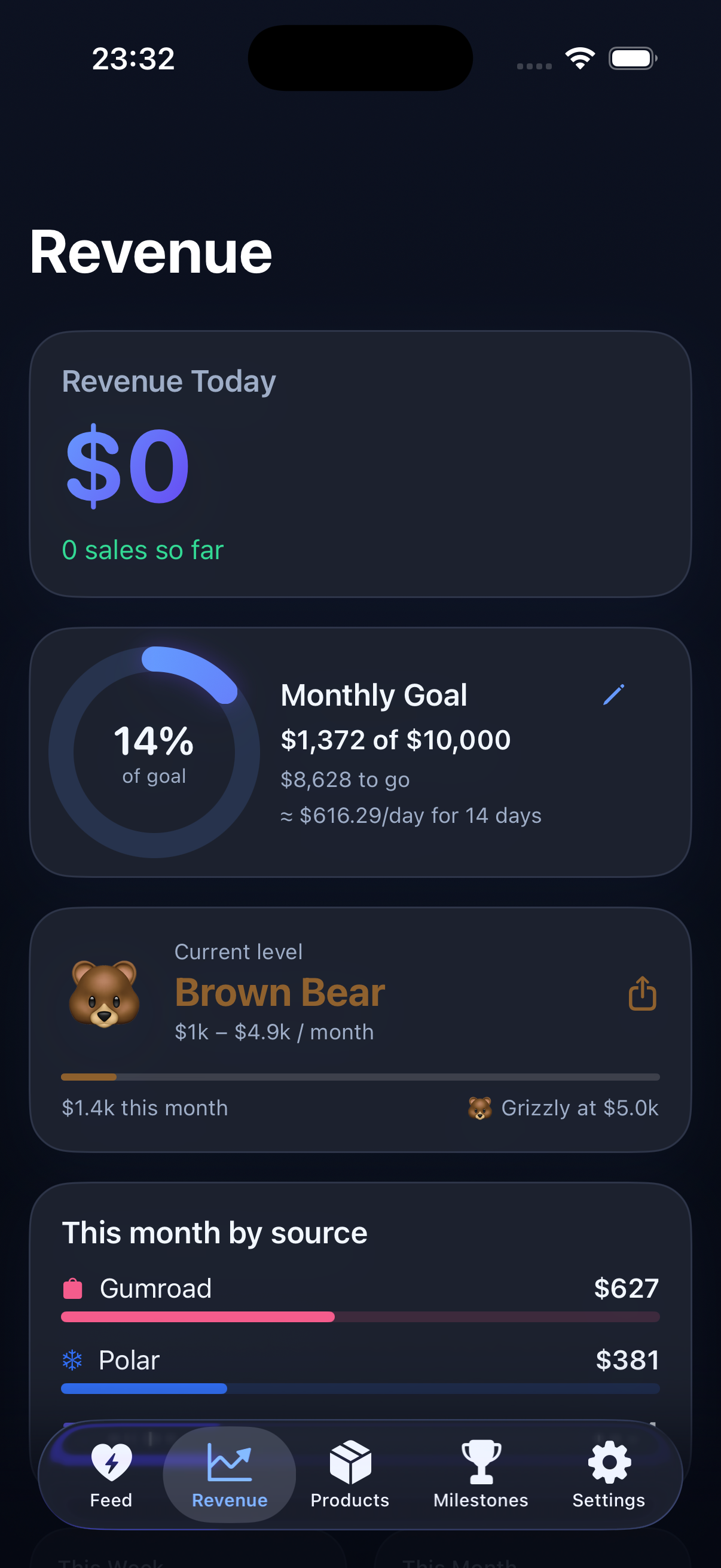
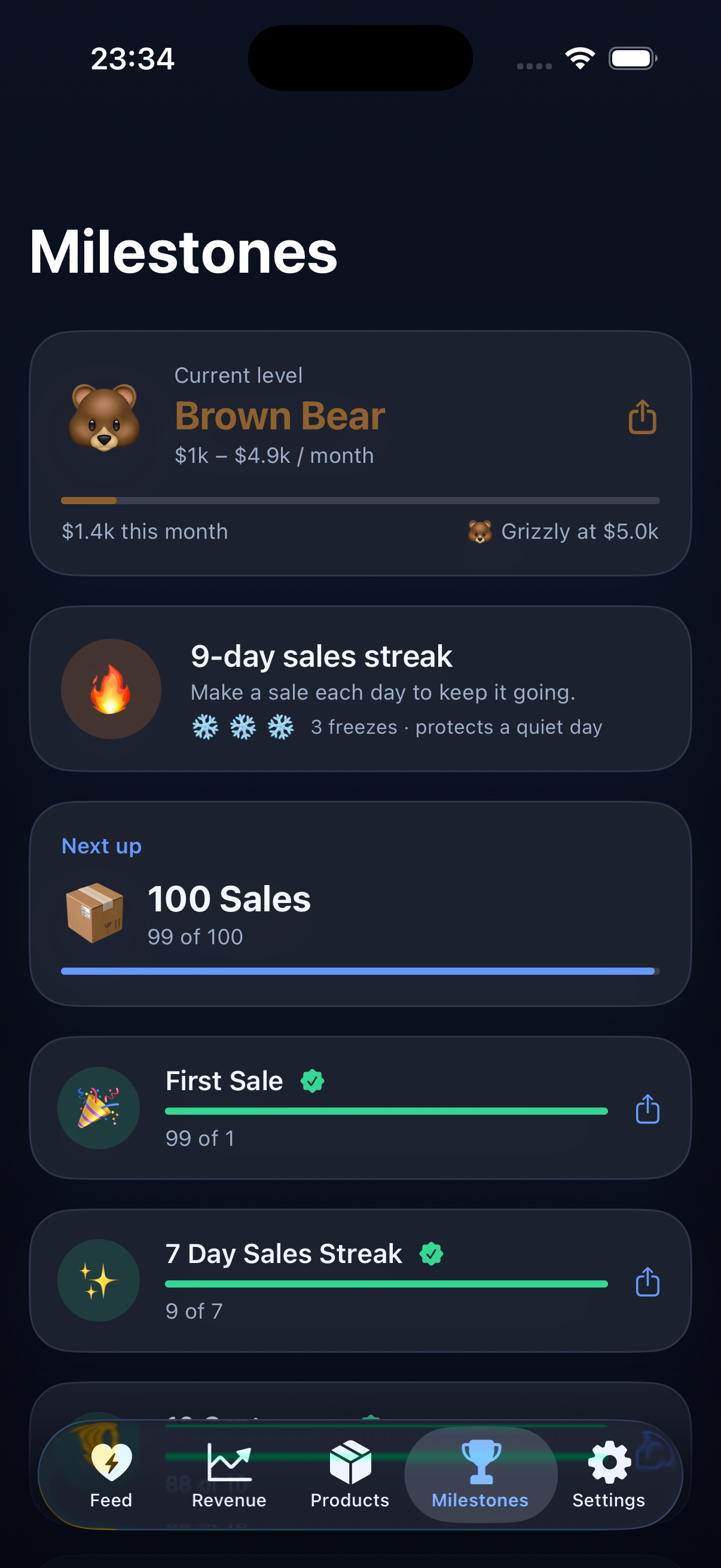
What it shows is deliberately simple: a feed of sales, renewals and refunds; revenue for today, the week, month, year and all time; MRR where the provider reports it; goals, milestones, streaks; widgets and a morning recap. There is no backend and no account. It is free to download with a demo and one source, and Revenue Bear Pro is a $5.99 one-time purchase.
Feature comparison
Depth
RevenueCat Charts covers cohorts, churn, LTV and trial funnels. Revenue Bear shows totals, MRR, a sales feed and goals.
Setup
Charts needs purchases sent through RevenueCat's SDK or API. Revenue Bear connects with API keys from each provider.
Sources
RevenueCat covers purchases it processes. Revenue Bear reads the App Store, Stripe, Paddle, Dodo Payments, Gumroad, Lemon Squeezy and Polar.
Price
RevenueCat: free up to $2.5K MTR, then 1% on Pro. Revenue Bear: free, with a $5.99 one-time Pro.
How I would decide
If you already use RevenueCat, you already have Charts, so the real question is whether you also want a lighter daily view. Many founders do not want to open an analytics dashboard every morning; they want a number on the Lock Screen and a weekly look at the deeper charts. In that case, the two sit together comfortably.
If you do not use RevenueCat, do not adopt a subscription backend just to get charts. Adopt it if you need what it does for purchases, such as cross-platform entitlements and paywalls. If what you need is simply to see revenue from the stores you already sell through, Revenue Bear does that with no code changes.
And if your income is not mainly subscriptions, for example one-off sales on Gumroad or Lemon Squeezy, much of Charts' depth will not apply to you anyway.
When to choose Revenue Bear
Choose Revenue Bear if you sell across several platforms, want a daily habit rather than an analytics session, and like your keys and data kept on your phone. It suits solo founders and small studios who want to know whether today was a good day without opening five tabs.
It is not built for cohort analysis, and it says so: subscription coverage varies by provider and may be incomplete, so use your providers' own reports for reconciliation.
When RevenueCat Charts is the better pick
Choose RevenueCat Charts if subscriptions are the heart of your business and you need to understand churn, retention, trial conversion and lifetime value. Those questions need purchase-level data, and RevenueCat has it.
RevenueCat is a widely used, well-documented platform. If you are building a serious subscription app, it is worth evaluating on its own merits.
Verdict: RevenueCat Charts is the analytics tool for subscription apps built on RevenueCat. Revenue Bear is the daily glance across all your stores. Plenty of founders will be happy with both.
At a glance
| Revenue Bear | RevenueCat Charts | |
|---|---|---|
| Price (as of November 2026) | Free download with demo and one source; Revenue Bear Pro $5.99 one-time | No charge below $2.5K monthly tracked revenue, then 1% on Pro |
| Data source | Provider APIs: App Store Connect, Stripe, Paddle, Dodo Payments, Gumroad, Lemon Squeezy, Polar | Purchases sent through RevenueCat's SDK or API |
| Code changes needed | None | RevenueCat integration |
| Cohorts, churn, LTV | No | Yes |
| Daily feed, widgets, goals | Yes | Dashboard charts |
| Where it runs | iPhone app (also iPad, Apple Watch) | Web dashboard |
Using both
- Keep RevenueCat Charts for monthly questions about churn, trials and cohorts.
- Connect your stores to Revenue Bear for the daily glance, including sales RevenueCat does not see.
- Bring both to a short weekly revenue review.
Questions people ask
Does Revenue Bear connect to RevenueCat?
No. RevenueCat is not one of its sources. It reads from the stores and payment providers directly.
Will Revenue Bear's MRR match RevenueCat's?
Not necessarily. Each tool calculates from different data, and subscription coverage in Revenue Bear depends on what each provider reports.
Is my data sent to a server?
Revenue Bear has no backend. Keys stay in the iPhone Keychain and data is cached on the device.