Why normal email threads feel heavy
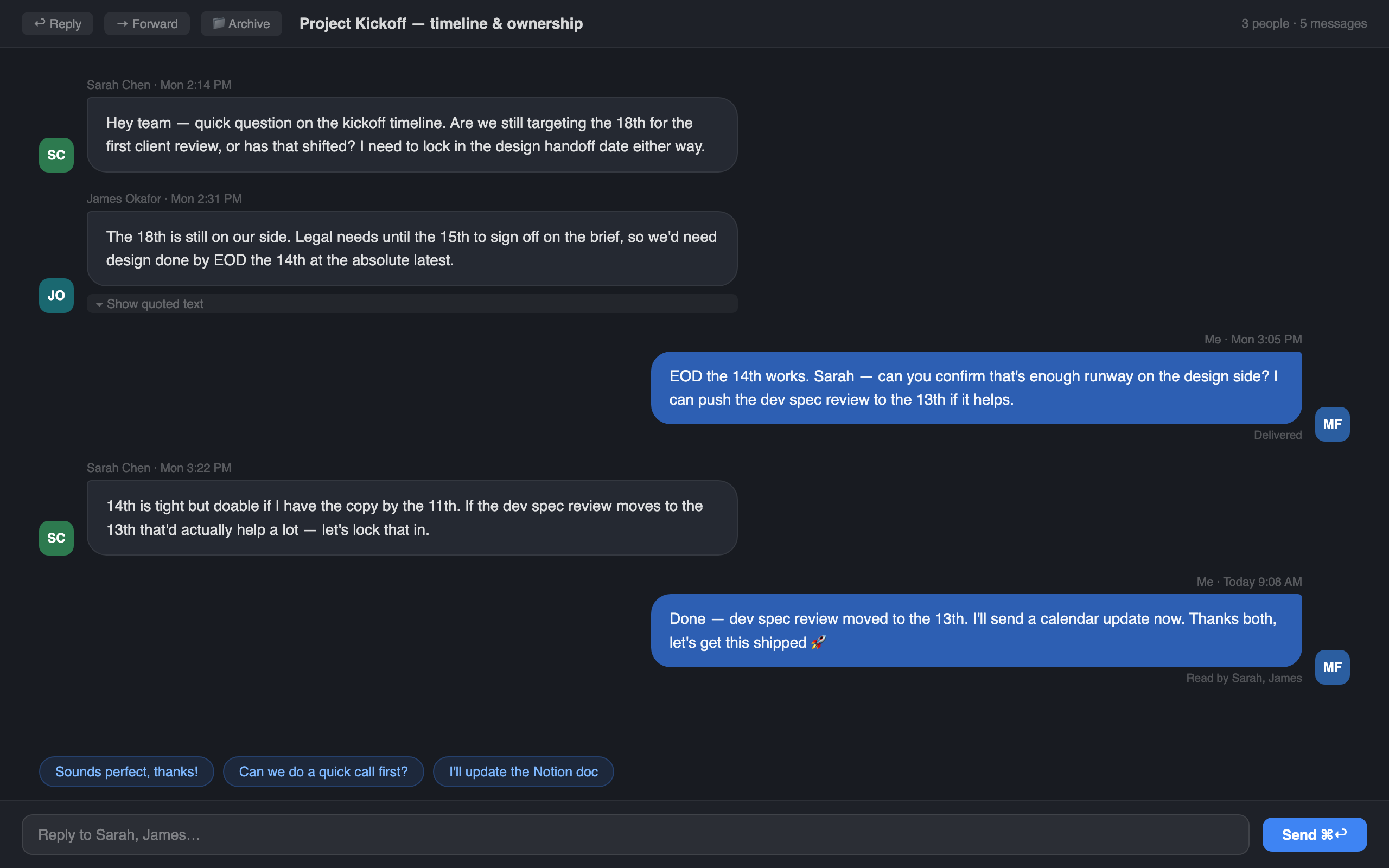
Email was not designed for the way many people use it now. A single thread can contain signatures, forwarded headers, repeated quoted text and replies from multiple clients. The useful message is often buried inside a lot of formatting noise.
Suzume does not try to replace email with chat. It keeps normal email accounts and protocols, then changes the way a thread is presented on the Mac.
The difference sounds small until you are trying to follow a real thread. Someone replies inline, another person forwards the message, a footer gets repeated five times, and suddenly the decision you need is hiding between signatures. A cleaner conversation view reduces that friction.
It is not about making work feel cute. It is about making the shape of the discussion readable again.
What chat-style email helps with
Faster reading
See the conversation shape quickly, with messages separated visually instead of merged into quote towers.
Clearer replies
Understand the latest point before writing, then answer from the same focused thread view.
Better context
Avatars, timestamps and message direction make the thread easier to scan when several people are involved.
Less inbox fatigue
A lighter reading experience can make everyday mail feel less like admin work.
Where it feels most useful
Chat-style threads are useful for the email that is actually a conversation: arranging dates, handling client feedback, answering a support question, checking in with a collaborator, or making small decisions that move back and forth.
Those threads are often short enough that a traditional email app makes them feel more formal than they need to be, but important enough that you still want a proper mail client, search, accounts and attachments.
Still real email
Because Suzume uses IMAP and SMTP, it is not asking everyone else to change apps. Your contacts can keep using their usual mail clients. Suzume simply gives you a better reading and replying environment on your Mac.
What AI adds, carefully
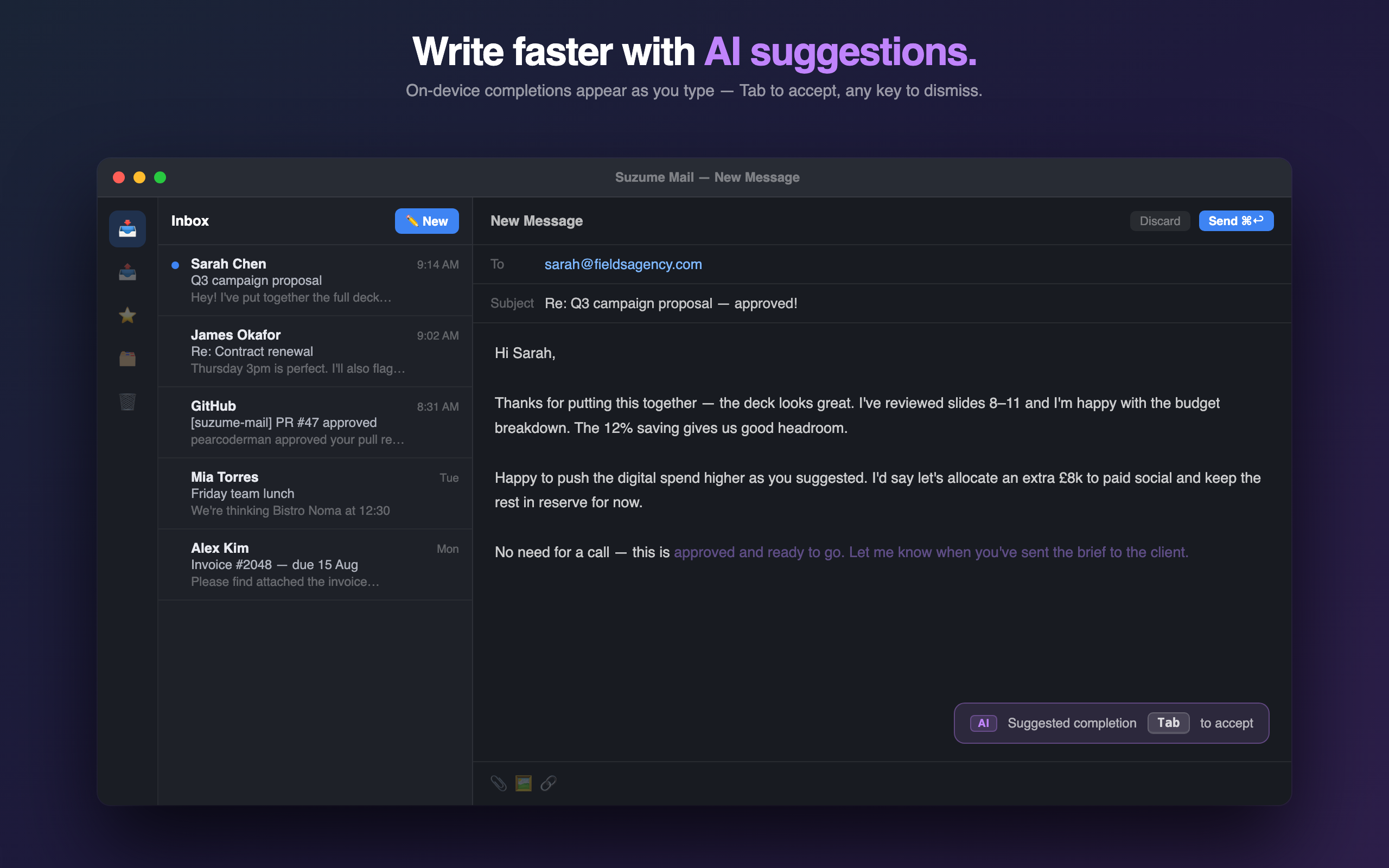
On supported Macs, summaries and quick replies can help when a thread gets long or when you need a first draft. That is useful only if the app keeps the decision in your hands. Suzume is designed around reviewing the thread and sending deliberately, not auto-answering your inbox.
The best AI feature in email is often not a dramatic rewrite. It is the small assist that helps you understand the last five messages and write a clear reply without reopening the same thread again later.
When this is a good fit
Chat-style email is especially useful for client threads, product support, personal planning, interview scheduling and any conversation where the back-and-forth matters more than the formal shape of an email.
If you mostly process automated notifications or run a shared support queue, a different tool may fit better. Suzume is aimed at personal Mac email where the conversation itself matters.