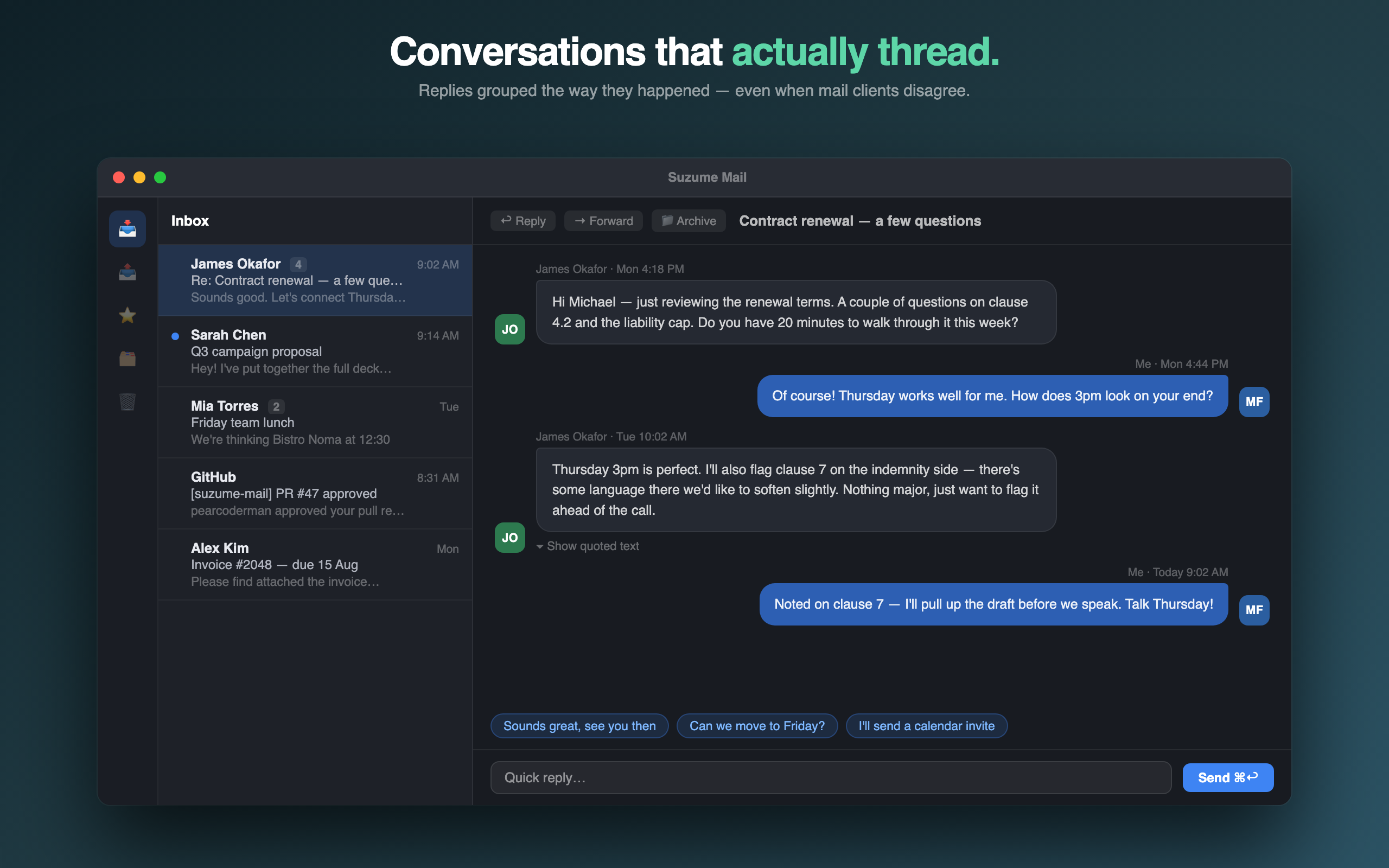
You can use Gmail in a native Mac email client by connecting it over IMAP and SMTP. Sign in through Google's own sign-in screen where the app offers it, or create a 16-character Google App Password. Never type your normal Google password into a mail app. Suzume Mail connects to Gmail this way, keeps credentials in the macOS Keychain, and shows threads as chat-style conversations.
Why use a native client for Gmail
- A separate window. Mail is no longer next to twenty tabs.
- Several accounts together. Gmail, iCloud, a work address and your own domain in one app.
- Offline reading. Messages are cached locally.
- System behaviour. Standard shortcuts, notifications and drag and drop.
- No adverts in the inbox.
What you give up: Gmail-specific web features such as its category tabs and add-ons. If you depend on those, stay with the web interface.

Connecting Gmail safely
- Try Google sign-in first. Choose the Gmail or Google option in the app. You sign in on Google's own screen and approve the access. The app never sees your password.
- Use an App Password if sign-in is not available. Turn on two-step verification for your Google account, then create an App Password in your Google account settings. Enter your full Gmail address as the username and the 16-character code as the password.
- Keep IMAP on and use TLS.
- Let the first sync finish. A large mailbox takes a while to list its folders and download messages.
- Revoke access from your Google account if you stop using the app.
Rule of thumb: an email app should never ask for your normal Google password in its own form.
How Gmail's ideas map to a mail client
| In Gmail | In an IMAP client |
|---|---|
| Labels | Appear as folders. A message with two labels shows in both |
| Archive | Removes the Inbox label; the message stays in All Mail |
| Starred | Flagged or starred |
| Conversations | Threaded by the client |
| Search | Local search of cached mail, plus server search where supported |
| Category tabs | Not carried over |
Gmail in Suzume Mail
- Direct connection. Mail travels between your Mac or iPhone and Google over encrypted IMAP and SMTP. There is no Suzume server in the middle.
- Credentials in the Keychain. Passwords and tokens are stored in the macOS Keychain, and the local message cache is encrypted.
- Push. New mail arrives through IMAP IDLE.
- Chat-style threads. Long Gmail conversations read as bubbles with quotes collapsed.
- On-device AI. Summaries and suggested replies run through Apple Intelligence on the device, not a cloud service.
- Rules, VIPs and bulk actions for getting through a crowded inbox.
- Import. Drag in .eml or .mbox files from another client.
If your Gmail is overloaded
Moving to a new client is a good moment to reset. Before connecting: unsubscribe from the ten senders you delete most, archive everything older than a month (it remains searchable), and decide your three VIP senders. Then follow the triage workflow. The switching checklist covers accounts, folders, drafts and the tests that catch surprises.
Troubleshooting
- Sign-in fails with an App Password: check two-step verification is on and that you used the full address as the username.
- Folders appear but messages are empty: refresh the folder and give the body download time.
- Duplicate-looking messages: the same message with two labels appears in two folders. That is Gmail's design.
- A work Google account refuses: your administrator may have restricted IMAP or third-party apps.
What Suzume Mail is not
- Not for shared team inboxes or helpdesk queues. It is a personal mail client.
- No company-wide admin controls or email governance features.
- On-device AI needs Apple Intelligence on a supported device. Everything else works without it.
- Apple only. Mac and iPhone.
Price
Suzume Mail is a one-time purchase, $29 at the time of writing, with no subscription. It is available for Mac and for iPhone on the App Store. There is no Suzume account and no Suzume mail server: the app talks directly to your mail provider.
Common questions
Is it safe to connect Gmail to a mail app?
Yes, if you use Google sign-in or an App Password and the app stores credentials in the Keychain. Check the app's privacy policy.
Does Suzume read my email on a server?
No. There is no Suzume mail server. Mail goes directly between your device and Google.
Do Gmail labels work?
They appear as folders over IMAP.
Can I use Google Workspace?
Usually, if your administrator allows IMAP access.
Is there a subscription?
No. Suzume Mail is a one-time purchase.
Give Gmail a window of its own: Get Suzume Mail.