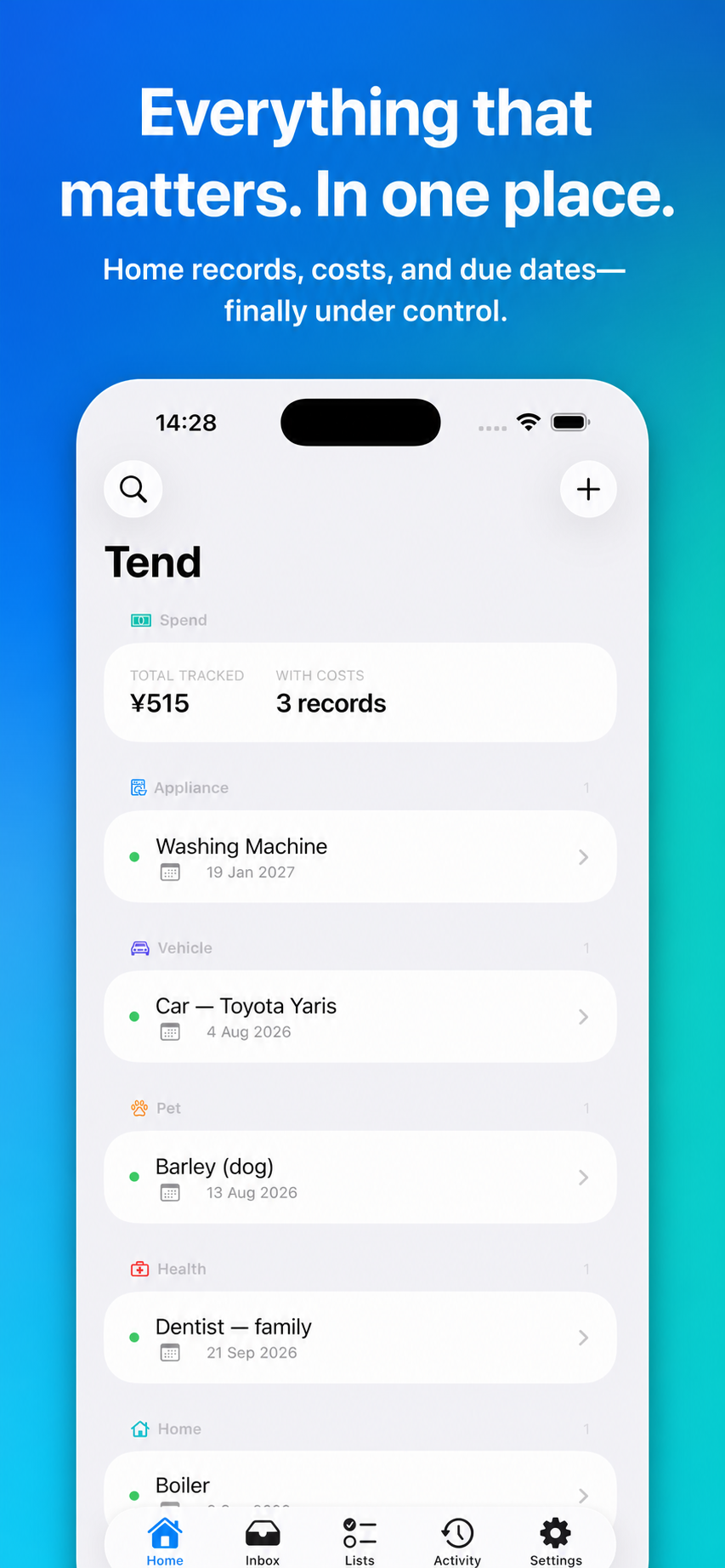
A home inventory lists your significant belongings with a photo, purchase date, price, serial number and receipt for each. A warranty tracker adds the expiry date and how to claim. Do it room by room, starting with expensive and hard-to-replace items. Tend keeps this on iPhone: a record per item with photos, costs, notes and due dates, a reminder before a warranty ends, and private sync through your own iCloud.
What to record for each item
| Field | Why |
|---|---|
| Photo of the item | Shows you owned it and its condition |
| Make, model, serial number | Identifies it for a claim or a police report |
| Purchase date and price | Insurers and warranties both start here |
| Where you bought it | The retailer is often your first contact |
| Photo of the receipt | Paper receipts fade and vanish |
| Warranty length and expiry | So you know before you pay for a repair |
| How to claim | Phone number or web page, and any registration reference |
Do a house in an afternoon
- Start with a video. Walk through each room, opening cupboards. Ten minutes gives you a baseline today.
- List the big things first: appliances, electronics, furniture, bikes, tools, jewellery, instruments.
- Photograph serial plates on appliances and electronics.
- Find receipts in your email by searching for the retailer's name, and photograph paper ones.
- Group the small things: "kitchen equipment" or "books" with a rough total is enough.
- Update when you buy anything significant. Thirty seconds at the time.
The free home inventory worksheet and warranty tracker checklist give you a printable start.
For insurance
- Check whether your policy has a single-item limit and whether valuables must be listed separately.
- Renters need this as much as owners: contents cover only pays for what you can show.
- Add up the total. Many people find they are under-insured.
- Keep the inventory somewhere that survives the house, which is the point of syncing it.
What your insurer accepts as proof, and what your policy covers, is set by the policy. Ask them if unsure.
For warranties
- Record the expiry date the day the item arrives, with the receipt.
- Register the product if the maker requires it.
- Note any extended cover from the retailer or your card.
- Set a reminder a month before expiry, and use it to check the item properly while a fault is still someone else's cost.
- Consumer law in your country may give rights beyond the written warranty.
How Tend handles it
- One record per item, with photos, costs, notes and its full history.
- Due dates and reminders, so a warranty expiry or service date arrives as a notification: a week before, the day before and on the day.
- Quick capture. Photograph the receipt into the inbox at the shop and file it later.
- Shared with your household through iCloud, so the person at home when the engineer calls can find the details.
Tend has no servers and no accounts. Records live on your device and sync through your own iCloud. You can invite a partner or family member to share through iCloud. There are no analytics or third-party tracking SDKs.
Servicing history belongs with the same records: see the home maintenance log guide.
What Tend does not do
- It does not know your appliance's service schedule. You enter due dates from the manual, your installer or your insurer.
- It is not an insurance or valuation tool. It keeps the records an insurer may ask for; it does not value items or file claims.
- Apple devices and iCloud only. Sharing needs the other person to use iCloud too.
- The free plan holds 10 records. A full household usually needs more.
Free and Tend+
Tend is free to download for iPhone with up to 10 home records, inbox capture by text and photo, the activity timeline, shared lists, and due dates with reminders. Tend+ removes the record limit and adds voice capture with automatic filing, proactive nudges before due dates and Family Sharing for up to six people. The App Store shows current prices.
Common questions
How detailed should a home inventory be?
Individual entries for expensive or hard-to-replace things, grouped entries for the rest.
Do renters need one?
Yes. Contents insurance claims rely on showing what you owned.
Is my inventory private?
It is stored on your device and in your own iCloud. Tend has no servers.
How many items can I add free?
Up to 10 records. Tend+ is unlimited.
Does Tend submit insurance claims?
No. It keeps the records you may need for one.
Add your first five items today: Get Tend free.