Rank · Search Console · Mac workflow
Google Search Console is more useful when the review has an ending
A Mac app cannot create demand for a site. It can make the weekly decision—what to change, why, and when to check it again—much easier to keep.
9 August 2026 · Michael Frankland
Search Console is excellent at showing what Google saw. It is less interested in what you should do on Tuesday morning. That gap is where most small-site SEO work becomes a spreadsheet, a dozen open tabs, or nothing at all.
Start with a page that already has evidence
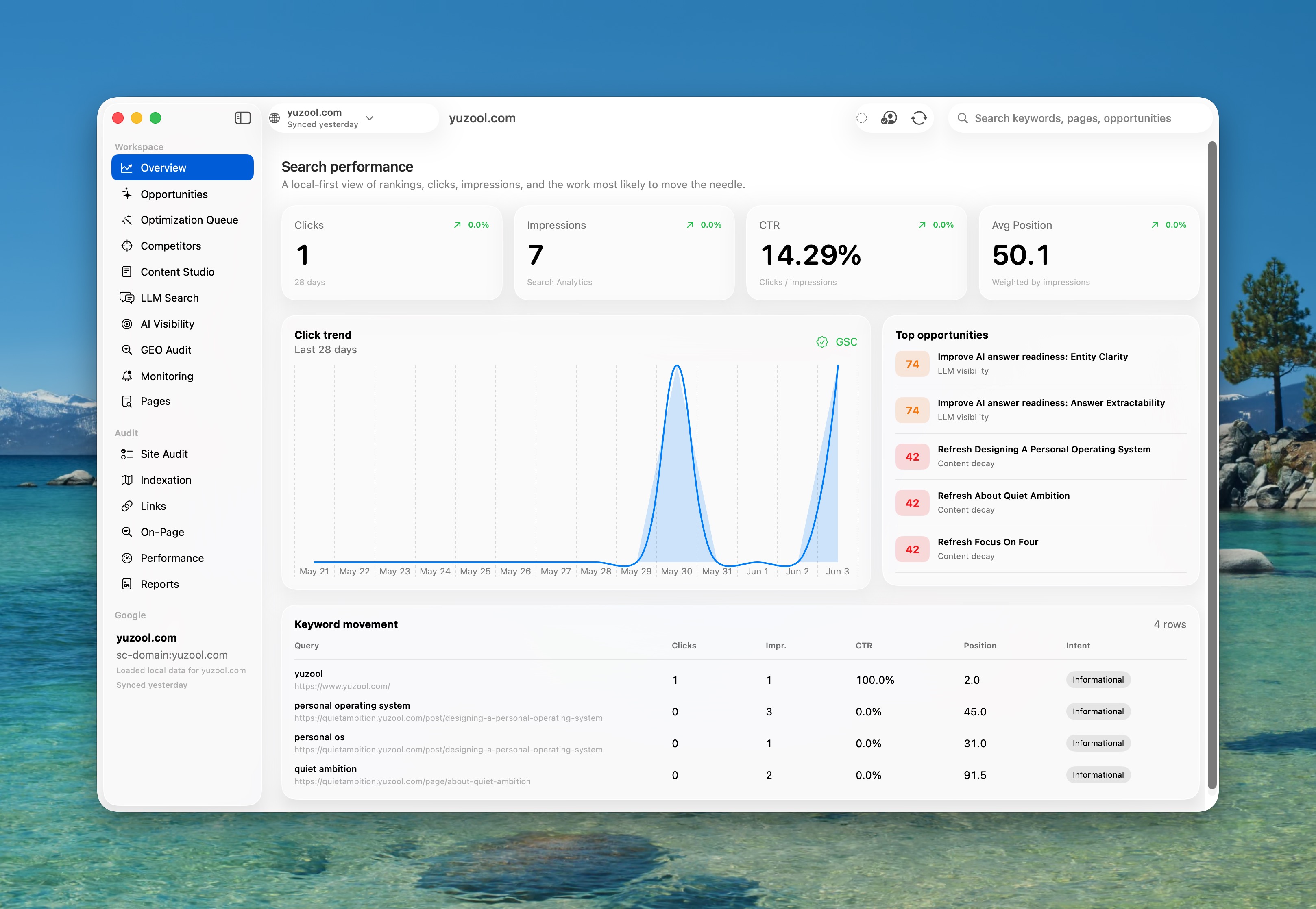
Filter for pages with impressions but a weak click-through rate. A page in positions 4–15 with a clear query is usually a better first candidate than a brand-new article. Record the query, impressions, clicks, CTR and current title before touching the page.
Make one change that a searcher can notice
Rewrite the title around the job, tighten the first paragraph, answer the next obvious question, or add a relevant internal link. Do not change the template, offer and URL at the same time. If the experiment has no boundary, the result cannot teach you anything.
Review after 7, 14 and 28 days
Search demand is noisy. A single day is not a verdict. Check whether impressions moved, whether the page attracted the intended query, and whether visitors took a useful next step. Sometimes the right result is “keep the page and wait”; that is still better than random editing.
What to look for beyond clicks
For a product page, measure the click to the demo, App Store listing or checkout—not just the article visit. A small page that sends qualified people to Rank, Dispatch or another product is more valuable than a high-volume page with no next action.
Rank for Mac
Turn Search Console into a weekly decision.
Find low-CTR opportunities, make reviewed changes and keep a record of what happened. Rank is a one-time $39 Mac purchase.
See Rank for Mac