Suzume Mail · Mac productivity
A Mac email client without a subscription should still answer the boring questions
The price is only one part of the decision. A good email client should make threads clearer, keep your connection boundary visible and stay useful when the novelty wears off.
9 August 2026 · Michael Frankland
“No subscription” is a useful search phrase because it describes a real constraint, not just a preference. People want to know what they will pay, where their mail goes, and whether the app will still be comfortable to use next year.
Compare the reading surface first
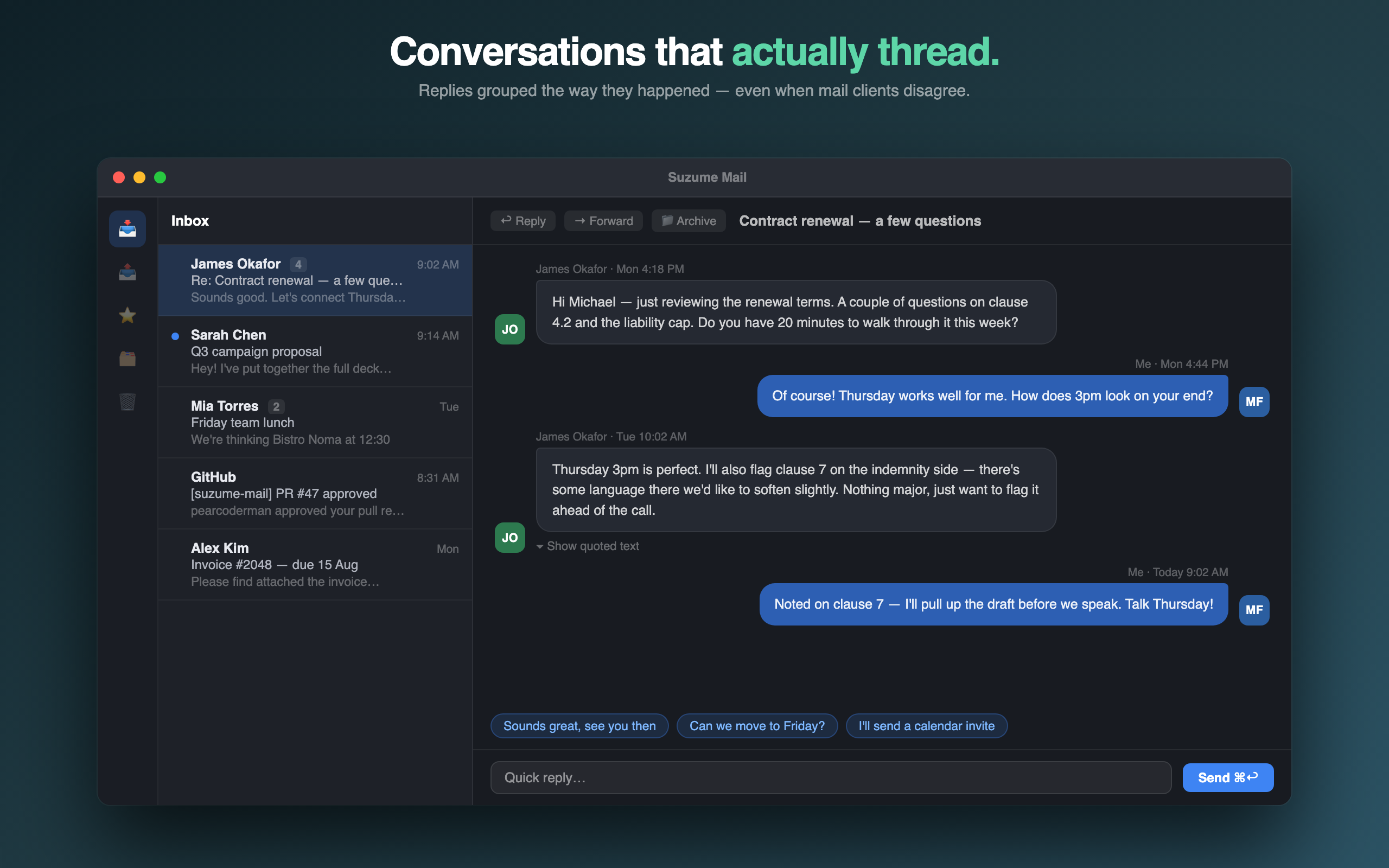
If email feels tiring, the problem may be the thread rather than the inbox. Look for clear reply grouping, dates, participants and attachments. The best client lets you understand the conversation without decoding quoted text.
Ask where the connection happens
Check whether the client connects directly to your provider through IMAP and SMTP, whether credentials are protected by Keychain, and whether the maker operates a mailbox proxy. “Private” is meaningful only when the boundary is explained.
Treat AI as optional help
Summaries can save time, but they should not become the only way to understand a message. Ask whether processing happens on-device, whether you can turn it off, and whether ordinary reading and replying still work without it.
Calculate the three-year price
A subscription can be sensible for a hosted service that keeps adding value. A native client with a one-time price can be a better fit when the work happens on your Mac and you want a predictable ownership decision.
Suzume Mail for Mac
Read email as a conversation.
Chat-style threads, direct IMAP/SMTP connections, optional on-device AI help and a one-time $29 purchase.
See Suzume Mail