Free Quick Design template
One-page resume template
Open the template, put in your photo or delete it, and type your name, role, contact details, skills and experience over the example. Download it as a picture to print or attach.
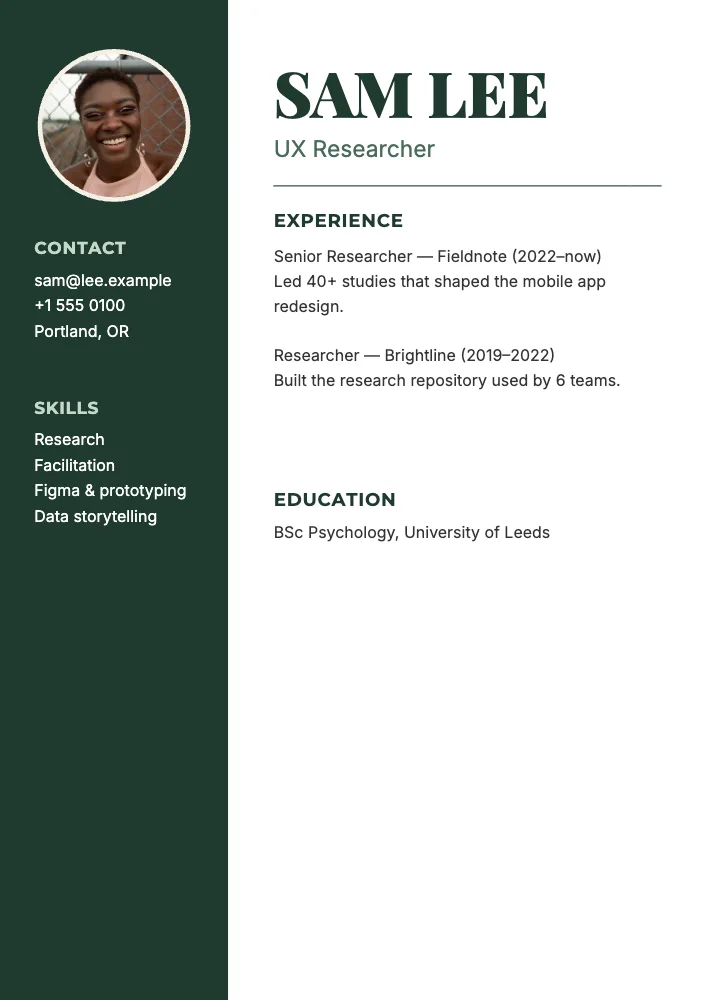
What’s in it
- Size: 1240 × 1754 pixels, the shape of A4 (210 × 297 mm). Download at 2× (300 dpi) for a sharp print.
- Fonts: Montserrat, Inter, Playfair Display.
- Photo: CC0, yours to keep or swap.
How to make it
- Use this template.
- Change the name and role, contact details, skills and each job; swap the photo for yours or delete it.
- Download a PNG at 3× and print.
Tips
- Keep it to one page: for most jobs that’s what a recruiter reads.
- Lead each job with what changed because of you, with a number if you have one.
- Many countries expect no photo on a CV: delete the photo frame and the layout still works.
Questions
Can I download it as a PDF?
Free downloads are PNG and JPG. A PDF download is in Quick Design Pro ($4.99 once). If an application form asks for a PDF, Yuzool’s PDF Tools turns an image into a PDF for free.
Is my information private?
Yes. Quick Design runs in your browser and keeps your designs on your device; nothing is uploaded.