Where paper is strong
Paper is fast, cheap and needs no battery. Opening a planner takes a second, and nothing on the page tries to get your attention. Many people find that writing a task by hand makes them think a little harder about whether it really belongs on Thursday, and that small pause is useful.
Paper is also forgiving about format. You can draw arrows, circle the one thing that matters, stick a note on the page and scribble a phone number in the margin. A finished week becomes a record you can flick back through, and there is real satisfaction in a page full of ticks.
And it never changes under you. No updates, no sync to check, no account. If that calm is what makes you plan at all, it is worth a lot, and no app should talk you out of it.
Where Cadence is different
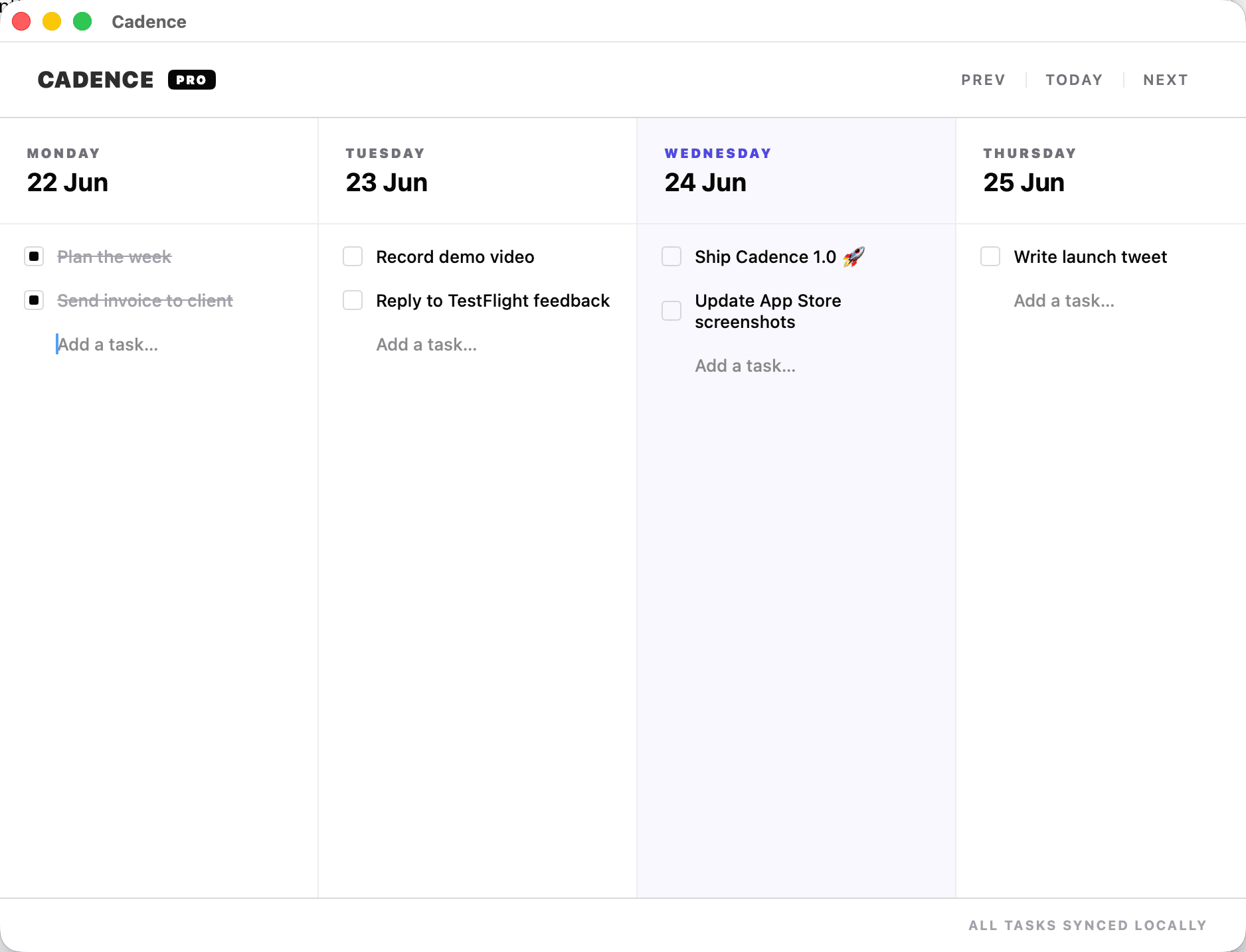
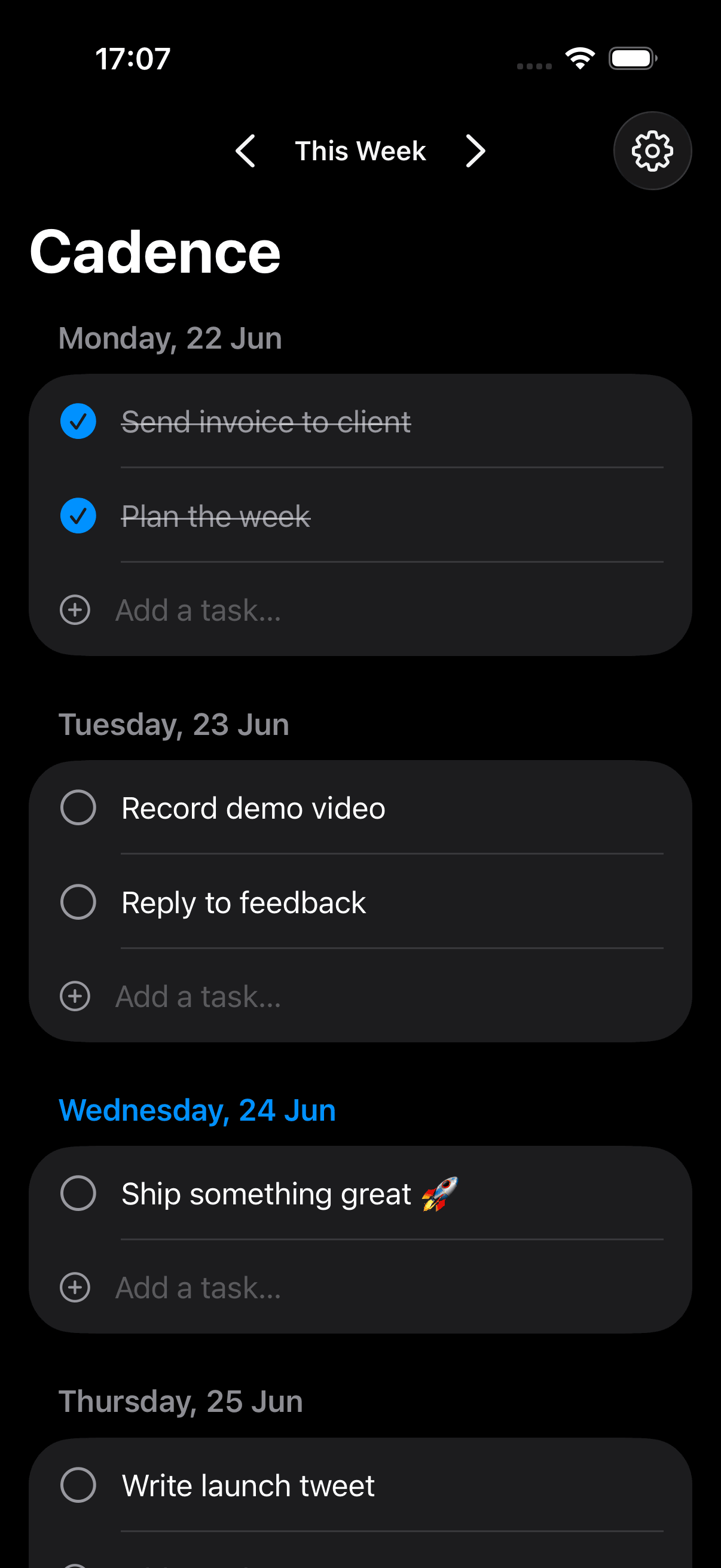
Cadence keeps the week-at-a-glance shape and fixes the bits paper is awkward at. When a task slips, you drag it to another day instead of crossing it out and writing it again. Tasks without a day go into an Inbox rather than a margin. Days that have passed show what was left over, so nothing quietly disappears.
On Friday, a weekly review walks through anything still open and asks whether to move it to next week, park it in the Inbox or let it go. Tasks can carry an optional duration, start time, repeat, reminder, note or subtasks. The plan syncs through your own iCloud between Mac, iPhone and iPad, with no Cadence account. Weekends stay hidden until you want them.
Feature comparison
Moving a task
On paper you cross out and rewrite. In Cadence you drag it to another day.
Repeating tasks
On paper you write them each week. Cadence can repeat a task for you.
Reminders
Paper only works when you look at it. Cadence can remind you about a task.
Where it is
A planner is wherever you left it. Cadence is on your Mac, iPhone and iPad, synced through iCloud.
The hidden cost of rewriting
Most people who leave paper planners do not leave because paper is bad. They leave because their week stopped holding still. When a client moves a deadline on Tuesday, a paper planner asks you to rewrite three or four tasks. By Thursday the page is a tangle of arrows and the plan is harder to read than it is worth.
That is the specific problem Cadence was built to solve. Dragging a task from Tuesday to Wednesday takes a second and leaves a clean board. The weekly review then catches anything that kept sliding, so you can decide on purpose whether to keep it.
If your weeks rarely change like that, this advantage is small, and paper may stay the better fit.
What each costs
A paper planner costs whatever you pay for it each year, plus pens. Cadence is a one-time purchase. In the US App Store as of November 2026, Cadence for Mac is $19.99 and Cadence for iPhone and iPad is $9.99, sold separately, with no subscription. The Mac app is also sold direct from Yuzool for $19. You can try a live preview board on the Cadence page in a browser before buying.
How I would decide
Look back at last month's pages. If they are tidy and mostly ticked, paper is working; keep it. If they are full of crossings-out and arrows, or you found yourself planning on a sticky note because the planner was at home, a digital board will probably feel lighter.
Also ask whether you need a nudge. Paper cannot tap you on the shoulder at 3pm. If missed tasks are usually forgotten rather than postponed, a reminder helps.
And be honest about screens. If opening a laptop to plan pulls you into email, paper's lack of distraction may matter more than any feature.
When to choose Cadence
Choose Cadence if you like the shape of a weekly spread but your plans shift during the week, you work across a Mac and an iPhone or iPad, and you want repeats, reminders and a Friday review without building a whole task system.
When paper is enough
Paper is enough if it already works, if handwriting is part of how you think, or if you want planning to be the one part of your day away from a screen. Plenty of organised people never need more.
Verdict: paper is the calm, flexible default and still a good choice. Cadence is the digital week board for people whose weeks change too often for ink.
Side by side
| Cadence | Paper planner | |
|---|---|---|
| Week at a glance | Yes, one column per day | Yes, on a two-page spread |
| Moving a task | Drag to another day | Cross out and rewrite |
| Repeats | Yes | Write it again |
| Reminders | Yes | No |
| Weekly review | Built-in on Friday | Your own habit |
| Free-form notes and drawing | Text notes on a task | Anything you like |
| Where it lives | Mac, iPhone, iPad via iCloud | Wherever you left it |
| Cost | One-time per device family | A new planner each year |
Using both
- Do your Sunday planning on paper, if that is when you think best.
- Copy the week's tasks onto days in Cadence.
- During the week, drag and tick in Cadence where it is quicker.
- On Friday, use the review, then jot the week's wins in your notebook.
If you want to estimate how much fits in a week first, the weekly planner guide covers that.
Questions people ask
Can I print my Cadence week?
Printing is not a listed feature. Cadence is built to be used on screen across your devices.
Do I need an account?
No. Cadence syncs through your own iCloud, with no separate Cadence account. Sync timing depends on iCloud and your network.