Where Sunsama is strong
Sunsama is built around a daily routine. You tell it what matters, and it looks at your calendar, email and connected tools to draft a plan for the day, which you then adjust. You can block time for tasks right on your calendar, set rules such as a shutdown time or theme days, and get a reminder to wrap up at the end of the day. There are weekly objectives for the bigger goals, and a focus mode that tracks planned against actual time, with Pomodoro timers and break reminders.
Its other strength is reach. As of November 2026 Sunsama lists integrations with Gmail, Outlook, Slack, Microsoft Teams, Asana, ClickUp, GitHub, Jira, Linear, Notion, Todoist, Trello, Toggl, Zapier and more, and syncs with Google, Outlook, Apple, Fastmail, Nextcloud and other CalDAV calendars. It has apps for Mac, Windows, Linux, iPhone, iPad and Android.
If your problem is that work is scattered across ten tools and you need one place to decide what happens today, Sunsama is designed for exactly that, and it does it thoughtfully.
Where Cadence is different
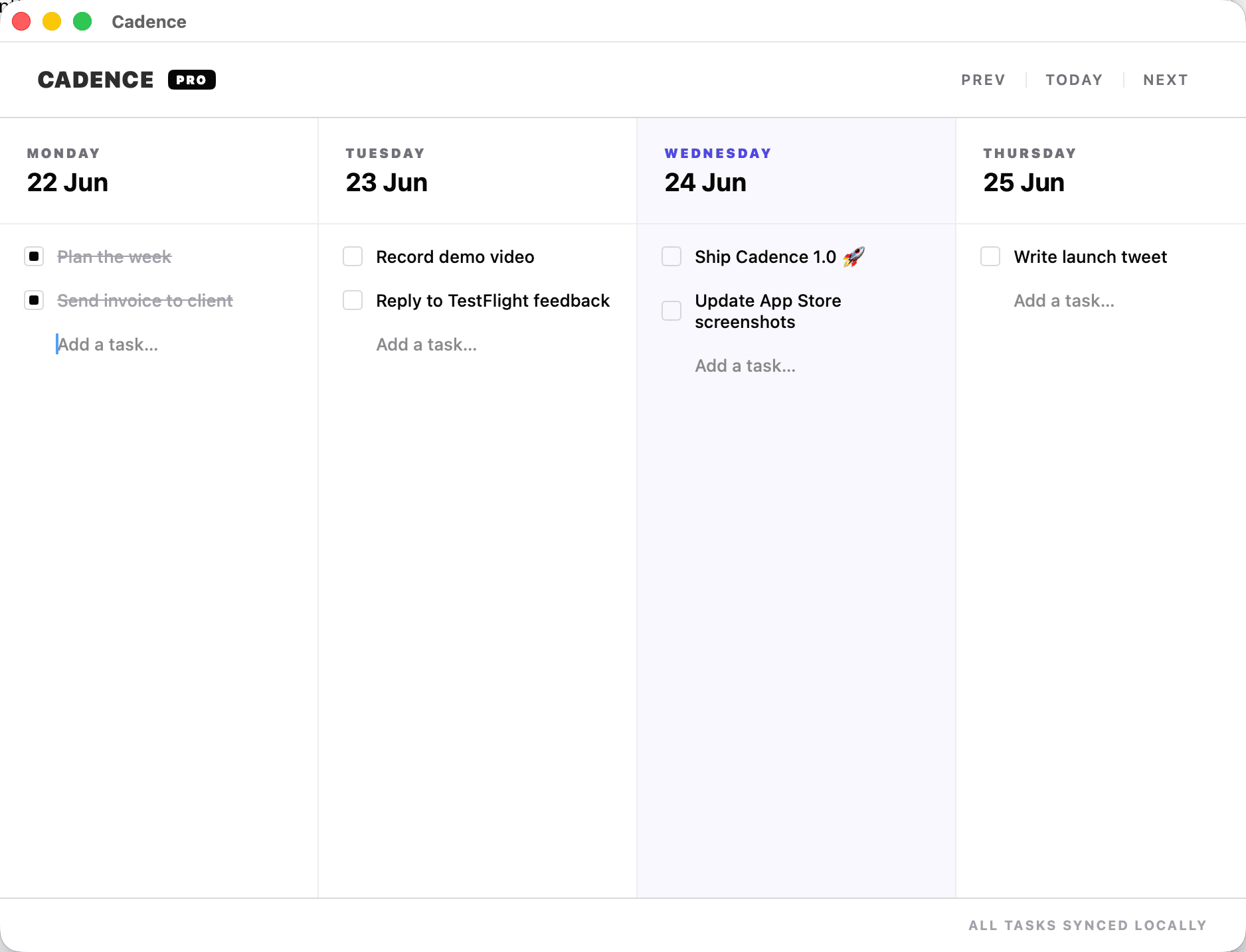
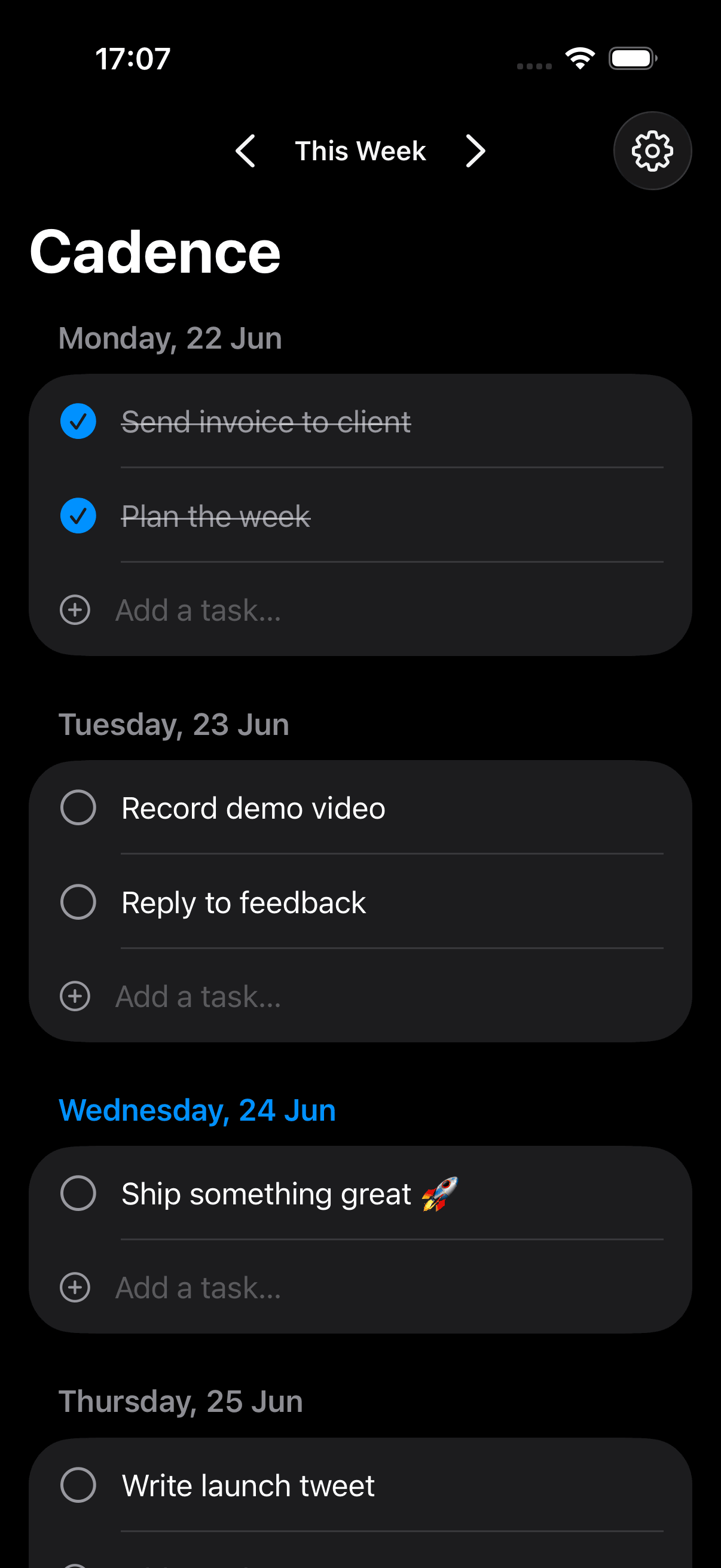
Cadence does much less, on purpose. It is a week board: a column per day with today highlighted, tasks you add to a day, tick off, or drag to another day when things change. Tasks with no day yet wait in an Inbox. On Friday a weekly review asks what to do with anything still open: move it to next week, park it in the Inbox or let it go.
You can add optional durations, start times, repeats, reminders, notes and subtasks when they help, and leave them off when they do not. On Mac there is quick-add from the menu bar and keyboard shortcuts; on all devices there are Shortcuts. Weekends are hidden until you switch them on. Tasks sync through your own iCloud, with no Cadence account. There are no projects, tags, integrations or AI.
Feature comparison
Planning unit
Sunsama plans a day at a time, inside your calendar. Cadence shows the week and lets you shuffle tasks between days.
Calendar
Sunsama syncs calendars and puts tasks on them. Cadence is not a calendar; appointments stay in yours.
Integrations
Sunsama connects to many work tools. Cadence has none beyond Shortcuts; you type tasks in.
Platforms
Sunsama: Mac, Windows, Linux, iPhone, iPad, Android. Cadence: Mac, iPhone and iPad.
The price difference
As of November 2026, Sunsama costs $17 a month billed yearly or $22 billed monthly in the US, after a 14-day free trial with no card needed. Sunsama says plainly that it has no free plan and does not intend to add one. That is an honest position for a service that runs servers and integrations for you.
Cadence is a one-time purchase. In the US App Store, Cadence for Mac is $19.99 and Cadence for iPhone and iPad is $9.99, sold separately, with no subscription. The Mac app is also sold direct from Yuzool for $19. Prices in other countries are set by Apple.
Over a year, the gap is large. That alone is not a reason to choose Cadence, though. If Sunsama's integrations save you an hour a week, it pays for itself. The question is whether you would use what you are paying for.
How I would decide
Look at where last week's tasks came from. If most of them arrived from Slack threads, assigned tickets and starred emails, you will spend time copying them into Cadence, and Sunsama's integrations are the point. If most of them came from your own head and a handful of clients, typing them onto a board takes seconds and the integrations would sit unused.
Then look at your calendar. If your days are full of meetings and you need to fit work between them, Sunsama's timeboxing helps. If your days are mostly open and the hard part is not overloading Tuesday, a week board shows that at a glance.
Finally, try a week. Sunsama's trial is two weeks. Cadence has a live preview board on its page you can use in the browser before buying.
When to choose Cadence
Choose Cadence if you are a freelancer or maker who thinks in weeks, wants to see when a day is too full, and would rather drag a task to Thursday than reschedule a calendar block. It suits people who like a small tool that stays the same, works on Apple devices and does not need an account or a subscription.
When Sunsama is the better fit
Sunsama is the better fit if your work lives in many tools, you want a guided ritual each morning and evening, you plan around a busy calendar, or you use Windows, Linux or Android. It is also the better choice if you want help deciding, not just a place to write the decision down.
Verdict: Sunsama is the fuller, guided daily planner for people whose work is spread across many tools. Cadence is the quieter one-time-purchase week board for people who just need to see the week and move things around.
Side by side
| Cadence | Sunsama | |
|---|---|---|
| Core idea | A week board, one column per day | A guided daily plan inside your calendar |
| Runs on | Mac, iPhone, iPad | Mac, Windows, Linux, iPhone, iPad, Android |
| Calendar sync | No | Google, Outlook, Apple, CalDAV and more |
| Work-tool integrations | No (Shortcuts only) | Many, including Slack, Asana, Linear, Notion |
| Weekly review | Friday review of open tasks | Weekly objectives |
| Focus tools | None beyond the board | Focus mode, Pomodoro timers, break reminders |
| AI | None | Yes, drafts your day |
| Price (US) | Mac $19.99, iPhone and iPad $9.99, once each | $17 a month yearly, $22 monthly |
| Account | None; your iCloud | Sunsama account |
Checked against Sunsama's site and Cadence's App Store listings in November 2026. Features and prices change, so confirm before you decide.
Using both
Some people use Sunsama at work, where the integrations matter, and a week board for freelance or personal projects that never touch Slack. There is nothing wrong with that split.
Questions people ask
Can Cadence import from Sunsama?
No. You add this week's tasks to the board yourself.
Is Cadence affiliated with Sunsama?
No. Cadence is made by an independent developer at Yuzool. Sunsama is a trademark of its owner.