Workflow building
Visual canvas
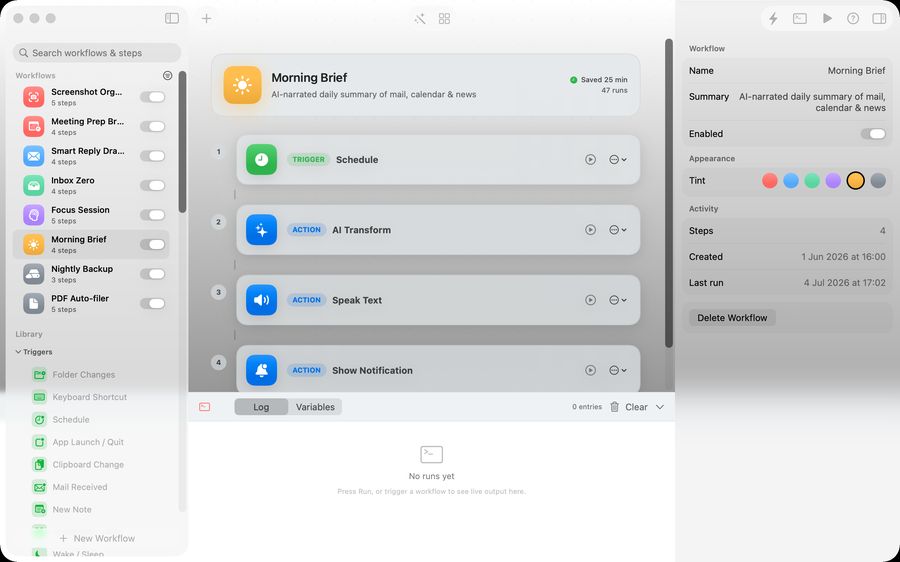
Build automations by connecting triggers and actions. The canvas makes the workflow easier to inspect than a hidden rule list or long script.
AI builder
Describe the workflow you want and let Relay create a starting point. You can still review and edit the result before trusting it.
Templates
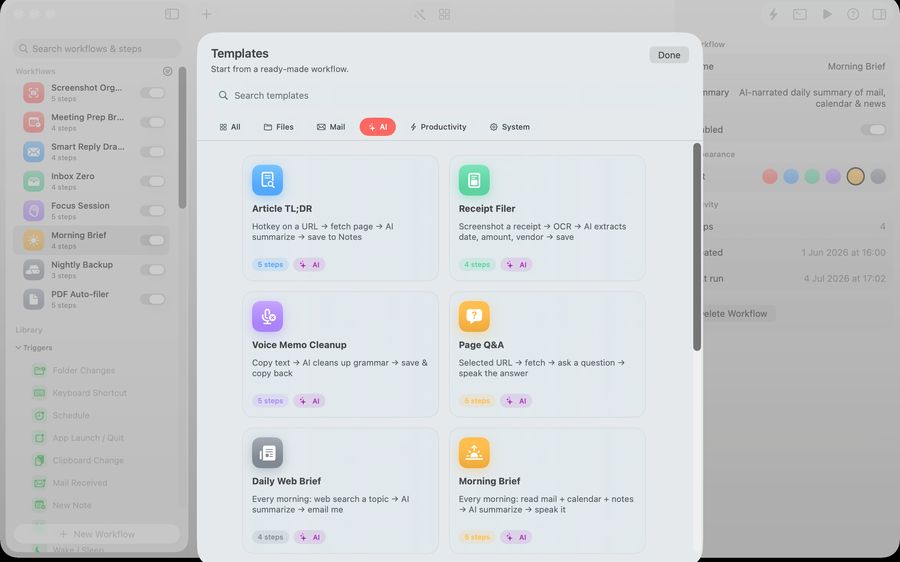
Start from useful patterns such as screenshot organization, mail triage, meeting preparation or file cleanup instead of a blank canvas.
Ways to start a workflow
Folder triggers
Watch a folder and run when files arrive.
Hotkeys
Start common workflows from the keyboard.
Schedules
Run a workflow at a regular time.
Quick Run
Launch a saved workflow manually when the job appears.
Actions Relay is designed around
Relay can work with files, text, screenshots, Mail, Notes, Reminders, Calendar, app launches, HTTP requests and AI transformations. The point is to connect the small Mac jobs that usually live in separate apps.
Privacy and ownership
Relay is designed to run workflows on your Mac. AI steps use Apple Intelligence on-device where available. Network activity should be the result of an explicit workflow step, not a hidden service layer.
Who gets the most value
Relay is strongest for solo operators and small teams where the person building the workflow is also the person who understands the work. It is a good fit for repeated admin, file handling, research prep, client work and launch checklists.