Where Appfigures is strong
Appfigures covers far more than revenue. Its pricing page describes download and revenue tracking, subscription analytics and a payments tracker, alongside ad performance and spend, keyword rank tracking and insights for App Store optimisation, a unified reviews report with replies and templates, email reports, Slack alerts and app intelligence such as competitor download and revenue estimates. It works with both the App Store and Google Play.
If you are actively growing an app through search and ads, that combination is hard to replicate. Seeing keyword ranks, reviews and revenue side by side helps you connect a change in one to a change in another.
As of November 2026, Appfigures offers a free Starter plan for up to five connected apps, and paid plans from Connect at $9.99 a month on monthly billing up to Amplify at $1,399.99 a month, with lower prices on annual billing. The tiers differ mainly in keyword tracking, competitor data and support.
Where Revenue Bear is different
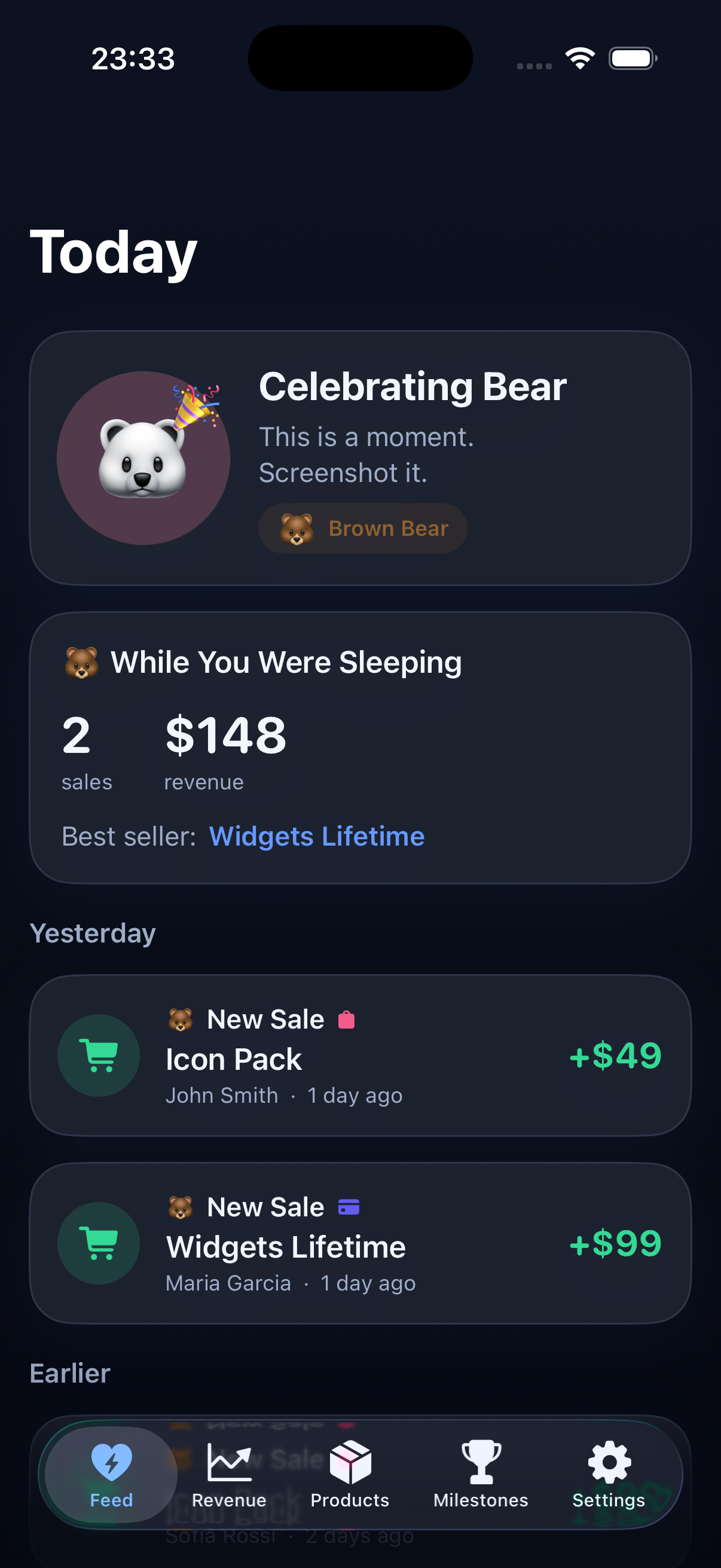
Revenue Bear does one narrow thing. It shows your sales from App Store Connect, Stripe, Paddle, Dodo Payments, Gumroad, Lemon Squeezy and Polar in one chronological feed on your iPhone, with totals for today, the week, the month, the year and all time.
That source list is the interesting part. Appfigures is built around app stores. Revenue Bear treats web payment providers as first-class, so a founder selling an iPhone app, a Mac app through Paddle and a course on Gumroad sees it all in one place.
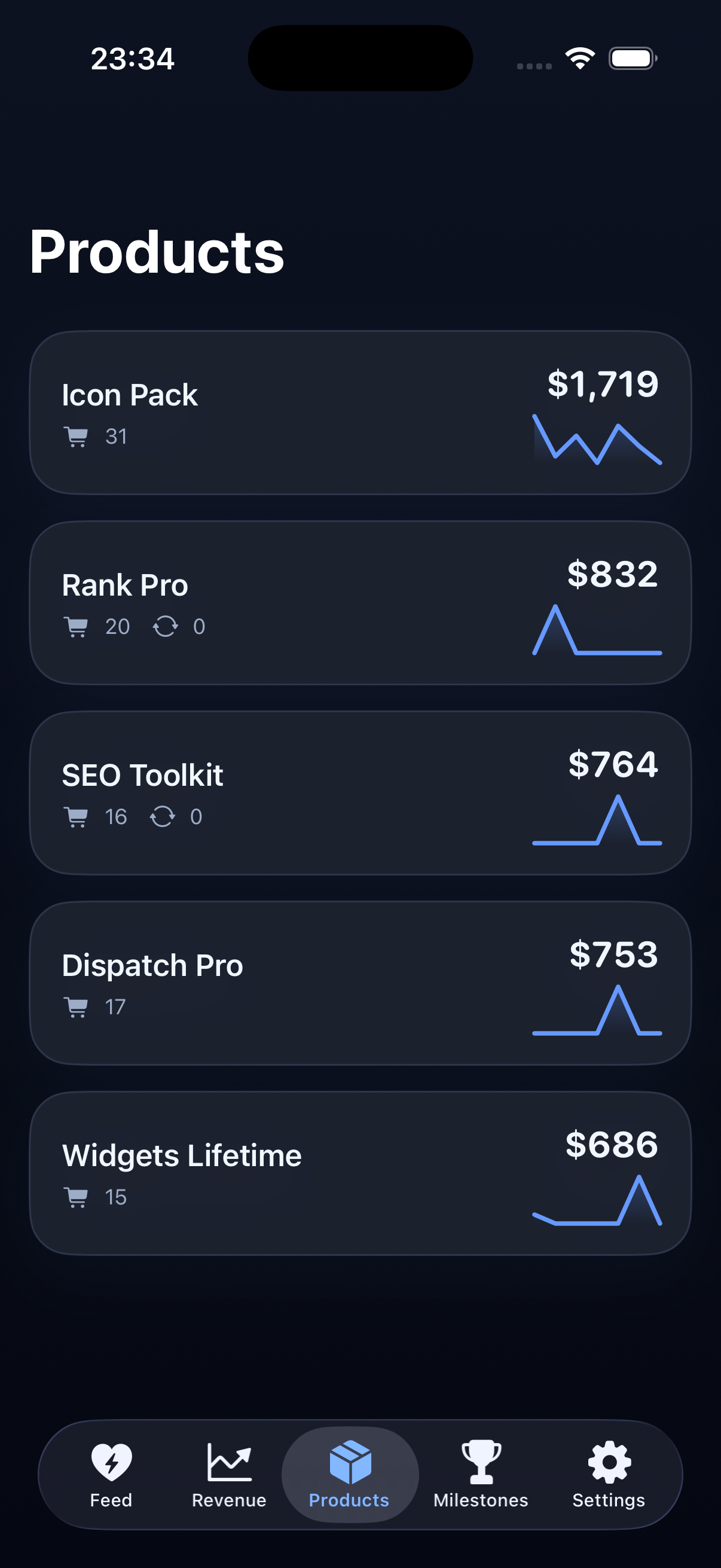
Around the numbers, Revenue Bear adds motivation rather than analysis: a monthly goal ring, milestones, streaks with freezes, a morning recap, widgets on the Home Screen, Lock Screen and StandBy, and an Apple Watch complication. Revenue Bear Pro, a $5.99 one-time purchase, unlocks extra sources and App Store extras including reviews in one list, App Review status, trial conversions and ratings by country. There is no backend and no account; keys stay in the Keychain.
Feature comparison
Scope
Appfigures covers revenue, downloads, ASO, reviews, ads and competitors. Revenue Bear covers sales, revenue and goals.
Stores
Appfigures: App Store and Google Play. Revenue Bear: App Store plus Stripe, Paddle, Dodo Payments, Gumroad, Lemon Squeezy and Polar.
Where you use it
Appfigures is a web platform with email and Slack reports. Revenue Bear is an iPhone app with widgets.
Price
Appfigures: free Starter plan, paid plans billed monthly. Revenue Bear: free, with a $5.99 one-time Pro.
How I would decide
Write down the questions you actually ask each week. If they include "which keywords are we ranking for?", "how did that ad campaign do?" or "what are competitors earning?", Revenue Bear cannot answer them and Appfigures can. If the main question is "how much did we sell, and where?", Appfigures may be more than you need.
Then look at where you sell. If you are on Google Play, Revenue Bear does not cover it. If you sell through Stripe, Paddle, Gumroad or Lemon Squeezy alongside the App Store, Revenue Bear brings those into the same view.
Cost matters for small studios too. A one-time $5.99 is a different commitment from a monthly plan, but a monthly plan that grows your downloads can easily pay for itself. Be honest about whether you will use the ASO and competitor tools.
When to choose Revenue Bear
Choose Revenue Bear if you are a solo founder or small studio, sell across app stores and web payment providers, and want a quick, private daily check on your phone. It is also a good companion to a bigger analytics tool: a widget for the daily glance, with deeper analysis saved for the weekly review.
The demo shows every screen with sample data before you connect anything.
When Appfigures is the better pick
Choose Appfigures if growth work is a big part of your week: keywords, reviews, ads and competitor research. Choose it as well if Google Play is a meaningful part of your revenue. Its free Starter plan makes it easy to try.
Appfigures is a mature, broad platform. Revenue Bear is not trying to compete with that breadth.
Verdict: Appfigures is the all-round app analytics and ASO platform. Revenue Bear is the simple daily sales feed that also covers web payment providers. Choose by the questions you ask, or use both.
At a glance
| Revenue Bear | Appfigures | |
|---|---|---|
| Price (as of November 2026) | Free download with demo and one source; Revenue Bear Pro $5.99 one-time | Free Starter plan (up to 5 apps); paid plans from $9.99/month on monthly billing |
| Stores and providers | App Store, Stripe, Paddle, Dodo Payments, Gumroad, Lemon Squeezy, Polar | App Store and Google Play |
| ASO and keywords | No | Yes, on paid plans |
| Reviews | App Store reviews in one list (Pro) | Reviews report, replies, templates, alerts |
| Ads and competitors | No | Yes |
| Daily feed, widgets, goals | Yes | Email reports and Slack alerts |
Appfigures prices are from its pricing page in November 2026 and may change.
Using both
- Use Appfigures for keyword, review and competitor work.
- Connect your App Store account and web payment providers to Revenue Bear for the daily glance.
- Pull both into a short weekly revenue review.
Questions people ask
Does Revenue Bear support Google Play?
No. Its sources are App Store Connect, Stripe, Paddle, Dodo Payments, Gumroad, Lemon Squeezy and Polar.
Does Revenue Bear do keyword tracking?
No. It is a sales and revenue app, not an ASO tool.
Is Revenue Bear accounting software?
No. It shows sales as each platform reports them. Use your providers' own reports for fees, payouts and tax.