SnapDo turns a photo into an editable action on iPhone. Photograph a handwritten note, whiteboard, recipe, receipt or list, and it reads the text on the device, suggests one of 96 templates such as checklist, grocery list, packing list or event, and lets you correct every field before saving, sharing or adding to Reminders or Calendar. It works offline with no account, and nothing is uploaded.
What you can point it at
| Photo of | Becomes |
|---|---|
| Whiteboard after a meeting | Action items you can assign dates to |
| Handwritten to-do note | Checklist |
| Recipe in a book | Cooking card, or a grocery list of the ingredients |
| Packing list or kit list | Packing checklist |
| Poster or flyer | Calendar event with time and place |
| School or council letter | Reminder with the deadline |
| Something to sell | Sale listing with item and condition |
| Receipt | A return, warranty or expense reminder |
| Lecture slide or study notes | Study checklist |
| Barcode | Product details to act on |
Related guides: photo to study checklist, receipts to actions and paper notices to tasks.
How it works
- Capture. Take a photo, choose one from your library, or paste text.
- Recognise. Apple's Vision framework reads text, barcodes and visual labels on the phone.
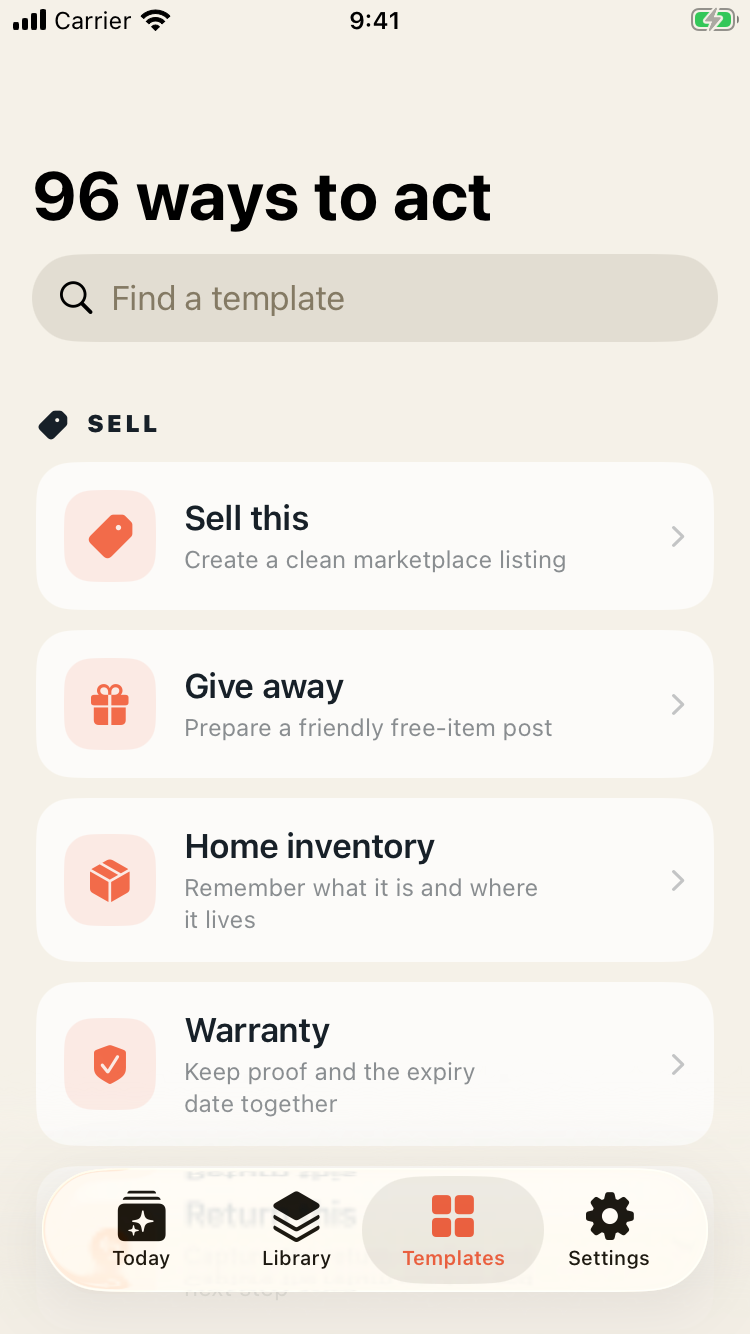
- Choose a template. SnapDo's local rules suggest one. You can start from the action you want instead, or search all 96.
- Edit. Every extracted field stays editable.
- Save, share, or send to Reminders or Calendar.
Getting a clean read
- Fill the frame with the text and hold the phone square to it.
- Avoid glare on whiteboards and glossy pages: step to one side.
- Good light beats flash.
- Clear handwriting reads well; hurried scrawl may not. Check names, quantities and dates.
- For long documents, photograph a section at a time.
Why offline matters
Everything runs on the iPhone. SnapDo uses Apple's Vision framework to read text, barcodes and visual labels, and its own local rules choose a template. Nothing is uploaded, there is no developer server and it works in airplane mode. On eligible newer iPhones, Apple Intelligence can optionally tidy titles and summaries, also on the device.
That matters for the kinds of things people photograph: letters with addresses, children's school notices, medical appointment cards, work whiteboards. It also means there is no per-use cost and no dependence on signal, which helps in shops, classrooms and basements.
Everyday examples
- Shopping: photograph the list on the fridge on your way out and tick items off in the shop.
- Travel: photograph last year's packing list and reuse it.
- Meetings: photograph the whiteboard before it is wiped and leave with dated actions.
- Home: photograph the note from the plumber and set the follow-up.
- Study: photograph the syllabus and turn it into revision topics.
Screenshots work the same way: see turning screenshots into tasks.
What SnapDo does not do
- You review every action. Text recognition makes mistakes with handwriting, glare and small print. Check dates and amounts before saving.
- It is not a task manager. It creates the action and hands it to Reminders, Calendar or wherever you share it.
- iPhone only.
- No cloud sync service of its own, by design.
Price
SnapDo is a free download for iPhone. The first five saved actions are free, with every template included. After that, a one-time $9.99 unlock gives an unlimited private library and unlimited Shortcuts automations, restorable across your Apple devices. There is no subscription, no account and no usage credits.
Common questions
Does it read handwriting?
It reads clear handwriting using Apple's on-device text recognition. Always check the result.
Does it work without internet?
Yes. It is designed to work in airplane mode.
Do I need an account?
No.
Can I change the template it picks?
Yes. You can choose any of the 96 templates and edit every field.
Where do saved actions go?
Into SnapDo's private library on your iPhone, and to Reminders, Calendar or a share target if you choose.
Photograph the next list instead of retyping it: Get SnapDo free.