 01
01ITEM PHOTO → SALE LISTING
Oak side table
Good condition · light signs of use
ITEM Oak side tableCONDITION GoodPRICE Add price
✓ Every detail stays editable
 SNAPDO
App Store
SNAPDO
App Store
Turn a photo, screenshot, or pasted message into an editable action—without uploading it anywhere.
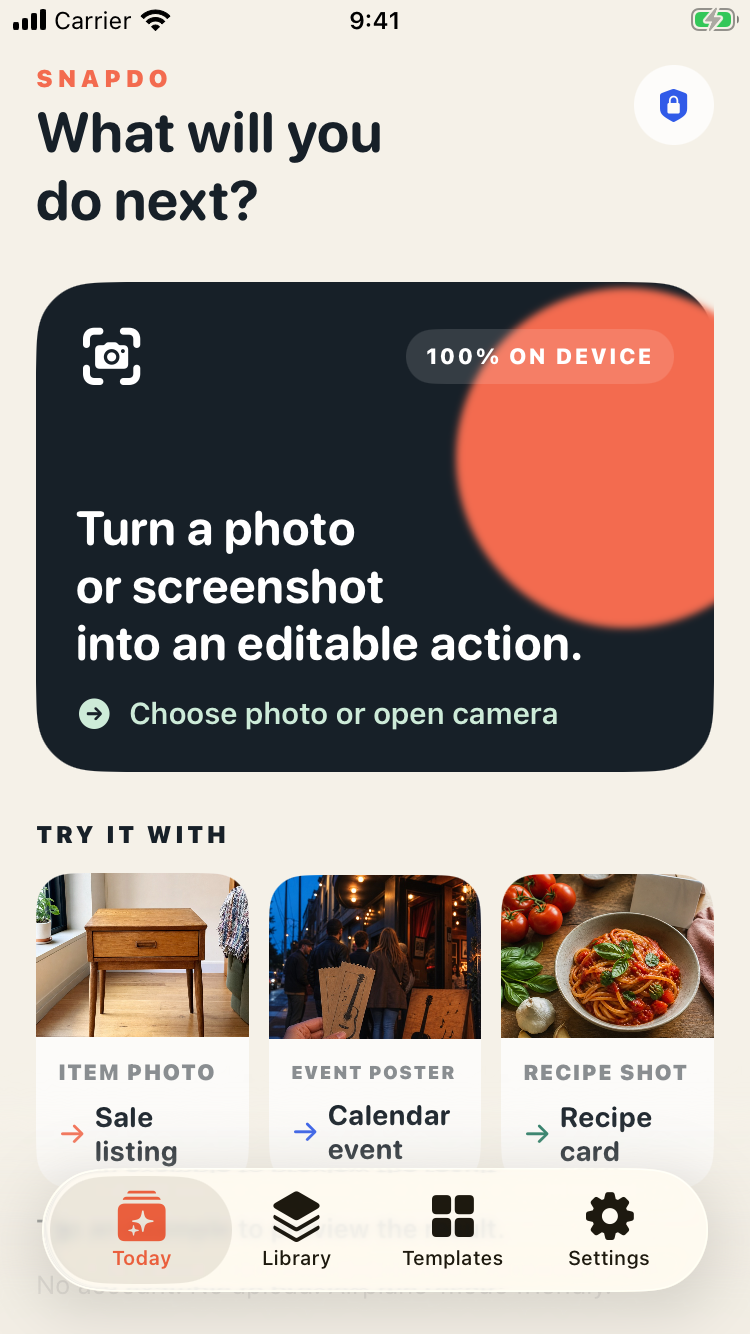
POINT AT REAL LIFE
SnapDo reads useful details, chooses a focused template, then keeps every field editable.
01ITEM PHOTO → SALE LISTING
Good condition · light signs of use
 02
02EVENT MOMENT → CALENDAR
Saturday · 7:30 PM · Riverside Hall
 03
03RECIPE SHOT → COOKING CARD
Ingredients and steps, ready to edit
SMALL PHONE. SERIOUS ENGINE.
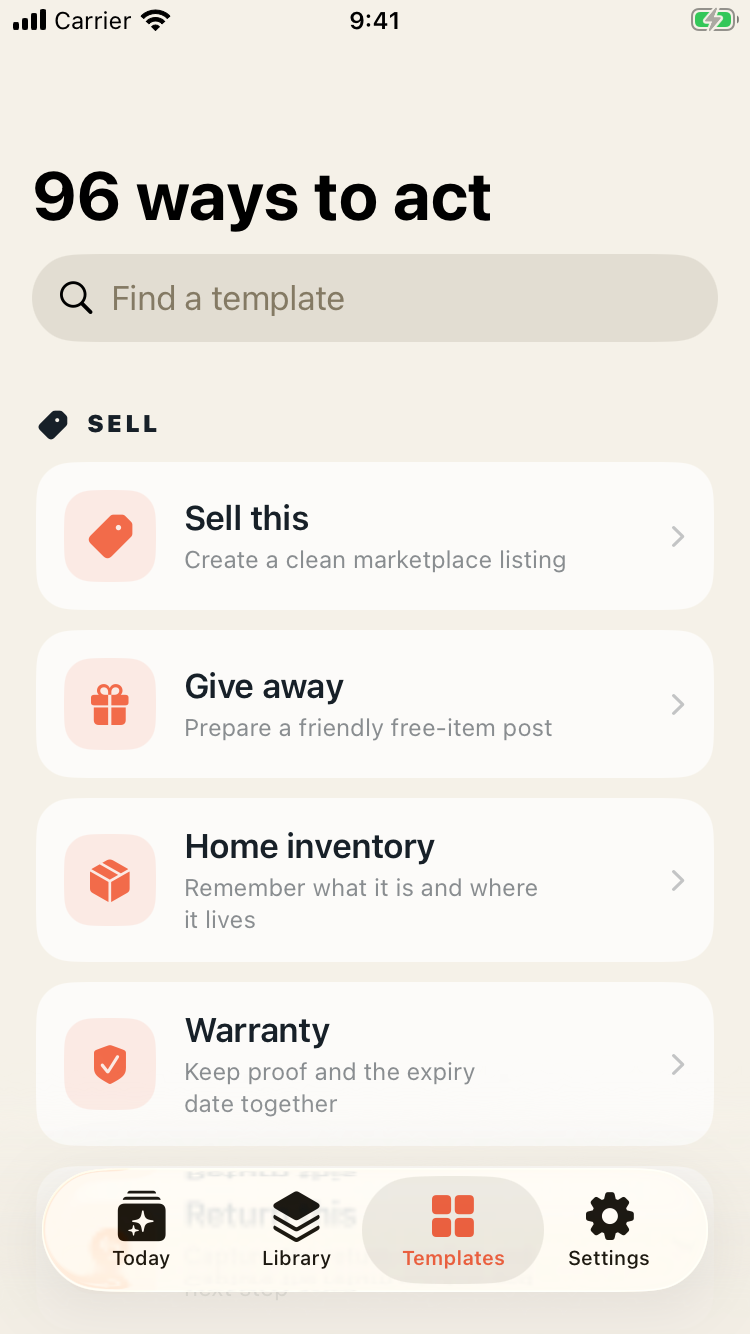
SnapDo uses Apple’s Vision framework for text, barcodes, and visual labels, then its own local rules choose from 96 action templates.
The complete offline engine—even on iPhone SE (3rd generation).
Eligible newer iPhones can polish titles and summaries with Apple’s on-device model.
No external AI API, credits, account, tracking SDK, or developer server.
BUILT FOR THE PHONE IN YOUR HAND
Start with the action you want, or let SnapDo suggest one. Search all 96 templates without leaving the capture flow.
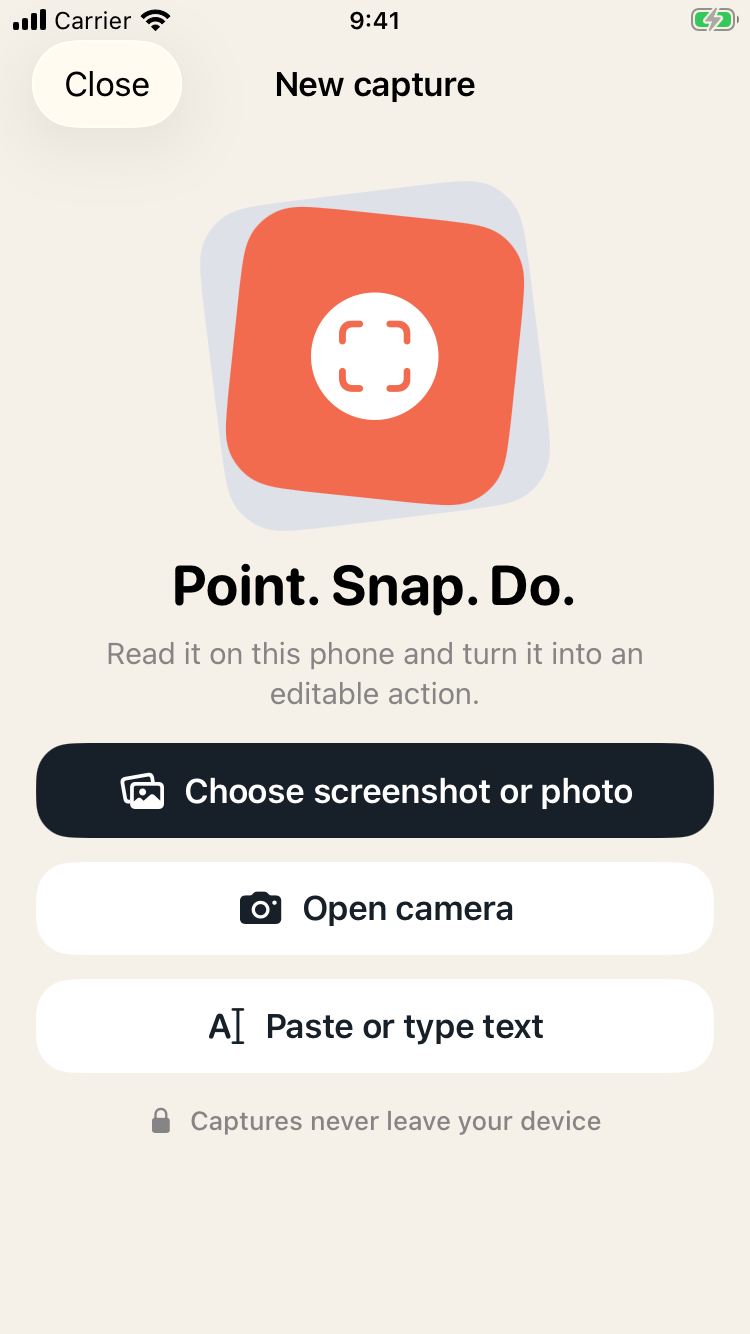
SNAPDO LIFETIME
SNAP IT. SORT IT. DO IT.
Private action-making for the screenshots, photos, and messages already filling your day.
Download SnapDo ↗Private photo-to-action app for iPhone
SnapDo is a photo-to-action app for iPhone that turns visual clutter into editable actions. Photograph a handwritten note, scan a receipt, capture a screenshot or paste text, then choose what should happen next. It is built for private, practical use with offline templates and no account required.
Convert a note, packing list or whiteboard into a set of actions you can edit before you start.
Give event details, addresses, product information and reminders a place beyond the camera roll.
Use 96 templates on your iPhone without creating an account or sending ordinary tasks to a cloud dashboard.
SnapDo is designed for photos, screenshots, pasted text, notes, receipts, lists and other everyday information that needs to become an editable action.