Launch workflow
A simple launch funnel for indie Mac apps
You do not need a huge marketing machine. You need a clear path from problem to trust to product.
July 6, 2026 · Michael at Yuzool
An indie Mac app launch does not need a complicated funnel. It needs a few pieces that do their job clearly.
The product page should sell. The supporting pages should catch search intent. A free tool or trust check should give people a low-risk first step. The analytics should tell you whether any of it is working.
That sounds obvious, but it is easy to drift into busywork: posting everywhere, tweaking copy endlessly, adding another page because SEO feels vague, or building a free thing that attracts people who will never buy. A small launch funnel should be simpler than that.
The aim is to make the path from first visit to purchase feel understandable. A visitor should know what the app does, whether it is for them, why it is safe to try, and what happens after they pay.
1. Make the product page carry the sale
The product page has to answer the buyer’s first questions quickly: who is it for, what job does it replace, what does it cost, what happens to my data, and how do I get support?
If the page cannot answer those, a blog post will not save it.
For a Mac app, I would make the first screen do more work than usual. Show the app, say who it is for, name the painful job, show the price, and give one clear action. People should not have to decode a clever headline before they understand the product.
Below that, I would add the confidence pieces: screenshots, short feature sections, privacy notes, support details, FAQ, changelog, comparison with generic tools, and real customer words where they exist. Indie buyers often care as much about trust as features. They want to know the app will not vanish after checkout.
2. Use the homepage as routing, not decoration
The homepage should quickly route people to the right app. It can introduce the studio, but it should not hide the products below a vague brand story.
For a multi-product indie site, I like leading with the work people need to move: app launch research, SEO checks, personal outreach, weekly planning, automation, privacy or security. That lets the visitor recognise themselves before they know the product names.
3. Add search-intent pages
Search-intent pages are not random blog posts. They are pages like “weekly planner for Mac,” “ASO tool for indie developers,” or “Search Console app for Mac.” They match the phrase a buyer might search before knowing your product name.
Each page should lead back to the product page or checkout. The job is to meet a specific searcher, not to pad the site.
These pages work best when they are narrow. A “Mac productivity apps” page is broad and fuzzy. “Weekly planner for Mac” is much clearer. “Personal email outreach app for Mac” is clearer again because it names the job and the platform.
The page should still be useful if the visitor does not buy. Explain the problem, show the workflow, compare the common alternative, and make the tradeoff honest. A page that respects the reader is more likely to earn trust.
4. Offer one useful free step
A free product should not be a trick. It should be genuinely useful and close to the buyer’s world.
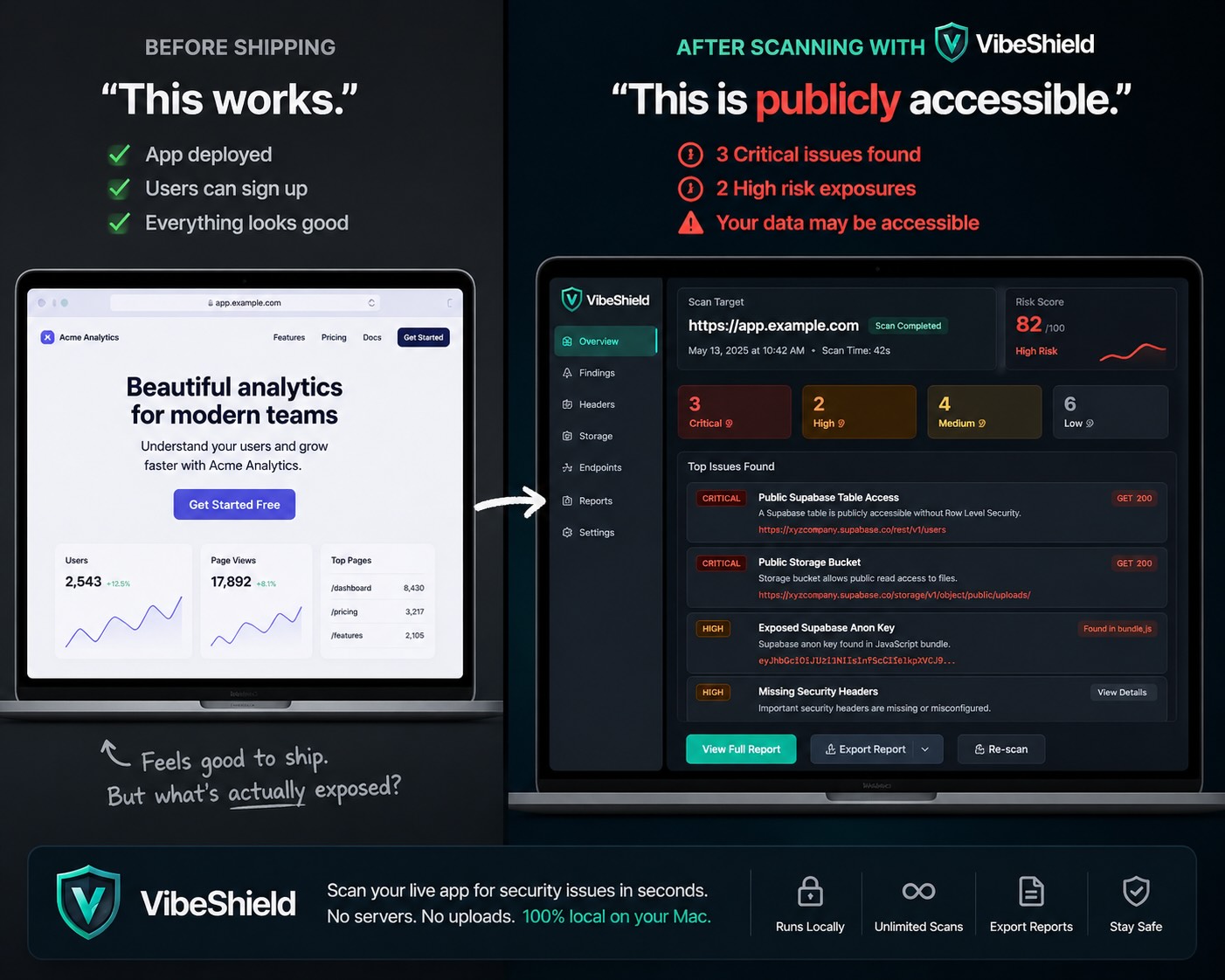
For Yuzool, VibeShield works as a free first step because many indie developers want to check a site before sharing it. That trust moment can lead naturally into paid products for SEO, launches, automation or outreach.
The important part is relevance. A free download should attract people who might also care about the paid apps. If a freebie brings the wrong audience, the email list gets bigger but the business does not get healthier.
I would rather have a smaller list of people who build, launch, write, test and ship software than a huge list collected with a generic giveaway. The follow-up can then be genuinely helpful: launch notes, product improvements, short offers, and practical workflows.
5. Track the small clicks
Two sales per day does not require enterprise analytics. It requires knowing which pages get clicks, which buttons get used, and where the buying path gets weak.
I would watch product-page views, buy clicks, free downloads, guide clicks and support clicks once a week. That is enough to decide what to improve next.
The weekly question is not “did the whole site work?” It is more practical: which page got seen, which call to action got clicked, which app got attention, and where did the path stop?
For example, if a search page gets visits but almost nobody clicks to the product page, the bridge is weak. If a product page gets visits but no checkout clicks, the offer may need clearer screenshots, pricing, trust signals or a better explanation of the problem. If checkout clicks are healthy but sales are low, the issue may be price, checkout trust or product fit.
6. Follow up like a person
Email can help, but only if it respects the relationship. Someone who downloads a free Mac security scanner does not need a daily sales sequence. They might appreciate a short launch checklist, a note about a new app, a discount window, or a practical tip from building Yuzool.
That kind of follow-up fits an indie studio. It reminds people you are still building, still supporting the apps, and still thinking about the same problems they have.
7. Keep improving the pages that show life
Once the basic funnel exists, the next step is not to rebuild everything. It is to find the pages with signs of life and make them better.
A page with impressions deserves a better title. A page with clicks deserves better product context. A page with product-page clicks deserves sharper purchase confidence. This is where SEO and conversion work become the same activity: helping the right person understand the right app faster.
Keep the system small
The point is not to build a marketing department. The point is to make the website behave like a good shop: clear signs, useful demonstrations, simple pricing and no mystery about who is behind the product.
For a small Mac app business, that is enough to start. Clear product pages, a few search-intent pages, one useful free step, basic tracking and steady improvement can do more than a giant content calendar nobody wants to maintain.
The work compounds because every improvement makes the next visitor a little less confused. That is the kind of marketing I trust: patient, practical and close to the product.