Free Quick Design template
Back to school sale post template
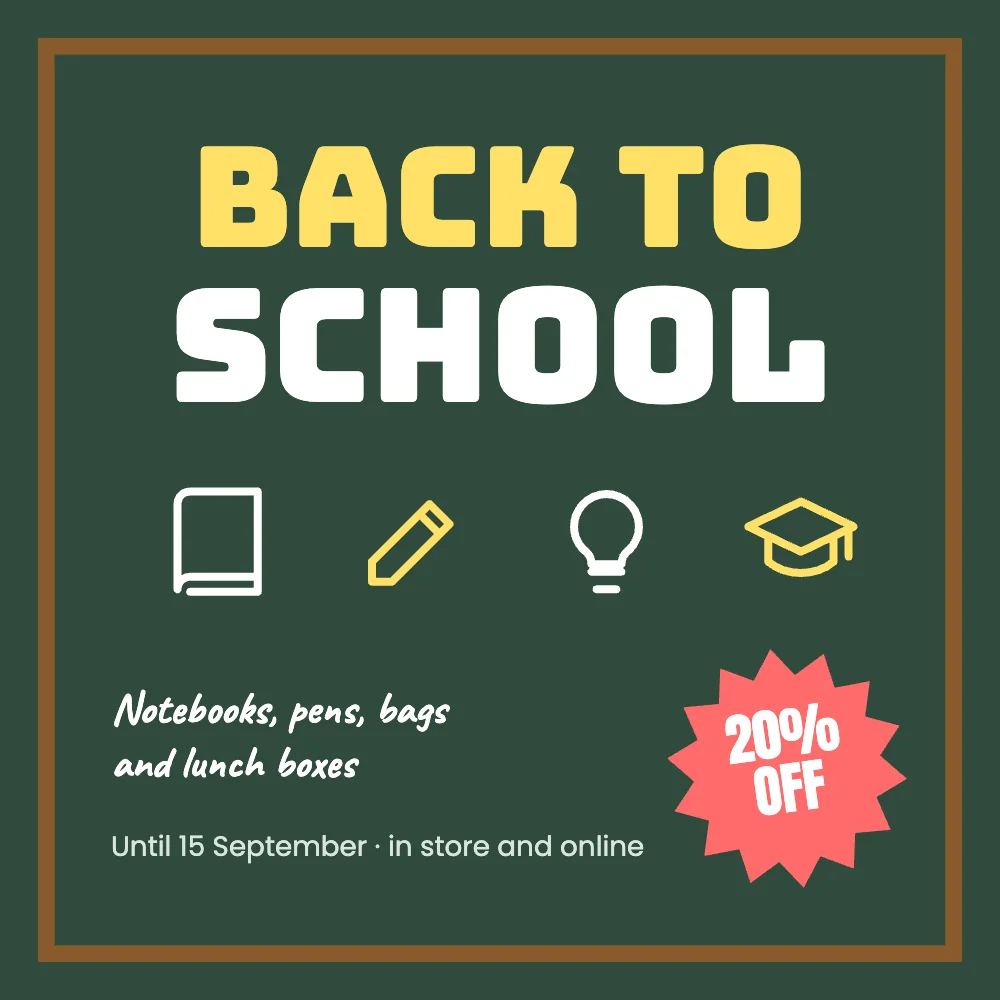
The post is a green chalkboard with BACK TO SCHOOL, four school icons, a 20% off starburst and a line about what’s on sale. Change the discount, the list and the date and post it, or print it for the shop window.
What’s in it
- Size: square, 1080 × 1080 pixels: the size Instagram shows in the feed, and it works on Facebook, Threads and LinkedIn too.
- Fonts: Bungee, Anton, Caveat, Poppins.
- Animated in an MP4 or GIF.
How to make it
- Use this template.
- Change the percentage in the starburst, the handwritten list of what’s on sale and the end date.
- Download a PNG, JPG, MP4 or GIF.
Tips
- Post it in early August, when parents start buying, and again the week before term.
- Teachers can use it too: change it to “Welcome back” with the class name.
- Try Animate page: the lettering rises in and the starburst spins, then download an MP4 for a story.
Questions
Can I change the icons?
Yes. Tap an icon to change its colour or pick another from Elements: there are books, pens, bulbs, calculators and more.
Is there a version for a story?
Use Resize to make a story-sized copy laid out again for the tall shape.