Free Quick Design template
Black Friday sale poster template
Open the template, type your discount, dates and shop name over the example, and download it to print or post. It’s a black poster with a yellow starburst for the percentage off: easy to read from across a shop or as a small square in a feed.
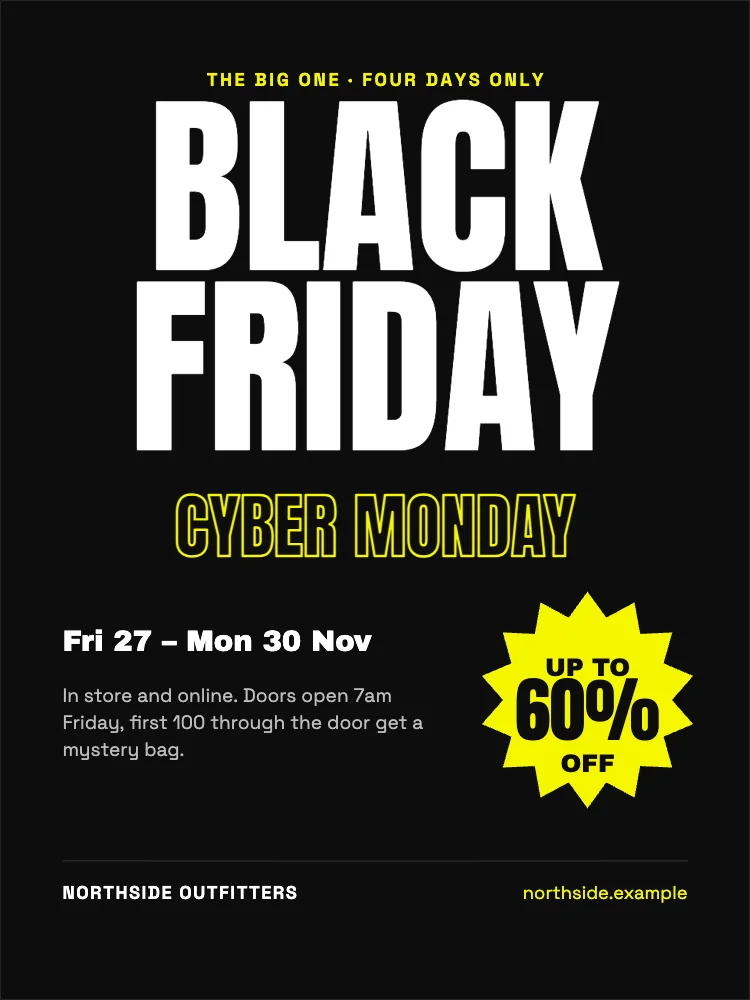
What’s in it
- Size: 1800 × 2400 pixels (3:4). Downloaded at 3× it is 5400 × 7200, sharp printed at 18 × 24 inches; at 1× it prints well at 6 × 8 inches.
- Fonts: Space Grotesk, Anton, Archivo Black.
- Animated in an MP4 or GIF.
How to make it
- Use this template.
- Type your own discount in the starburst, the sale’s dates under the headline and your shop’s name and web address along the bottom.
- Download a PNG at 3× and print.
Tips
- Lead with the number: “60% off” is what people read first, so keep it the biggest thing after BLACK FRIDAY.
- Put the end date on the poster. A deadline is what turns “maybe later” into a visit.
- Use Resize to make a square post and a story from the same poster, laid out again for each shape.
Questions
When should I put up a Black Friday poster?
Most shops put posters up and start posting about a week before Black Friday, then post again on the day and on Cyber Monday. The template has room for the whole four days.
Can I change the colours?
Yes. Tap the background or any shape to change its colour, or use Shuffle colours to try the whole poster in other palettes in one tap.