Email workflow
Make email feel like a conversation again.
Personal email does not need to feel like a document archive. Suzume Mail keeps the standard IMAP/SMTP plumbing, but makes the reading and replying flow closer to chat.
The calmer inbox loop
- Open the thread as a readable conversation.
- Collapse quoted text and old signatures by default.
- Use summaries and quick replies where Apple Intelligence can run locally.
- Keep credentials in Keychain and messages in a local encrypted cache.
- Reply, archive, and get back to the work outside the inbox.
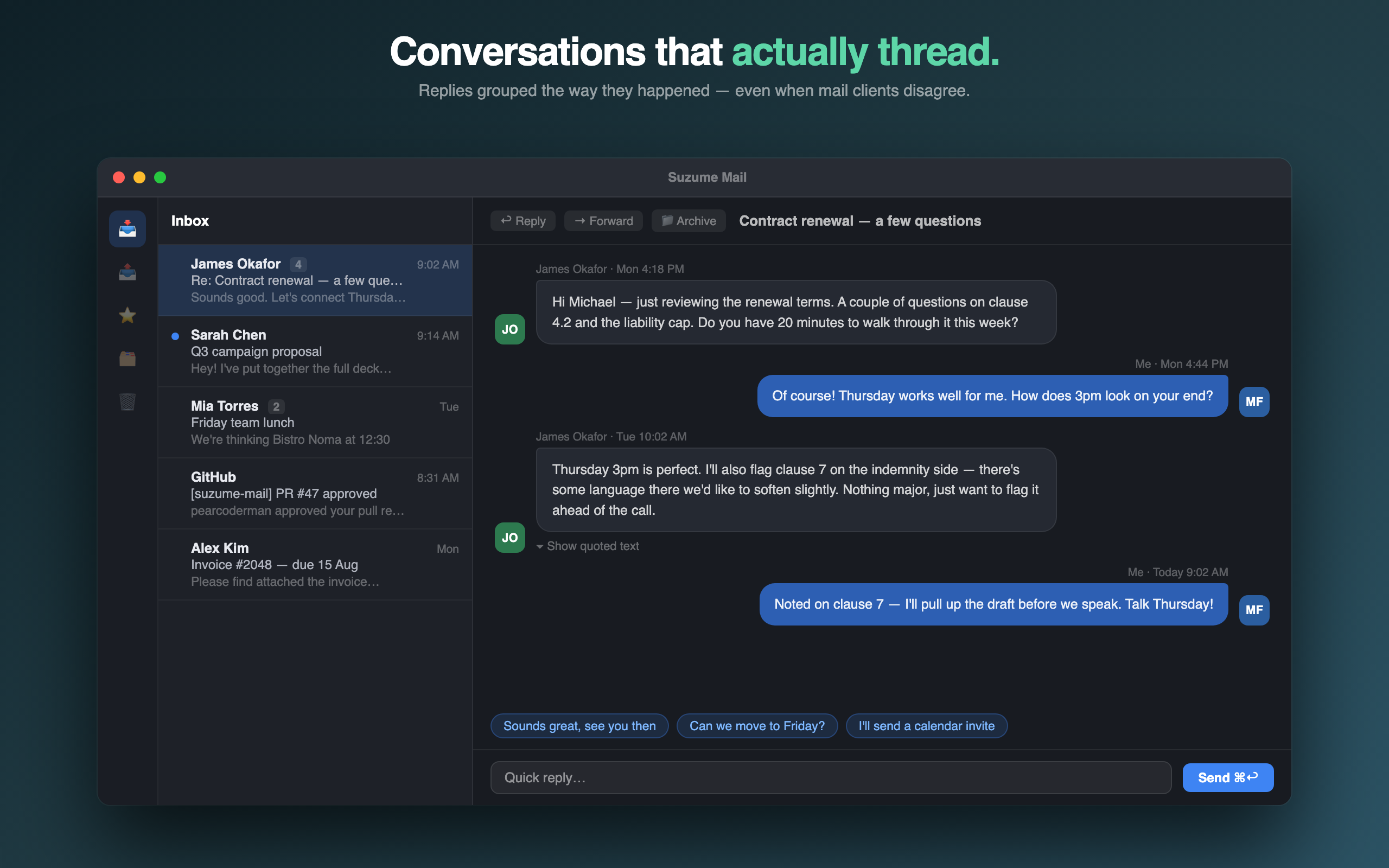
Email gets heavier when the interface forgets the conversation.
Most personal email is not project management. It is a conversation with a person, a small decision, a follow-up, a receipt, a support note, or something you need to read once and file away. The interface should help you understand the thread quickly, reply clearly, and leave.
That is the shape Suzume Mail is designed around. It keeps the standard email system underneath, but changes the reading experience so replies feel closer to a chat thread than a pile of nested quoted documents.
Read the thread before managing the inbox
Many email apps lead with the list: folders, flags, smart views, filters, categories and unread counts. Those can be useful, but they do not help if opening a thread still feels noisy. A calmer workflow starts by making the message readable.
Keep privacy understandable
Email is sensitive, so the privacy model needs to be easy to explain. Suzume Mail talks directly to your provider using IMAP and SMTP. Credentials live in Keychain. Messages are cached locally. Yuzool is not running a mail server between you and your inbox.
Use AI only where it reduces friction
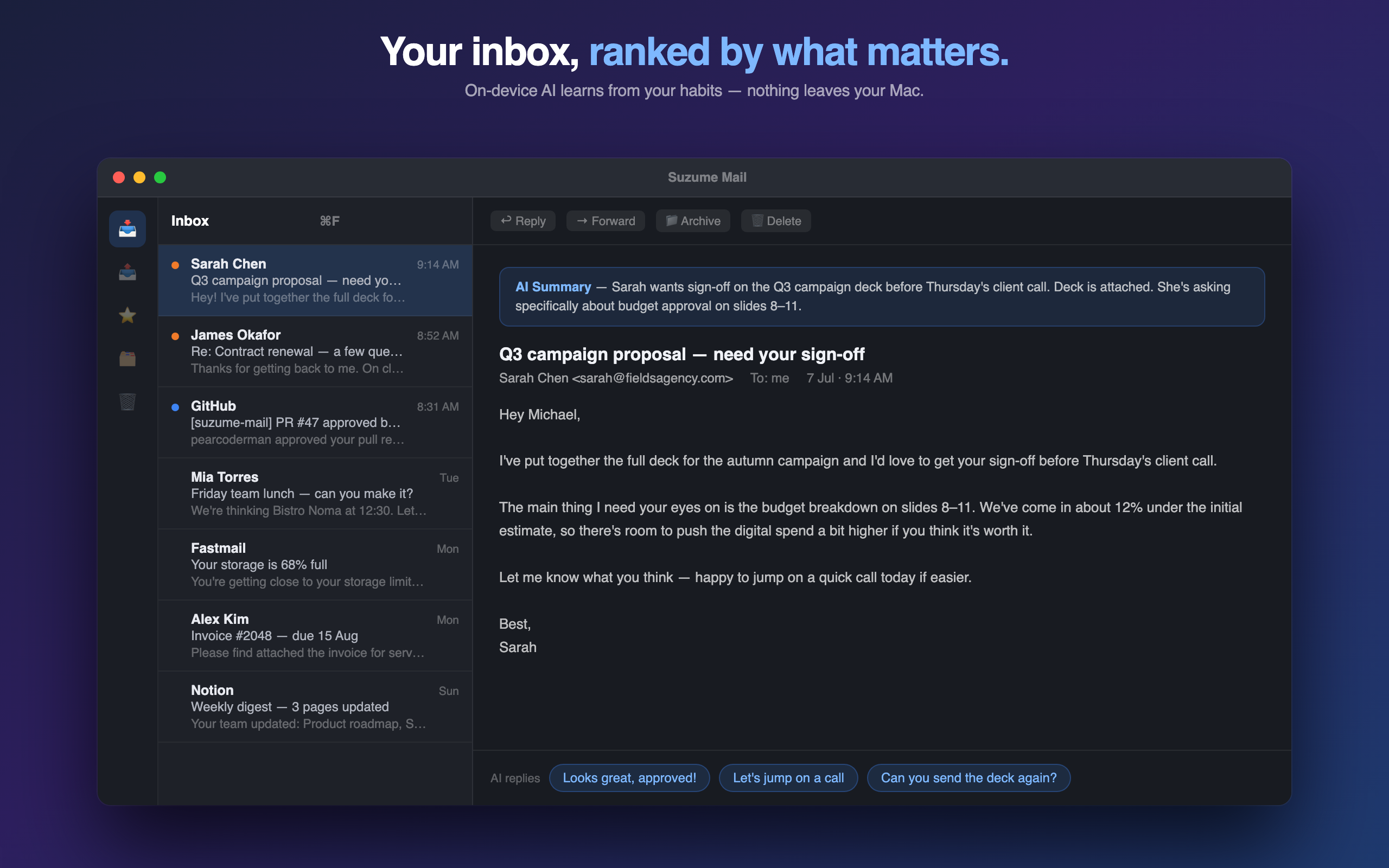
Summaries and quick replies can help when they shorten the path to understanding or replying. They should not turn the inbox into another AI dashboard. Suzume keeps AI features focused on reading and writing moments, with on-device processing where Apple Intelligence is available.
Start with the conversation, not a wall of repeated quoted text.
Use summaries, sender context and clean thread display to decide what the email needs.
Reply, archive or mark done, then get back to the work outside the inbox.
Useful entry points
These pages explain the email workflow, privacy model and comparison before you buy.
Mac email client without a subscription
See where Suzume fits if Apple Mail feels too heavy or subscription clients feel wrong.
Read guide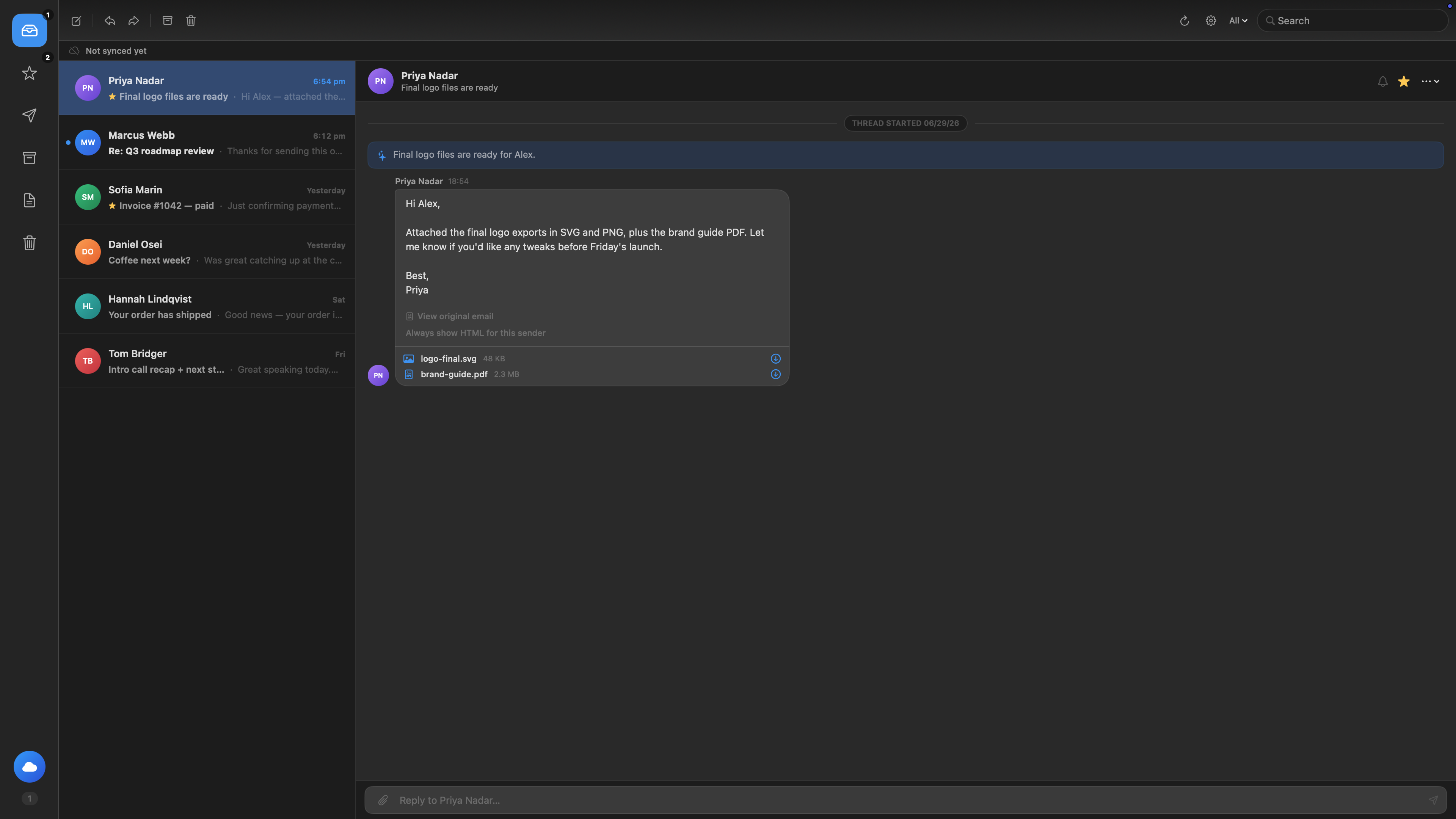
Private email client for Mac
Understand the IMAP/SMTP path, Keychain credentials and local cache model.
Read guide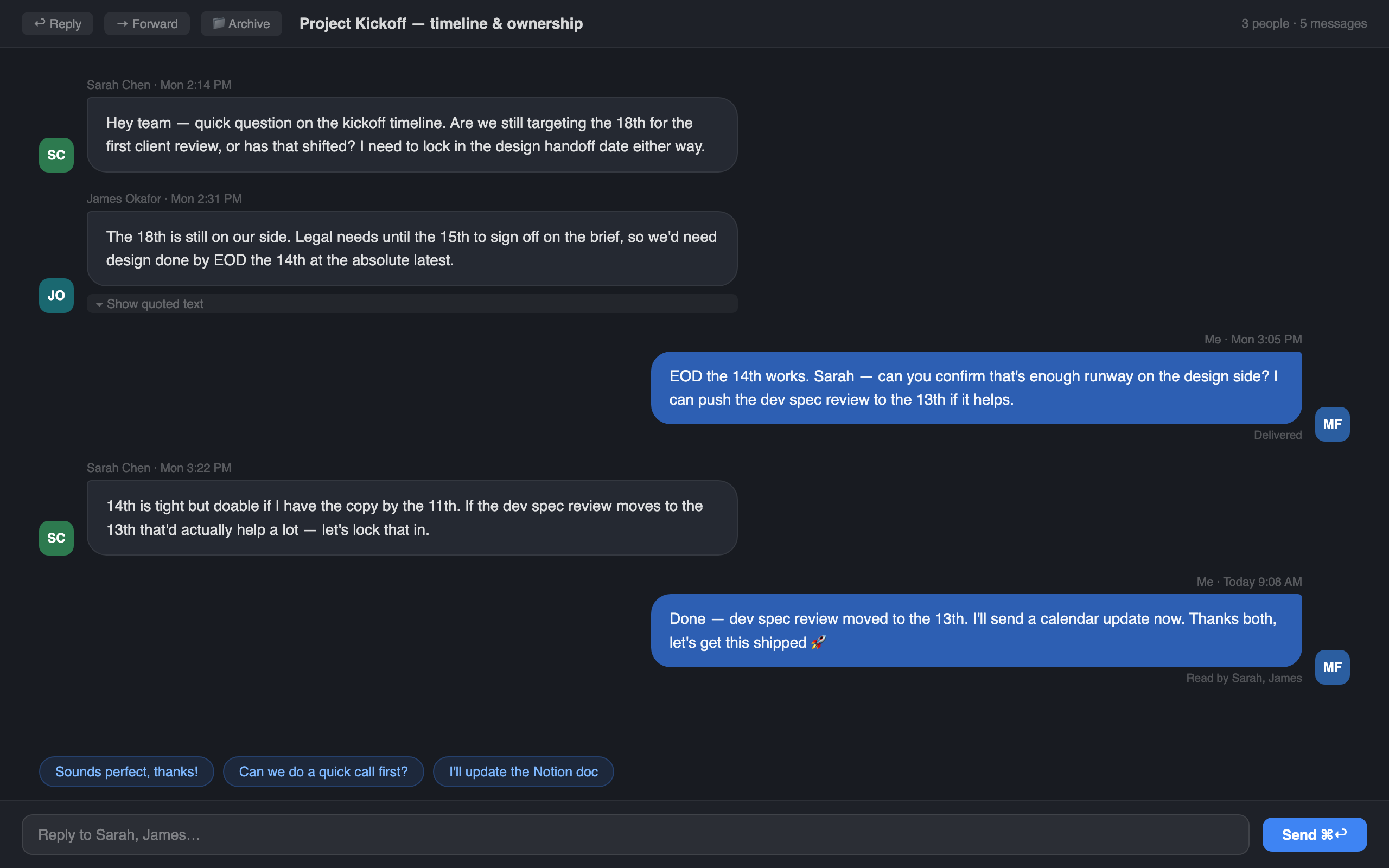
Email should feel like a conversation
Why chat-style reading can make email feel lighter without replacing email.
Read post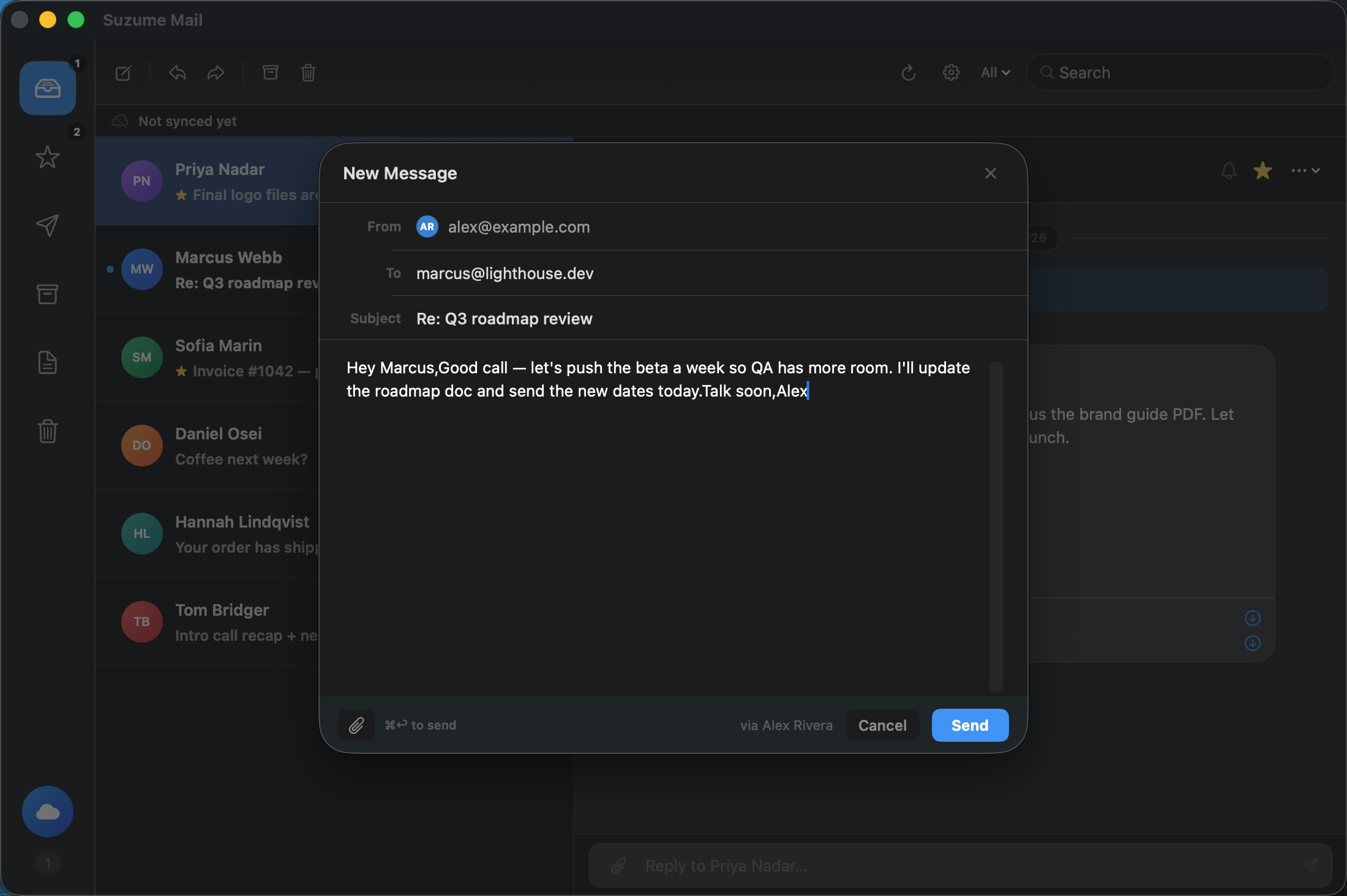
Why native Mac apps still matter
Email is one of those jobs where closeness to the Mac still matters.
Read postGive the inbox a lighter shape.
Suzume Mail is a one-time purchase for Mac users who want private, chat-style email without another subscription.