Where Things 3 is strong
Things 3, made by Cultured Code, is a personal task manager with a clear structure. Projects sit inside areas of responsibility, projects can be split with headings, and each project shows its progress as a small pie. Tags, deadlines, repeating to-dos and time-based reminders are all there. Things Cloud keeps everything in sync.
Its daily view is a particular strength. Today shows what you planned, with your calendar events at the top, and a separate This Evening section for later in the day. Upcoming shows scheduled to-dos, repeating ones, deadlines and calendar events over the coming days, and Cultured Code describes it as the place to plan your week ahead. Someday holds what you have put on hold.
It is also a well-made Mac and iPhone citizen: keyboard shortcuts, Markdown notes in projects and to-dos, widgets and strong Shortcuts support. There are apps for Mac, iPhone with Apple Watch, iPad and Vision Pro.
Where Cadence is different
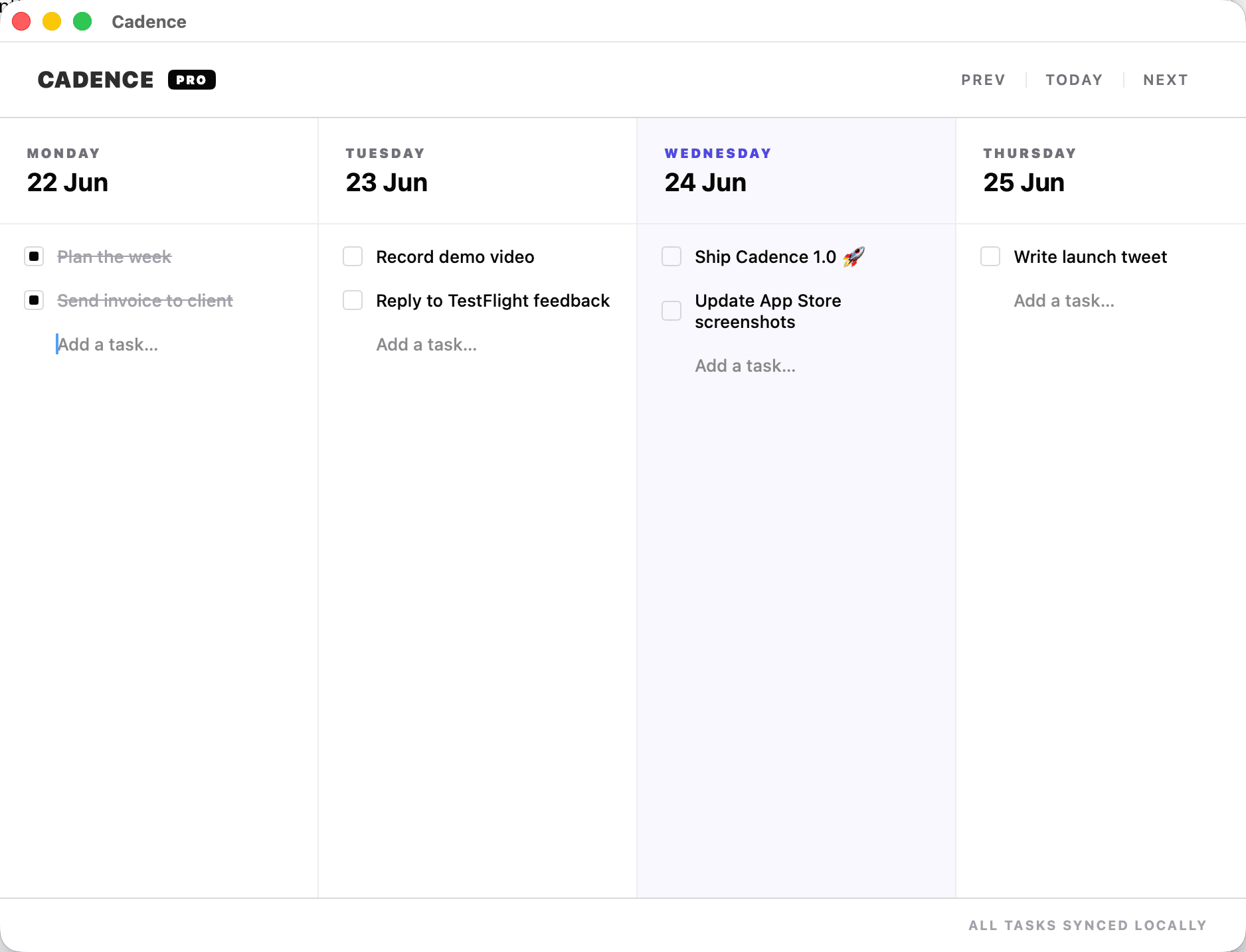
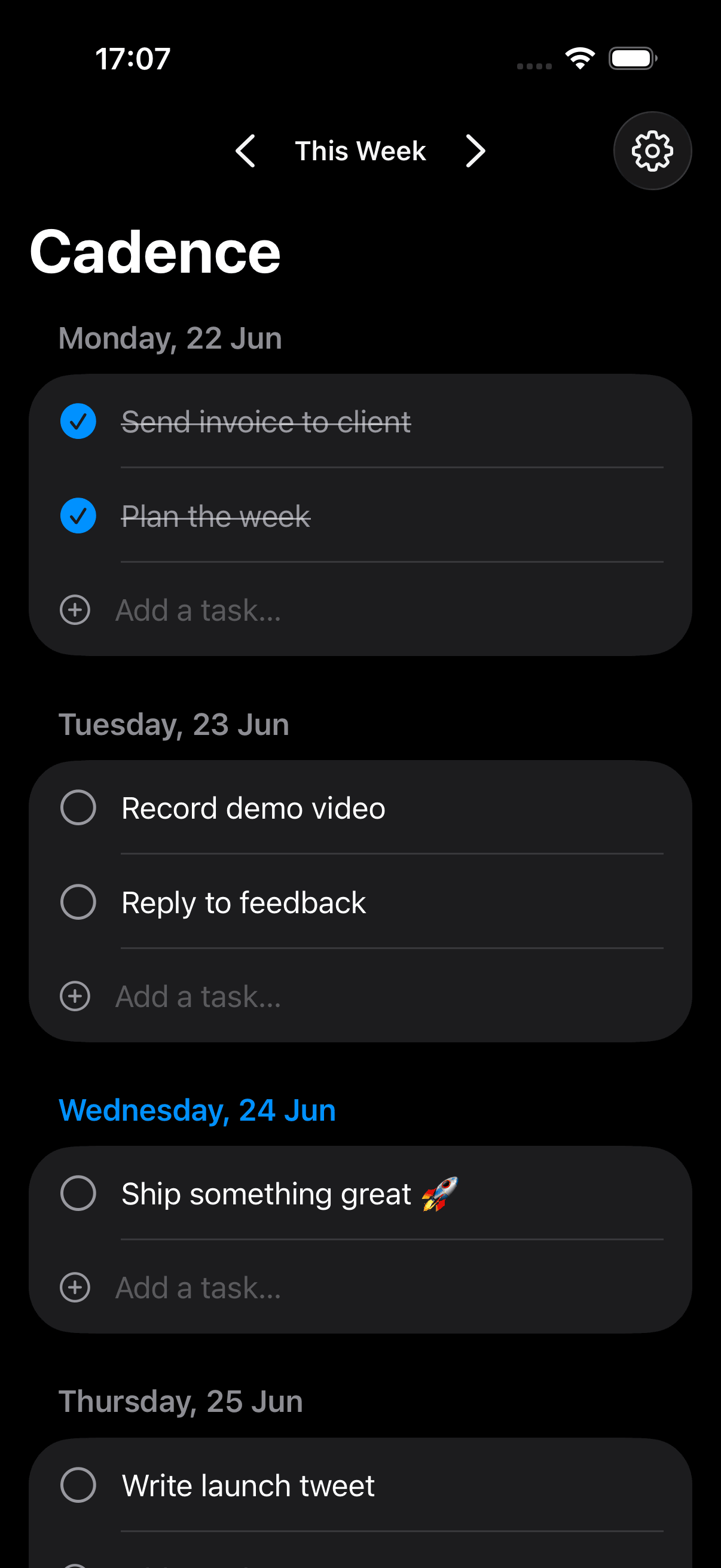
Cadence leaves out the structure. There are no projects, areas, headings or tags. The main screen is the week: one column per day, today highlighted, and tasks you tick off or drag to another day. Tasks without a day wait in an Inbox, and days that have passed show what was left over.
On Friday, a weekly review goes through anything still open and asks whether to move it to next week, park it in the Inbox or let it go. You can add durations, start times, repeats, reminders, notes and subtasks to a task when you want them. On Mac there is quick-add from the menu bar and keyboard shortcuts. Weekends are hidden until you turn them on. Sync runs through your own iCloud, with no Cadence account.
Feature comparison
Planning the week
Things shows the coming days as a list in Upcoming. Cadence shows them side by side as columns you drag between.
Structure
Things has projects, areas, headings and tags. Cadence has days, an Inbox and subtasks.
Calendar
Things shows calendar events in Today and Upcoming. Cadence keeps appointments out; it is for movable work.
End of week
Cadence has a Friday review of open tasks. In Things, you review lists and projects your own way.
How each one plans a week
This is the real difference, so it is worth picturing. In Things, you look at Upcoming and see Monday's to-dos, then Tuesday's below, and so on. To move something you change its date or drag it within that list. It works well, and it scales to long lists because everything is in one scrolling column with projects behind it.
In Cadence, the week is a row of columns. A day with nine tasks looks visibly heavier than a day with three, so overload is hard to miss. Moving a task is one drag sideways. The trade is that the board is not built to hold your whole life; a project with forty steps does not belong on it.
What each costs
Both use one-time purchases, sold separately for each device family, which is unusual these days and good for buyers. Things is sold as separate apps for Mac, for iPhone and Apple Watch, for iPad and for Vision Pro, and Cultured Code offers a free trial on Mac. Its prices vary by country and Cultured Code runs occasional sales, so check the App Store for today's price.
In the US App Store as of November 2026, Cadence for Mac is $19.99 and Cadence for iPhone and iPad is $9.99, with no subscription. The Mac app is also sold direct from Yuzool for $19. There is a live preview board on the Cadence page you can try in a browser first.
How I would decide
Ask what goes wrong in your week. If the trouble is losing track of things, ideas you forget, or projects with many moving parts, you need a place to store them, and Things is excellent at that.
If you already know what needs doing but keep piling it all onto Monday, or you reschedule the same task four days running without noticing, the problem is seeing the week. That is what Cadence is for.
Many people will find Things is enough on its own. Cadence earns a place when the week view is the thing you keep wishing for.
When to choose Cadence
Choose Cadence if you are a freelancer, maker or solo worker who plans in weeks, wants to see the load across days, and prefers a small app with nothing to organise. It suits people who have tried bigger systems and stopped maintaining them.
When Things 3 is the better fit
Things 3 is the better fit if you want one trusted place for every task, think in projects and areas, want calendar events next to your to-dos, or use Apple Watch or Vision Pro. If you already have a Things setup you like, keep it.
Verdict: Things 3 is the refined all-round task manager for Apple users. Cadence is the narrow week board for people whose real problem is fitting this week's work into the days they have.
Side by side
| Cadence | Things 3 | |
|---|---|---|
| Main view | Week board, one column per day | Today, Upcoming, projects and areas |
| Runs on | Mac, iPhone, iPad | Mac, iPhone, Apple Watch, iPad, Vision Pro |
| Projects, areas, tags | No | Yes |
| Repeats and reminders | Yes | Yes |
| Calendar events shown | No | Yes, in Today and Upcoming |
| Weekly review | Built-in Friday review | Your own routine |
| Sync | Your iCloud, no account | Things Cloud |
| Pricing model | One-time, Mac and iPhone/iPad sold separately | One-time, each platform sold separately |
Checked against Cultured Code's site and Cadence's App Store listings in November 2026. Features and prices change, so confirm before you buy.
Using them together
- Keep your projects and someday ideas in Things.
- On Sunday or Monday, pick the handful you will actually do this week.
- Put each one on a day in Cadence and drag them as the week unfolds.
- On Friday, let Cadence's review send leftovers to next week or back to the Inbox.
For a broader look, see Cadence vs Todoist and Things.
Questions people ask
Can Cadence import from Things?
No. You add this week's tasks to the board yourself.
Is Cadence affiliated with Things?
No. Cadence is made by an independent developer at Yuzool. Things is a trademark of Cultured Code.