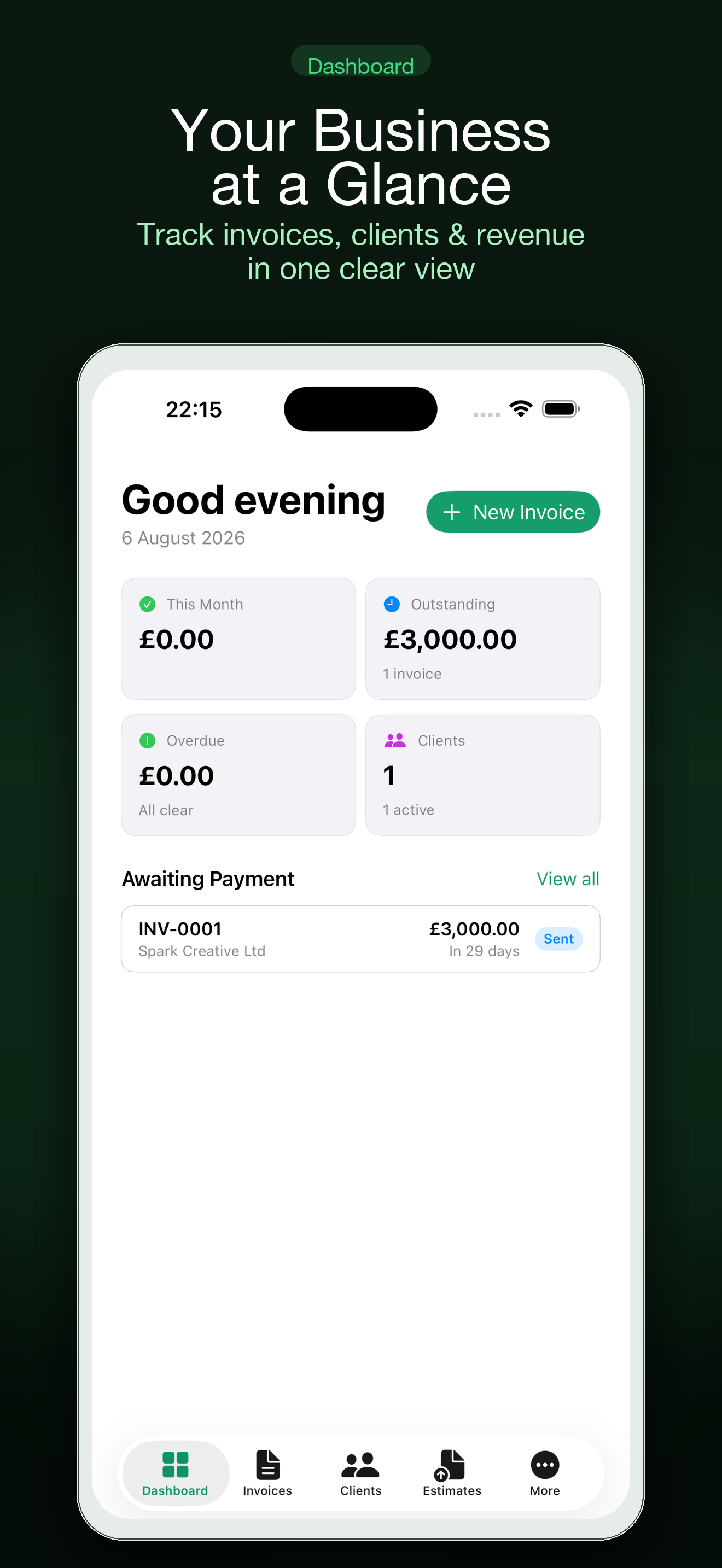
FreshBooks, Wave and QuickBooks are cloud accounting products. Bonsai and HoneyBook are client-management suites with contracts and proposals. Settle is a smaller native app for Mac and iPhone that does invoices, estimates, time, expenses and payment links, storing data in your own iCloud with no account. Choose Settle if you want focused invoicing on Apple devices; choose one of the others if you need accounting, team access, contracts or non-Apple platforms.
What each tool is built for
| Tool | Built for | Runs on | Stands out for |
|---|---|---|---|
| Settle | Freelance invoicing, estimates, time and expenses | Mac and iPhone | Native app, data in your own iCloud, no account |
| FreshBooks | Small-business accounting with strong invoicing | Web and mobile | Accounting reports, team and accountant access |
| Wave | Accounting and invoicing for very small businesses | Web and mobile | A free Starter plan, with paid plans and payment fees above it |
| QuickBooks | Full bookkeeping | Web, mobile, desktop | Depth, and the fact that most accountants use it |
| Bonsai | Running a freelance business end to end | Web and mobile | Proposals, contracts and invoicing in one flow; subscription with a trial, no free plan |
| HoneyBook | Client management for creative and service businesses | Web and mobile; offered only in certain countries, mainly the US and Canada | Inquiries, booking, contracts and payments |
Checked against public information in October 2026. Features, plans and country availability change often, so confirm on each company's site.

When one of the others is the right choice
- You need real accounting. Bank feeds, reconciliation, profit and loss, balance sheet. That is QuickBooks, FreshBooks or Wave.
- Your accountant wants access. Cloud accounting tools let them log in.
- You have a team. Multiple users with permissions are a cloud feature.
- You send contracts and proposals for signature. Bonsai and HoneyBook are built around that.
- You use Windows or Android. Settle is Apple only.
When Settle fits better
- You work alone on a Mac and iPhone. A native app is faster to open and use than a web dashboard.
- You want your client data in your own iCloud. There is no Settle account and no Settle server holding your records.
- You only need the invoicing side. Quote, invoice, track, chase, record expenses.
- You want it to work offline. PDFs are generated on the device.
- You want to start free. Core invoicing, estimates, expenses and PDF export do not need a subscription.
Things to weigh honestly
| Question | Settle | Cloud suites |
|---|---|---|
| Where is my data? | Your iCloud | The provider's servers |
| Do I need an account? | No | Yes |
| Bank feeds and reconciliation? | No | Yes, in the accounting tools |
| Contracts and e-signature? | No | Bonsai, HoneyBook |
| Works on Windows or Android? | No | Yes |
| Card payments? | Through your Stripe account | Built-in processors, fees vary |
| Track record | A new app from an independent developer | Established companies with large user bases |
Using Settle alongside an accountant
Plenty of freelancers invoice in a simple tool and hand records to an accountant once a year. If that is you, ask what they need: usually a list of invoices with dates and amounts, and expenses by category with receipts. Settle exports invoices and statements as PDF. If your accountant requires a specific accounting package, that should decide the question.
Trying it
Because core invoicing is free and there is nothing to sign up for, the cheapest test is to send one real invoice. The freelancer invoicing guide walks through the steps, and creating an invoice on iPhone shows the screens.
| Free | Settle Pro |
|---|---|
| Invoices and PDF export | Invoice and reminder drafts from a plain-language description |
| Clients, estimates and expenses | Receipt and business-card scanning |
| Mac and iPhone, synced through your iCloud | Recurring invoices, deposits and retainers |
| No account to create | Widgets, Shortcuts and Siri |
One Settle Pro subscription covers both Mac and iPhone, and the yearly plan has a free trial. Apple shows current prices, and any lifetime option, at purchase.
Common questions
Is Settle a replacement for QuickBooks?
Not if you need bookkeeping. Settle handles invoicing, estimates, time and expenses. QuickBooks is full accounting software.
Is Settle cheaper?
Core features are free and Pro is a single subscription for Mac and iPhone. Compare current prices on each company's site, since plans change.
Can I move my clients from another tool?
You add clients in Settle, or scan a business card with Pro. There is no automatic import from the tools named here.
Does Settle have contracts or proposals?
It has estimates that convert to invoices. It does not have contracts or e-signatures.
Who makes Settle?
An independent developer at Yuzool. The other products are trademarks of their respective companies, and Settle is not affiliated with them.
Settle is an invoicing tool. It does not give tax, legal or accounting advice. Check requirements for your country with an accountant or the tax authority.
Try focused invoicing on your Mac and iPhone: Get Settle free.