Where Invoice Simple is strong
Invoice Simple, published on the App Store by Zenvoice Inc., has been around for a long time and it shows. As of November 2026 its US App Store listing shows a 4.9 average from more than 100,000 ratings. That is a lot of people who found it does the job, and it is worth taking seriously.
The app covers estimates, invoices and receipts from templates, and you can send them by email, text message, WhatsApp or as a PDF. Customers can sign, card payments can be taken online, and the app tells you when an invoice has been opened, paid or gone overdue. There are expense and receipt tracking and business reports as well.
Its biggest practical advantage is reach. Invoice Simple has iPhone and iPad apps, an Android app and a web app. If you switch phones between Apple and Android, or want to invoice from a Windows PC at the office, Settle cannot follow you there and Invoice Simple can.
Where Settle is different
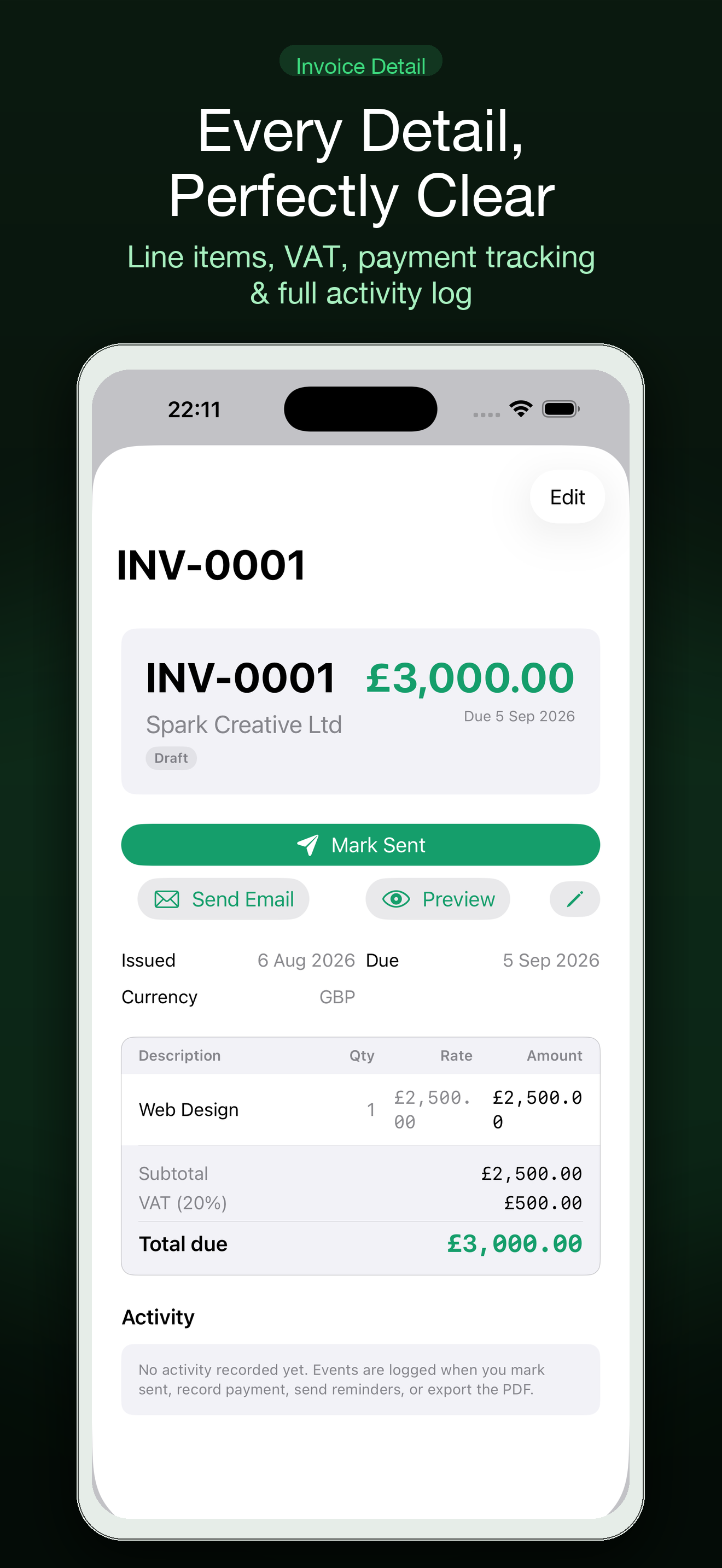
Settle is an invoice, quote and proposal maker for freelancers and solo businesses on iPhone, iPad and Mac. The difference shows most before the invoice exists. You can track leads, write a quote, then turn that quote into a proposal with a cover letter, scope, timeline and terms. The client can pick from up to three options plus optional extras and sign on your device, and Settle creates the invoice for the package they chose.
The other difference is where the data lives. Settle has no Settle account and no Settle server holding your client list. Invoices, clients, quotes, expenses and timers sync through your private iCloud, and PDFs are made on the device.
Feature comparison
Quotes and proposals
Both make estimates. Settle adds proposals with options, extras and a signature, then invoices the chosen package.
Platforms
Invoice Simple: iPhone, iPad, Android and web. Settle: iPhone, iPad and Mac only.
Sending
Invoice Simple sends by email, text, WhatsApp or PDF. Settle exports a PDF, shares a hosted link and drafts reminders you send from Mail.
Getting paid
Both support online card payments. Settle adds Pay now links through your own payment account, such as Stripe.
How the pricing works
This is where the two differ most, so it is worth reading slowly. As of November 2026, Invoice Simple's App Store listing describes plans by how many invoices you can send a month: Essentials up to 3, Plus up to 10, and Premium unlimited. Its in-app purchases are monthly subscriptions, listed from $6.99 to $21.99 in the US store, and the app starts with a free trial. Prices differ by plan and country, so check the app before you subscribe.
Settle is a free download. Quotes, proposals, leads, time tracking and expenses are free, along with your first five invoices. Settle Pro unlocks unlimited invoices and the extras: on-device drafting of proposals and line items with Apple Intelligence, receipt and business-card scanning, recurring invoices, deposits and retainers, widgets, Shortcuts and Siri. The App Store lists Settle Pro at $7.99 a month, $24.99 a year or $59.99 for a lifetime licence in the US; Apple shows regional prices and any one-time option before you pay. One Pro purchase covers iPhone and Mac.
How I would decide
Start with your devices. If anything in your working day is Android, Windows or a shared browser, Invoice Simple is the easier answer and you can stop reading.
If you are all Apple, look at the last three jobs you won. Did you send a price, wait, then send an invoice? Either app handles that well. Did you send a written proposal with a couple of options and a scope? That is the job Settle was built around, and having it in the same app as the invoice saves retyping.
Then count invoices. If you send one or two a month, a low Invoice Simple tier or Settle's free five may be all you need for a while. If you send many, compare the yearly cost of each paid plan in your own currency, on the day you decide.
When to choose Settle
Choose Settle if you work alone across iPhone, iPad and Mac, you write quotes and proposals as well as invoices, and you want your client records in your own iCloud rather than another company's account. It also suits people who like to start an invoice at the desk and send it from the phone later.
It is a young app from an independent developer. That means direct support and a small, focused product, and also a shorter track record than Invoice Simple. Weigh both.
When Invoice Simple is enough
Invoice Simple is enough, and often better, if you need it on Android or the web, if you like texting invoices to customers, or if you have years of invoices in it already and nothing is bothering you. Moving invoicing apps mid-year is a chore with little reward unless something is actually in your way.
Verdict: Invoice Simple is the proven cross-platform pick. Settle is the Apple-only alternative for people who quote and propose before they invoice and want their records kept in their own iCloud.
Side by side
| Settle | Invoice Simple | |
|---|---|---|
| Runs on | iPhone, iPad, Mac | iPhone, iPad, Android, web |
| Quotes | Yes | Yes (estimates) |
| Proposals with options and signature | Yes | Customer signature on documents |
| Lead tracking | Yes | Not a listed feature |
| Free use | Quotes, proposals, time, expenses and first five invoices | Free trial, then a monthly plan |
| Paid plans | Settle Pro, one purchase for iPhone and Mac | Tiers by invoices per month |
| Where records sync | Your own iCloud; no Settle account | Invoice Simple's own service, which also powers its web app |
Checked against each app's App Store listing and public pages in November 2026. Plans and prices change, so confirm before you buy.
Trying Settle without dropping Invoice Simple
- Keep sending live invoices from Invoice Simple.
- In Settle, add one client and write your next quote or proposal there.
- If it is accepted, invoice that job from Settle using your free invoices.
- After a month, keep whichever one you reached for without thinking.
The freelancer invoicing guide walks through a first invoice in Settle.
Questions people ask
Can I import my Invoice Simple clients into Settle?
There is no direct import. You add clients in Settle, or scan a business card with Pro.
Is Settle affiliated with Invoice Simple?
No. Settle is made by an independent developer at Yuzool. Invoice Simple is a trademark of its owner.