A mirror shows a reflection. A round timer marks the minutes. Neither can count your punches or call attention to a movement cue while you are practising. ShadowCoach is a boxing form feedback app for iPhone built to make solo shadowboxing less like guesswork, while keeping its role clear: it offers training signals, not a coach’s full assessment.
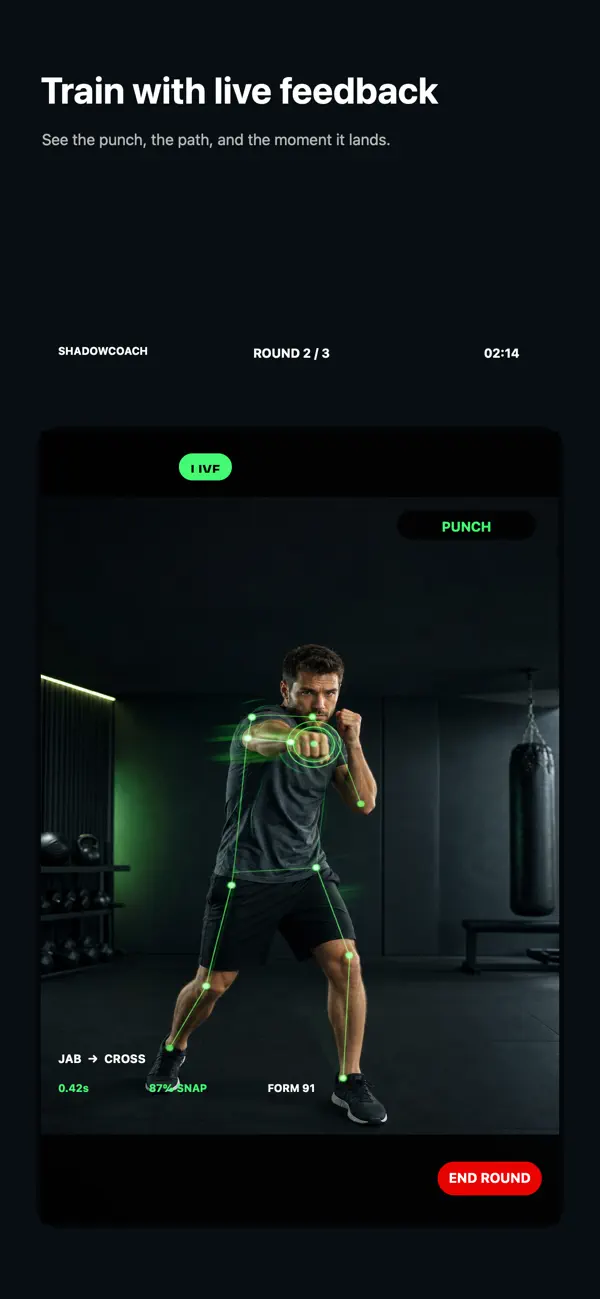
What the app can help you notice
Common form slips
Spoken cues can draw your attention to guard, chin position, balance and hip rotation while you continue the round.
Punches as you throw them
ShadowCoach recognises common punches such as jabs, crosses, hooks and uppercuts, then tracks pace and speed.
Your left-right balance
See whether a session leaned heavily on one side, then choose a simple focus for the next round.
A review after the bell
Use the round breakdown and punch timeline to revisit the session instead of relying only on how tired it felt.
A useful way to work with live feedback
- Frame the whole movement. Place the iPhone on a stable surface where your full body is visible and the training area is clear.
- Choose one intention. For example, finish each punch by returning your hand to guard. Do not try to fix every detail at once.
- Move at a pace you can control. Use relaxed shadowboxing and listen for a cue. If the cue is hard to act on, slow the round down.
- Review the result. At the end, check the breakdown and decide on one small thing to repeat next session.
That loop—one intention, one round, one review—makes feedback easier to use. If you want a step-by-step camera setup and form-check routine, read how to check boxing form at home. You can also make a free form cue before you start.
Designed for private solo practice
Live camera analysis runs on your iPhone; ShadowCoach does not upload your camera feed or require an account to begin. You choose whether to use iOS sharing features. Read the full ShadowCoach privacy policy for details about camera, workout and optional Apple Health data.
Feedback is a prompt, not a verdict
Camera framing, lighting and movement can affect what an app detects. A cue may be useful to notice, but it cannot understand every training context, diagnose pain or replace a qualified boxing coach. Ask a coach to review technique—especially when learning a new movement—and stop if you feel pain, dizziness or unusual symptoms.
For a practical at-home routine, see boxing form coaching at home. For the product’s wider feature set, visit ShadowCoach Boxing.
Practise with a cue, not just a timer.
Try ShadowCoach on iPhone for live movement feedback, punch tracking and round reviews.
Get ShadowCoach free Read the form-check guideDoes ShadowCoach need a boxing bag?
No. The live coach is designed for shadowboxing, so you can practise without a heavy bag.
Does ShadowCoach upload camera footage?
No. Camera analysis is processed on iPhone and the live camera feed is not uploaded. See the privacy policy.
Can an app replace a boxing coach?
No. Use the app as a practice cue between coached sessions, not as a substitute for individual instruction.