Cadence
Cadence Is My Favourite Way to Think Through a Week
Why I built Cadence around a weekly board, GTD principles, dragging tasks forward, and the reality of freelance work.
Published June 25, 2026 · Michael at Yuzool
I have tried a lot of todo systems.
Some were too clever. Some were too blank. Some made me feel productive while quietly becoming another thing I had to maintain.
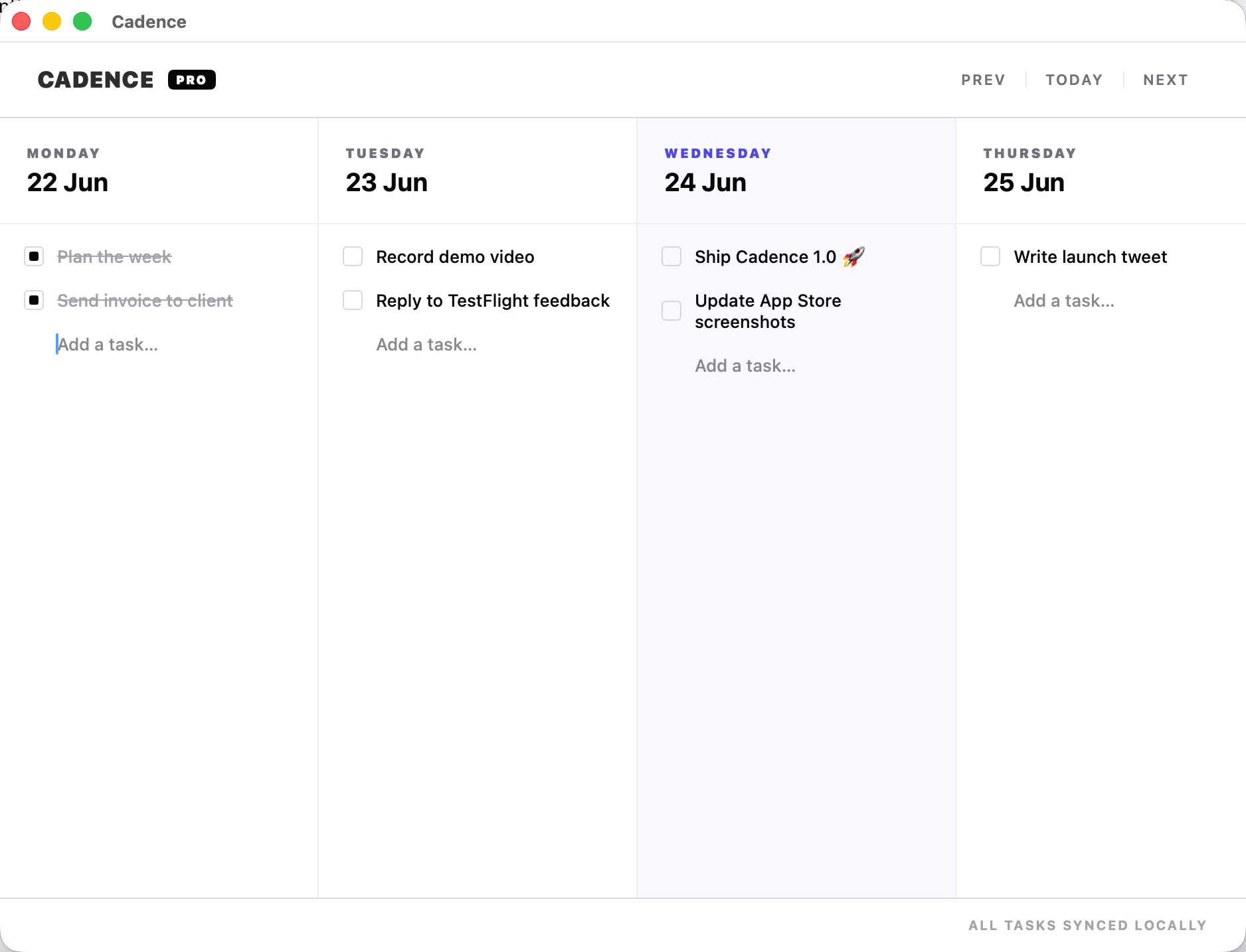
Cadence came from wanting something smaller and more honest: a week in front of me, the work sitting on the days where I think it might actually happen, and a simple way to move tasks when reality disagrees.
That is the shape I keep coming back to as a freelancer.
The week is the useful unit
A day can be too small. A month can be too vague.
The week is where freelance work tends to make sense. You can see client work, product work, admin, follow-ups, writing, errands and the personal things you do not want to lose.
The problem with a normal todo list is that it can hide time. A list of twenty tasks can still feel possible until you place them onto Monday, Tuesday and Wednesday and realise the plan is imaginary.
Cadence makes that visible.
It borrows from GTD without becoming GTD homework
I still like the basic principles behind Getting Things Done:
- capture what has your attention
- clarify what the next action is
- put it somewhere you trust
- review what still matters
What I do not always want is a full system with contexts, projects, reviews, filters and rituals. Those can be useful, but they can also become a hobby that sits beside the work.
Cadence keeps the parts I need most. Capture the thing. Put it on a day. Do it, delete it, or drag it forward.
That last part matters. Moving a task is not failure. It is information.
Dragging is a thinking tool
When I drag something from Tuesday to Thursday, I am not just tidying a list. I am making a decision.
Is this still worth doing? Does it belong this week? Did I overload Tuesday? Is this actually a two-step task pretending to be one?
The physical act of moving the task makes the review feel lighter. I do not have to open a modal, change a date, choose a project and negotiate with a task manager. I just move the thing.
That is the rhythm I wanted.
Freelance work needs a forgiving system
Freelance weeks change quickly.
A client replies late. A payment needs chasing. A bug appears. A personal errand takes longer than expected. You get a good idea for a product page and suddenly the afternoon has a different shape.
The system has to survive that.
Cadence is not trying to plan every dependency in your life. It is trying to help you keep your week honest while giving you a low-friction way to adjust.
Why Mac and iPhone
Most of my planning happens on the Mac because that is where the work happens. But a lot of capture happens away from the desk.
That is why Cadence uses iCloud sync. Add something on the phone, see it on the Mac. Check something off before you forget. No extra account, no new planning service, no separate dashboard.
It is just the week, shared across the Apple devices I already use.
The goal is rhythm, not perfection
The best todo system is not the one with the most features. It is the one you still trust after a messy Tuesday.
Cadence is my attempt at that: simple enough to keep using, visible enough to keep me honest, and flexible enough to let the week breathe.
It has become my favourite way to set todos, think through the work, and keep a freelance week from turning into fog.