Freelance work · Weekly planning
Time Blocking vs Weekly Planning for Freelancers
The calendar is good at protecting appointments. A weekly task plan is better at showing the work that still needs a home. Most freelancers need both—but not for the same job.
September 13, 2026 · Michael at Yuzool
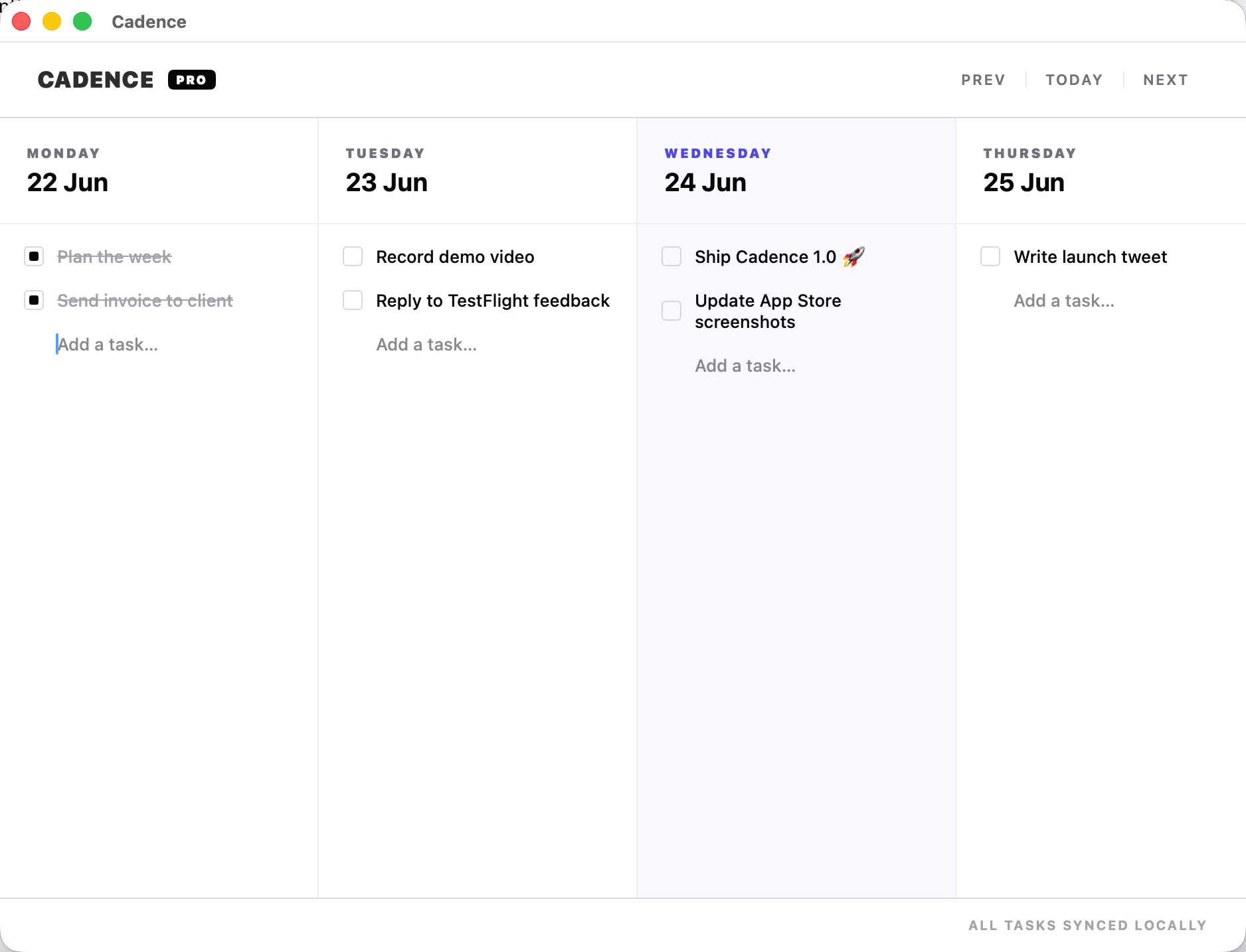
“Time blocking or task list?” is usually the wrong choice. A client call at 10:00 has a real time and belongs on a calendar. A draft, estimate or website fix has a deadline but often does not need a precise start time days in advance. Putting both into the same system can create either a calendar full of fiction or a list that hides the shape of the week.
A more dependable approach is to use each tool for the kind of commitment it represents. Put fixed events and genuinely protected focus sessions on the calendar. Keep flexible tasks on a weekly board, where you can see their relative importance and move them when the week changes.
What time blocking does well
Time blocking gives work a place in the day. It helps when you need to protect an uninterrupted hour, prepare for a client meeting, or keep a recurring commitment from being pushed aside. It also exposes the basic capacity problem: a week with 30 hours of scheduled work cannot quietly absorb another 20 hours of tasks.
Its weakness is precision without evidence. If you schedule every task into a perfect sequence, one late reply or unexpectedly difficult piece of work can make the whole plan look broken. Detailed blocks are most useful for fixed appointments and a few high-value sessions—not as a minute-by-minute forecast of a variable week.
What weekly planning does well
A weekly plan puts work into a realistic horizon without insisting that every task already has a precise hour. You can see what must happen, what could happen and what should move to another week. This matters for independent work because client requests, admin, sales and your own product work compete for the same attention.
A board should make the trade-off visible. When a new task arrives, ask what it displaces. When something slips, move it once and decide whether its scope, deadline or priority needs to change. The board is not a promise to do everything; it is a place to make the week’s choices legible.
A practical hybrid for the week
- Start with immovable commitments. Put calls, appointments, travel and real deadlines on your calendar.
- Choose a few outcomes. Name the work that would make the week meaningful, rather than importing the entire backlog.
- Place flexible tasks on days. Give important work a likely home while leaving enough room for client replies and setup.
- Protect only the focus that needs a time. Block a writing session or delivery window when you genuinely need to defend it.
- Re-plan briefly when reality changes. Move the task and notice what was displaced instead of rebuilding the whole system.
Example: a client revision arrives on Tuesday
Suppose Tuesday already contains a client call, an invoice and two planned tasks. A detailed time-blocking system may require you to rearrange the rest of the day. A weekly task list may simply add the revision and leave you to remember it later.
In the hybrid version, keep the call on the calendar. Add the revision to the weekly board, decide whether it outranks one of Tuesday’s flexible tasks, and move that task to Wednesday if there is capacity. If the revision has a specific delivery time, reserve an appropriate block. You have kept the true constraint while avoiding the fiction that every flexible task had a guaranteed hour.
Signs your system is too detailed
- You spend more time rescheduling than doing or deciding.
- One missed block makes you abandon the plan for the rest of the week.
- Your calendar contains work sessions that were never checked against existing commitments.
- You keep copying unfinished tasks into new lists without deciding when they belong.
When this happens, reduce the precision. Keep the calendar for time-specific commitments; use a weekly view for flexible tasks; and make one short adjustment each day. A useful plan should take less effort to maintain than the uncertainty it replaces.
Where Cadence fits—and where it does not
Cadence is a weekly task board for Mac, with an iPhone companion and iCloud sync. It is designed for placing work into the week and moving unfinished tasks forward. It is not a full calendar or a replacement for time-specific appointment scheduling. That makes it a fit for the flexible-work side of the hybrid described here; keep your calendar for appointments and protected blocks.
For a deeper look at planning when priorities move, read the flexible-week guide or see the Cadence feature overview. If your current system is a list that keeps growing, the weekly planner for freelancers page explains the product’s scope and limits.
A sustainable planning system does not need to predict the week perfectly. It needs to tell the truth about what is fixed, what can move and what you are choosing not to do yet.