App Store
How to Research App Store Competitors as a One-Person Studio
A focused competitor-research process for a one-person app studio: compare store promises, screenshots, pricing and reviews without losing a week to analysis.
Published September 30, 2026 · Michael at Yuzool
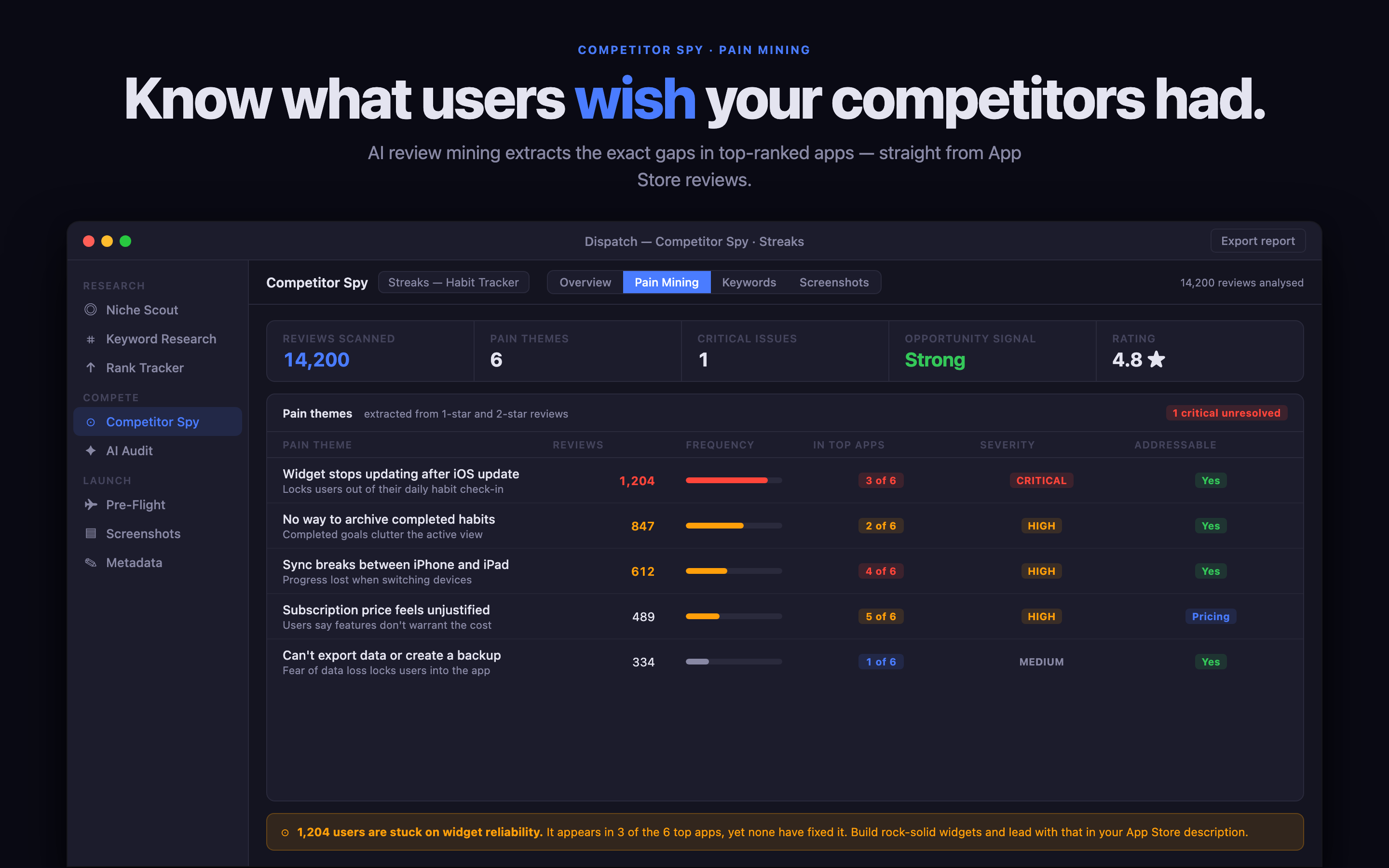
Competitor research is one of the easiest parts of an app launch to overdo. A one-person studio can spend days collecting screenshots, rankings and feature lists, then still not know what the product page should say.
The goal is not to catalogue an entire category. It is to find the language, expectations and unanswered questions that should shape your next store-page decision.
Define the comparison before opening the store
Choose one buyer job. For example: “keep a small team’s travel costs clear,” “plan the week without rebuilding unfinished tasks,” or “turn a receipt photo into a usable record.” Then choose the audience that makes the job specific.
This prevents the research from becoming a generic feature comparison. A broad productivity app may technically compete with your app, but it may not compete for the same decision.
Read the first screen like a buyer
For each relevant app, capture the first impression before you inspect the details. What does the title promise? What does the subtitle clarify? What does the first screenshot ask the visitor to believe?
Write the answer in one sentence. If you cannot, the listing may be unclear—or it may be using a promise that your app should not imitate. Repeated wording tells you what the market recognises; differences tell you where positioning might be available.
Use reviews to find the real questions
Reviews are most useful when you group them by job rather than rating. Look for requests, workarounds and moments of disappointment. A complaint about sync may reveal that people are using the app in a shared workflow. A request for export may reveal a trust or ownership concern.
Do not treat every review as a roadmap item. Treat the pattern as evidence about what buyers expect to understand before they install.
Compare the page, not just the features
Make a short table with five columns: promise, first proof, price, trust signal and unanswered question. This is more useful than a list of every feature because it keeps the comparison connected to conversion.
If a competitor is stronger on breadth, you may be able to be clearer on one job. If a competitor is cheaper, you may need to make the time saved or privacy model more legible. If every listing uses the same visual language, a calmer and more direct screenshot sequence can be a meaningful difference.
Keep the research close to the decision
Dispatch gives indie developers a Mac workspace for competitor notes, keyword research, metadata preparation and launch checks. The value is the continuity: the evidence you collect is still available when you write the subtitle or decide which screenshot belongs first.
For a one-person studio, that continuity matters more than a giant report. You need to remember why you made the decision, what you are testing and what you will change next.
The 45-minute competitor pass
Spend ten minutes defining the job and audience. Spend fifteen minutes reading five listings. Spend ten minutes grouping reviews and unanswered questions. Spend ten minutes writing one positioning sentence and one screenshot sequence. Stop there.
Good competitor research should make the next product-page decision easier. When it starts producing more tabs than decisions, the research is finished for today.