Apps & Tools
How to Read App Store Connect Metrics for a New App
A practical guide to App Store Connect impressions, product-page views, downloads and conversion rate—plus how to make decisions when the numbers are still small.
Published September 18, 2026 · Michael at Yuzool
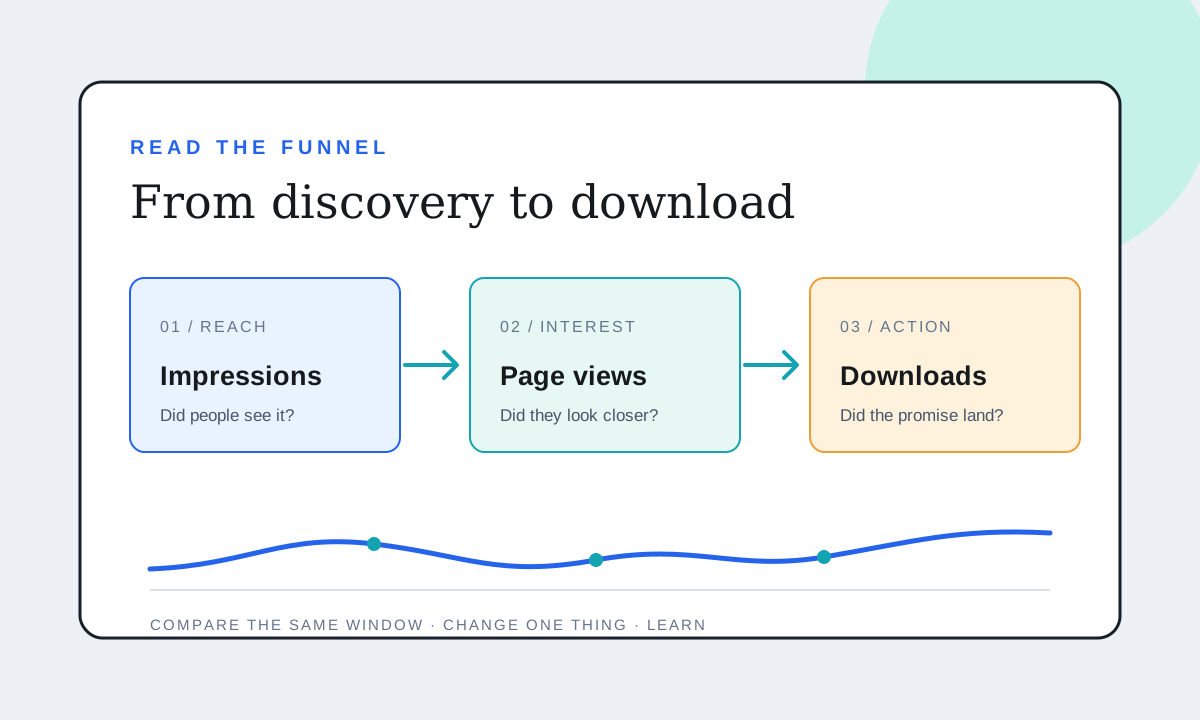
When an app has only a handful of downloads, App Store Connect can feel like a verdict arriving one number at a time. It is more useful to read the dashboard as a sequence of questions: did people encounter the listing, did they open the product page, and did enough of them decide to download?
That sequence helps you avoid changing the wrong thing. A product page cannot convert people who never see it; more impressions will not fix a listing that fails to explain the app. Start by identifying which step has the clearest evidence of friction.
What the main App Store metrics mean
Impressions count how often your app was viewed in App Store surfaces such as Today, Games, Apps and Search. Apple says an impression is counted when the app is viewed for more than one second, and impressions include product-page views. This is a measure of exposure, not a count of people who carefully considered the app.
Product Page Views count visits to the product page. A view means someone took another step after seeing the app, but it does not tell you how long they stayed or what they thought. A person can also reach a product page directly from a link, so use source breakdowns when you need to understand where those visits came from.
Conversion Rate is downloads and pre-orders divided by unique device impressions. The denominator matters: it is not simply downloads divided by raw product-page views. Apple’s metric definitions explain the distinction between impressions, unique-device impressions, page views and conversion.
First-Time Downloads and Redownloads answer different questions. First-time downloads help you see new adoption; redownloads represent people getting an app again. Total downloads can include both, so don’t silently substitute one for the other when judging acquisition.
Read the funnel from left to right
1. Few impressions: investigate discovery
If impressions are sparse, first ask whether the app is live in the territories and on the platforms you expect. Then inspect the App Store source report: Search, Browse, referrals and web links imply different next steps.
When Search is the main source, check whether the name, subtitle, keywords and first screenshots describe the exact job people search for. When referrals dominate, improve the referring pages and make sure their promise matches the listing. If the app is new, a small impression count may simply mean there is not enough evidence yet; one quiet week is not a reliable trend.
Do not respond to low impressions by rewriting every field at once. That makes it harder to know what changed discovery, and it can blur a clear product proposition. Choose one plausible gap, make a note of the date and change, and watch the next comparable period.
2. Impressions but few page views: check the first impression
The icon, app name, subtitle and search context are doing the first bit of explaining before anyone sees the full page. Ask a person unfamiliar with the product to look at the search result for a few seconds, then tell you what the app does and who it is for.
If their answer is vague, work on clarity before cleverness. A distinctive icon helps recognition, but the text still needs to name the use case. Compare source types too: search visitors may arrive with a more specific need than people browsing a category, so a single blended number can hide useful differences.
3. Page views but few downloads: check the product page promise
The first screenshots should make the app’s core outcome legible without requiring a tour. Lead with the job it helps someone finish, show the real interface, and use later screenshots to answer the next likely questions: what happens to my data, what does setup involve, and what does it cost?
Read the description and in-app purchase details for expectation gaps. If a paid feature, subscription or account requirement is important, make it clear before download. Trust is not decoration; it is part of conversion.
4. Downloads but weak ongoing use: move beyond acquisition
An install is not proof that the app became useful. Pair acquisition reports with usage, retention, crash and support signals, where available. A page change can improve downloads while leaving the first-run experience untouched. Make sure the promise on the store page matches what the app delivers in its first session.
Be careful with small samples
Rates can swing sharply when the denominator is small. If a page gets a few dozen unique impressions, one additional download can move the reported percentage by several points. Treat a short interval as a prompt to investigate, not proof that a new icon or screenshot caused a change.
Use the same date range and storefronts when comparing periods. Note releases, promotions, press, holidays and major metadata changes. Segment by source or territory only when there is enough data to make the segment meaningful; slicing a tiny sample into smaller pieces can create confident-looking noise.
Apple’s App Analytics overview describes source analysis and product-page optimization as ways to investigate acquisition. A product page optimization test is useful when you have a real alternative to compare and enough traffic to learn. Apple notes that test results appear after at least five first-time downloads are associated with the test; that is a display threshold, not a guarantee that every result is conclusive. Read Apple’s testing guidance before designing one.
A simple weekly review
Once a week, write down four figures for the same period: unique impressions, product-page views, first-time downloads and conversion rate. Add the leading source and one note about anything unusual. Then choose the next action based on the weakest evidenced step:
- Low exposure: improve discovery relevance or the channels sending people to the listing.
- Weak movement from impressions to page views: clarify the search-result promise.
- Page visits without installs: test whether the screenshots and offer answer buyer questions.
- Installs without continued use: investigate onboarding and product value, not just store copy.
Change one important thing at a time where practical, keep a dated changelog and give the next comparable window time to accumulate. The goal is not to make every number rise in isolation. It is to understand which part of the path needs work, then make a change you can learn from.
This is a measurement guide, not a promise that any particular listing change will increase downloads. App Store Connect metrics can be delayed, privacy-protected or too sparse to support a firm conclusion.