Apps & Tools
App Store ASO Without a Monthly Subscription
A practical App Store ASO workflow for indie developers who want keyword research, competitor notes and screenshot checks without committing to an expensive monthly dashboard.
Published September 30, 2026 · Michael at Yuzool
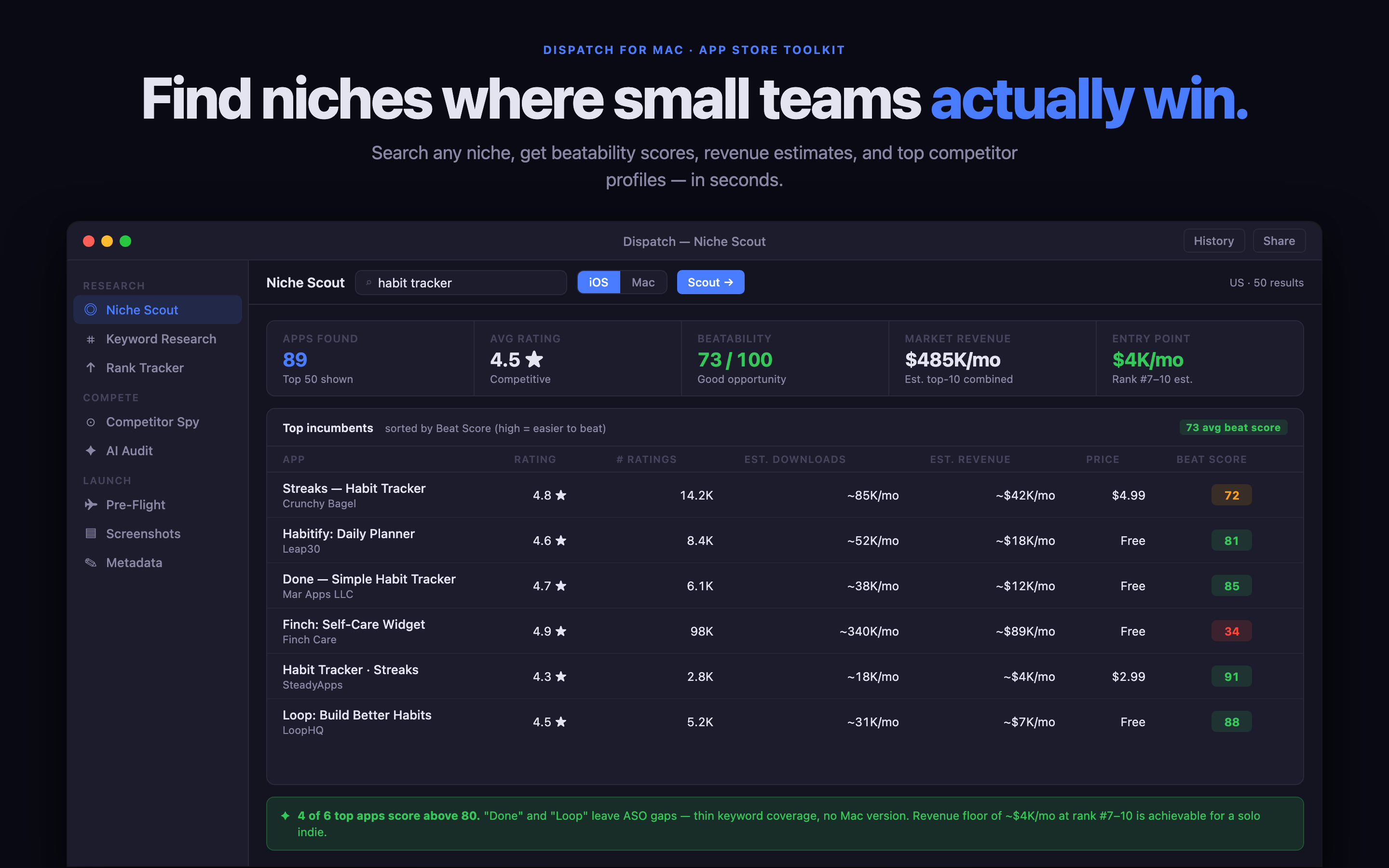
Most ASO software is designed for teams that need a permanent dashboard. A solo developer often has a different problem: research a category, compare a few competing pages, make a decision and get back to building. Paying for a large subscription before that workflow is proven can feel backwards.
The useful alternative is not “never measure anything.” It is a smaller, repeatable ASO loop that keeps evidence close to the App Store page and only pays for tools that earn a place in the launch process.
Start with the job behind the keyword
Write the search in the language a buyer would use. “Receipt scanner for freelancers” describes a job and an audience. “OCR expense capture” describes an implementation detail. Both may matter, but the first phrase gives you a better starting point for judging the competing promise.
For each phrase, record three things: what the person is trying to do, what kind of app they expect and what would make them trust the result. This quickly turns a long keyword list into a short set of useful product-page questions.
Use a small competitor sample
You rarely need to audit fifty apps to make the next decision. Start with the first five relevant results and one or two apps that serve a neighbouring job. Note the title language, subtitle promise, first screenshot, pricing model and the most repeated benefit.
Then look for the gap. The opportunity may be a specific audience, a calmer workflow, a local-first promise, a one-time price or a better explanation of a job that larger apps treat as a feature.
Keep a decision log
The biggest weakness in a spreadsheet-only ASO process is that the reasoning disappears. Store the phrase, the evidence, the decision and the next test together. If you change the subtitle, record why. If a screenshot moves, record which question it is answering.
This makes the next update much easier to interpret. You are no longer asking “did ASO work?” You are asking “did this specific promise make the right people more likely to visit or download?”
Where a focused Mac tool fits
Dispatch is designed for this one-time and repeatable workflow on Mac. It brings niche research, keyword notes, competitor comparison, metadata preparation and pre-flight checks into one private workspace. It is useful when you want the structure of an ASO tool without adopting a large team dashboard.
The point is not to avoid subscriptions as a principle. The point is to match the tool to the job: investigate the market, shape the listing, release, review the evidence and repeat only where the next decision is clear.
A simple no-subscription ASO loop
Choose one job. Review five competing listings. Record repeated language and missing promises. Draft one title, subtitle and screenshot sequence. Check the page before submission. After launch, change one meaningful thing at a time and keep a note of the result.
That is enough to create a disciplined ASO practice. A specialist workspace can make it faster, but the durable advantage is the quality of the questions you ask and the clarity of the decisions you keep.